
Author name: marketing

Uncategorized

๐Ÿ“ฑ Mobile App Development Services in Bangalore โ€“ Complete Guide

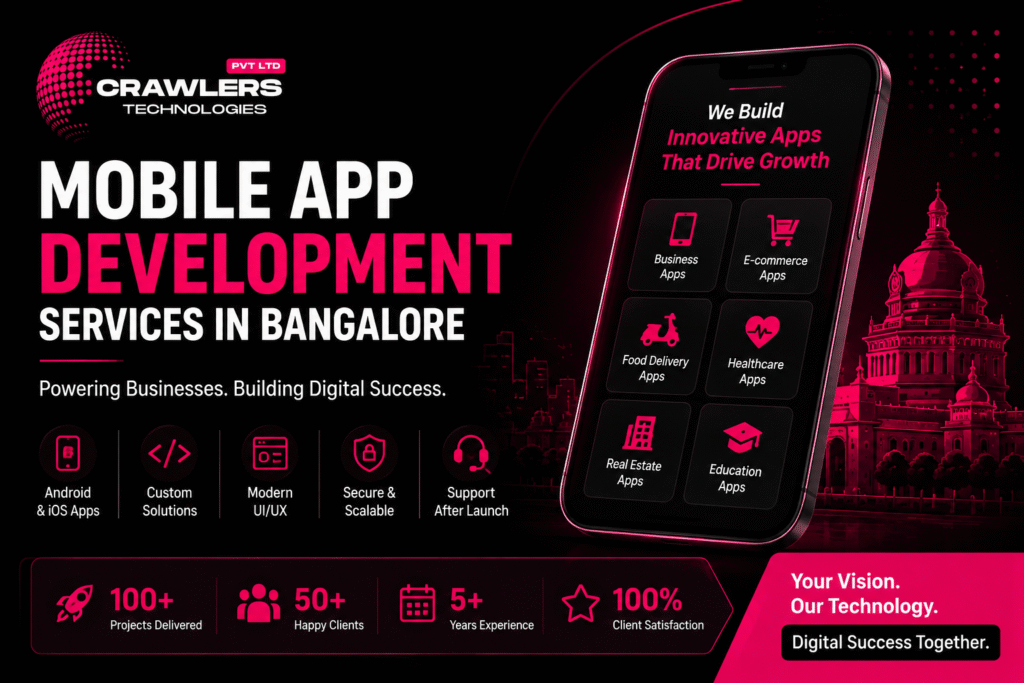
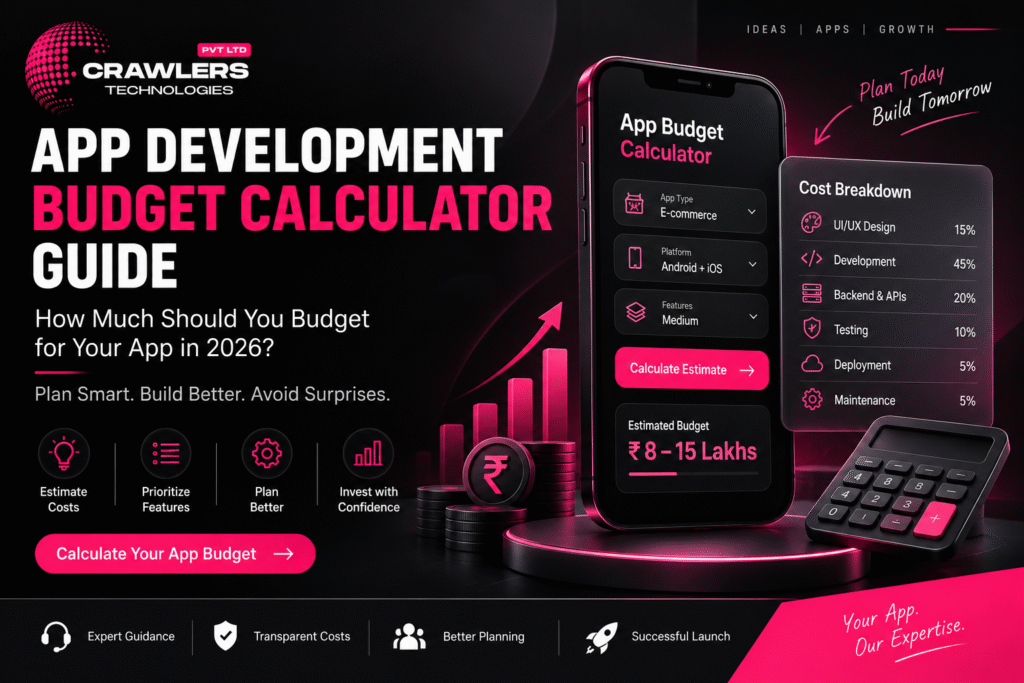
๐Ÿš€ How to Automate Your Business with a Custom App Mobile App Development Services in Bangalore โ€“ Complete Guide | Crawlers Technologies Intro What Is It? App Types Native vs Cross Backend & Security Cost & Timeline How to Choose Tips & Mistakes Final Thoughts Complete Guide ยท Bangalore ยท 2026 Mobile App DevelopmentServices in Bangalore Everything businesses need to know before building a mobile application โ€” technology, costs, timelines, and how to pick the right development partner. ๐Ÿ“ฑ App Types ๐Ÿ’ป Native vs Flutter ๐ŸŽจ UI/UX Design ๐Ÿ’ฐ Cost Breakdown โฑ๏ธ Timelines ๐Ÿ” Security ๐Ÿงช Testing & QA ๐Ÿšฉ Mistakes to Avoid Scroll to explore The Basics What Is Mobile App Development? Mobile app development is the process of designing, building, testing, and launching applications for smartphones and tablets โ€” for Android, iOS, or both. 618+Dev Companies in Bangalore โ‚น3LSimple MVP Starting Cost 8 WksFastest Basic App 2026Market Data A Professional Project Typically Includes ๐Ÿ“‹ Business requirement analysis ๐ŸŽจ UI/UX design ๐Ÿ’ป Frontend development โš™๏ธ Backend development ๐Ÿ”— API integration ๐Ÿ—„๏ธ Database development ๐Ÿงช Testing & QA ๐Ÿš€ App Store deployment ๐Ÿ”ง Post-launch maintenance Typical Development Process ๐Ÿ”ญDiscovery โ†’ ๐ŸŽจUI / UX โ†’ ๐Ÿ’ปDevelopment โ†’ ๐ŸงชTesting โ†’ ๐Ÿš€Deployment โ†’ ๐Ÿ”งSupport What You Can Build Types of Mobile Apps Businesses Can Build From internal business tools to consumer-facing platforms, the type of app determines the architecture, features, timeline, and investment required. ๐Ÿข Business Apps Customer management Employee operations Orders & inventory Reports & dashboards Internal automation ๐Ÿ›๏ธ E-Commerce Apps Browse & filter products Cart & checkout Payment integration Order tracking CRM & inventory sync ๐Ÿฝ๏ธ Food Delivery Apps Restaurant listings Menu management Online ordering Delivery tracking Customer reviews ๐Ÿฅ Healthcare Apps Appointment booking Doctor profiles Patient communication Digital records Teleconsultation ๐Ÿ  Real Estate Apps Property listings Location-based search Lead generation Site-visit booking Agent communication ๐ŸŽ“ Education Apps Online courses & videos Quizzes & assessments Student dashboards Progress tracking Online payments Technology Decision Native vs Cross-Platform Development One of the first โ€” and most important โ€” decisions is choosing your development approach. Each has distinct trade-offs in cost, speed, and performance. Kotlin ยท Swift ๐Ÿ“ฑ Native Development โœ”Exceptional performance & speed โœ”Full access to platform features โœ”Highly optimised user experience โœ”Best for complex applications โœ—Higher cost โ€” two separate codebases โœ—Longer development timeline Flutter ยท React Native ๐Ÿ’™ Cross-Platform Development โœ”Faster development โ€” one shared codebase โœ”Lower development effort & cost โœ”Easier maintenance & updates โœ”Near-native performance (especially Flutter) ~Best for startups & growing businesses ๐ŸŽจ UI/UX Design โ€” Why It Matters as Much as Code A technically powerful app can still fail if users find it difficult to use. Good UI/UX directly improves engagement, conversions, and retention. User research User journey mapping Wireframing Prototyping Visual design Usability testing Design system creation Infrastructure Backend, Security & Cloud The backend powers everything users interact with inside the app. As your user base grows, a well-architected backend becomes the difference between a product that scales and one that breaks. โš™๏ธ Backend & API Development The backend manages: User accountsDatabasesPaymentsOrdersNotificationsAuthenticationBusiness logic Common integrations: Payment gatewaysGoogle MapsWhatsApp APISMS providersCRM / ERPAnalytics toolsCloud services ๐Ÿ” Mobile App Security Security must be considered from the first line of code โ€” not retrofitted at the end. This is especially critical for payment, healthcare, and financial applications. ๐Ÿ”‘ Secure authentication ๐Ÿ”’ Data encryption ๐ŸŒ HTTPS everywhere ๐Ÿ”— Secure APIs ๐Ÿ‘ฅ Role-based access ๐Ÿ—„๏ธ Database protection ๐Ÿงช Regular security testing โ˜๏ธ Secure cloud infra ๐Ÿงช Testing & Quality Assurance Before launching, every app should be tested across real devices, scenarios, and use cases. Testing catches bugs before your customers do. โœ… Functional testing ๐Ÿ–ฅ๏ธ UI testing โšก Performance testing ๐Ÿ”’ Security testing ๐Ÿ”— API testing ๐Ÿ“ฑ Device compatibility ๐Ÿ” Regression testing ๐Ÿ‘ฅ User acceptance testing โ˜๏ธ Cloud & Hosting Most modern apps require cloud infrastructure for the backend, database, storage, and APIs โ€” allowing the application to scale as traffic grows. โ˜๏ธ AWS Amazon Web Services ๐Ÿ”ต Azure Microsoft Azure ๐ŸŸข GCP Google Cloud Platform Investment How Much Does App Development Cost in Bangalore? There is no fixed price โ€” costs depend on complexity, platform, integrations, and team structure. These are 2026 Bangalore market estimates. ๐Ÿ’ฐ Indicative Cost Ranges App Type Approximate Cost Simple MVP โ‚น3L โ€“ โ‚น8L Standard Business App โ‚น5L โ€“ โ‚น15L Medium-Complexity App โ‚น8L โ€“ โ‚น20L Marketplace / On-Demand App โ‚น15L โ€“ โ‚น40L+ Enterprise Application โ‚น40L+ These are indicative market ranges. The final quotation depends on your exact requirements. ๐Ÿ“Š Cost by App Type (Relative Scale) Simple MVPโ‚น3L โ€“ โ‚น8L Standard Business Appโ‚น5L โ€“ โ‚น15L Medium-Complexity Appโ‚น8L โ€“ โ‚น20L Marketplace / On-Demandโ‚น15L โ€“ โ‚น40L+ Enterprise Applicationโ‚น40L+ โšก What Determines Your App’s Cost โš™๏ธ Number of Features More functionality means more development time and investment ๐Ÿ“ฑ Number of Platforms Separate native builds cost more than a cross-platform approach ๐ŸŽจ UI/UX Complexity Custom animations and advanced interfaces require more design work ๐Ÿ–ฅ๏ธ Backend Complexity Complex logic, real-time data, and multiple user roles add cost ๐Ÿ”— Third-Party Integrations Payments, maps, SMS, CRM, and ERP add development requirements ๐Ÿ”’ Security Requirements Sensitive data apps need additional testing and infrastructure ๐Ÿ“ˆ Scalability Apps built for millions of users require more sophisticated architecture โฑ๏ธ Development Timelines โ€” 2026 Bangalore Estimates 8โ€“14 Weeks Basic App 3โ€“6 Months Medium App 4โ€“12 Months Complex App A clear scope and well-defined requirements can significantly reduce unnecessary delays. Decision Framework How to Choose a Mobile App Development Company in Bangalore With 618+ reviewed companies in Bangalore alone, don’t choose based only on price. Evaluate each company across these critical dimensions. ๐Ÿ”Relevant Portfolio โ€” Has the company built apps similar to yours in functionality or industry? ๐Ÿง Technical Expertise โ€” Does the team understand the specific technologies your project requires? ๐ŸŽจUI/UX Capability โ€” Review the quality and usability of their previous applications, not just screenshots. ๐ŸงชTesting Process โ€” Ask exactly how bugs, performance, security, and device compatibility are handled. ๐Ÿ’ฐTransparent Pricing โ€” The proposal should explain features, deliverables, timeline, payment terms, and maintenance costs. ๐Ÿ”งPost-Launch Support โ€” What happens

Uncategorized

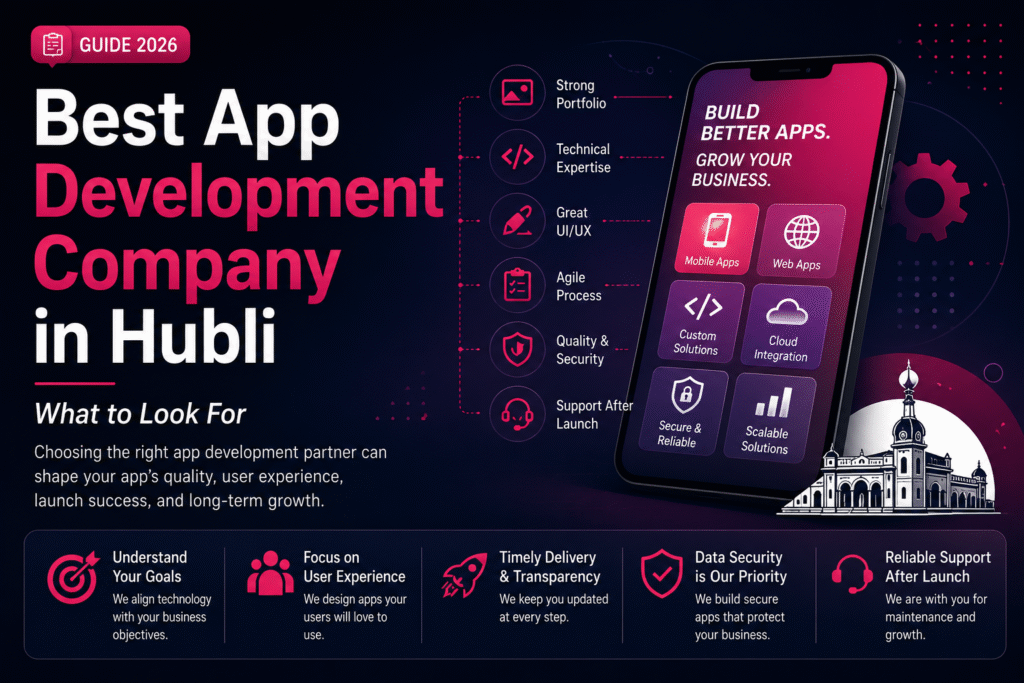
Best App Development Company in Hubli โ€“ What to Look For

๐Ÿš€ How to Automate Your Business with a Custom App Best App Development Company in Hubli โ€“ What to Look For | Crawlers Technologies Intro Why It Matters Key Factors Process Security & Cost Red Flags Questions to Ask Hubli Advantage Final Thoughts Business Guide ยท Hubli, Karnataka Best App DevelopmentCompany in Hubli What to look for before you invest. Your development partner shapes your app’s performance, security, timeline, and long-term success โ€” choose wisely. ๐Ÿ” Portfolio ๐Ÿง  Tech Expertise ๐ŸŽจ UI/UX Design ๐Ÿงช Testing & QA ๐Ÿ” Security ๐Ÿšฉ Red Flags ๐Ÿ’ฐ Pricing Transparency ๐Ÿ“… Timelines Scroll to explore The Stakes Why Choosing the Right Partner Matters A mobile app can become a critical part of how your business operates every day. The wrong development partner can cost far more than money. Your App May Handle ๐Ÿ‘ค Customer registrations ๐Ÿ’ณ Online payments ๐Ÿ“ฆ Product orders ๐Ÿ“… Appointments ๐Ÿ“Š Customer data ๐Ÿ‘ฅ Employee operations โš™๏ธ Business automation ๐Ÿ’ฌ Real-time communication What Goes Wrong with the Wrong Partner โœ— Delayed launches โœ— Unexpected costs โœ— Poor performance โœ— Security vulnerabilities โœ— App that doesn’t solve your business problem The right partner should understand your business goals โ€” not just your technical requirements. ๐Ÿฝ๏ธ Restaurant Online ordering Delivery tracking Loyalty rewards ๐Ÿฅ Healthcare Appointment booking Patient records Notifications ๐Ÿ  Real Estate Property listings Lead management Site-visit booking Evaluation Criteria 13 Factors to Evaluate Any Development Company Work through this list before signing any contract. Each factor reveals something important about whether a company is the right fit for your project. 01 Check Their Previous App Development Work Don’t just look at their website. Ask to see real, live applications they have designed and developed โ€” not mockups or concept screenshots. Similar industries Similar functionality Android & iOS apps Cross-platform apps UI/UX quality 02 Evaluate Their Technical Expertise A capable team can explain why a particular technology is right for your project โ€” not just what’s popular right now. Flutter React Native Kotlin Swift Node.js Laravel Python APIs & Cloud 03 Don’t Ignore UI/UX Design A technically powerful app can still fail if users find it difficult to use. A good app makes it easy for users to accomplish their goals. User research Wireframes User journeys Prototypes Visual design Usability testing 04 Look for Custom Development Every business has different requirements. The company should build a solution around your specific workflow โ€” not force your business to adapt to a generic product. 05 Understand Their Development Process A professional development process should follow structured stages. Ask how the project will be managed before any work begins. ๐Ÿ”ญDiscovery โ†’ ๐Ÿ—บ๏ธPlanning โ†’ ๐ŸŽจUI/UX โ†’ ๐Ÿ’ปDev โ†’ ๐ŸงชTesting โ†’ ๐Ÿš€Deploy โ†’ ๐Ÿ”งSupport 06 Ask About Testing & Quality Assurance Never choose a company based only on development speed. A proper QA process catches problems before your customers do. โœ… Functional testing ๐Ÿ“ฑ Device testing โšก Performance testing ๐Ÿ”’ Security testing ๐Ÿ”— API testing ๐Ÿ” Regression testing Critical Factors Security, Pricing & Scalability 07 Check Their Approach to App Security Security should be built into the development process โ€” not added as an afterthought at the end. Data encryption Secure APIs Authentication Role-based access Database security Security testing Regular updates 08 Don’t Choose the Cheapest Quote Automatically Two companies can quote different prices because their proposals cover different scopes. โŒ Wrong Question “Who is the cheapest?” โœ… Right Question “What exactly am I getting for this investment?” UI/UX design scope Testing included Cloud infrastructure Integrations App Store deployment Maintenance plan 09 Ask About Timeline & Milestones Be cautious of companies promising complex applications in unrealistically short timelines. A professional proposal should include clearly defined stages. Discovery timeline Design milestones Development phases Testing period Client review stages Post-launch support 10 Evaluate Communication Communication can make or break a software project. A good partner makes technical information understandable to business owners. ๐Ÿ‘ค Dedicated project manager? ๐Ÿ“… Regular update frequency? ๐Ÿ› ๏ธ Communication tools used? ๐Ÿ’ฌ Feedback collection process? 11 Check Post-Launch Support Development doesn’t end when your app reaches the store. After launch, your app needs ongoing attention. Bug fixes Security updates OS compatibility Performance improvements New features Technical support 12 Clarify Source Code & Ownership These details must be clearly defined in your agreement before development begins. Your business should know exactly what is handed over at completion. ๐Ÿ“ Source code ๐ŸŽจ UI/UX designs ๐Ÿ—„๏ธ Database ๐Ÿ“„ Documentation โ˜๏ธ Cloud accounts ๐Ÿ“ฑ App Store accounts โš–๏ธ IP ownership 13 Ask About Scalability Don’t build only for today. Think about where your business could be in three to five years and whether the architecture supports that growth. Can this support more users? Can we add new features later? Can it integrate with our CRM or ERP? Can it expand to additional markets? Warning Signs ๐Ÿšฉ Red Flags to Watch Out For A strong development partner is transparent about both opportunities and limitations. Watch for these warning signs. โœ—Extremely low quote without understanding your requirements โœ—Promises unrealistic delivery timelines โœ—Cannot show relevant previous work โœ—Avoids explaining the technology stack โœ—Unclear ownership and IP terms โœ—Doesn’t discuss testing or QA process โœ—No post-launch support plan โœ—Difficult or slow communication โœ—Focuses only on selling instead of understanding your business Due Diligence โœ… Questions to Ask Before Hiring These questions help you compare companies on value and capability โ€” not price alone. Take them into every discovery call. 01Have you developed similar applications before? 02Can I see examples of your live, working apps? 03Which technology do you recommend and why? 04Will you handle UI/UX design as part of this project? 05What testing process do you follow at each stage? 06How will project progress be communicated to me? 07What happens if requirements change during development? 08Who owns the source code at the end of the project? 09Do you provide App Store and Play Store deployment? 10What post-launch support do you provide and at what cost? 11Can the application scale as my business grows? 12What exactly is included in the quoted price? Working Locally ๐Ÿ†

DEVELOPMENT

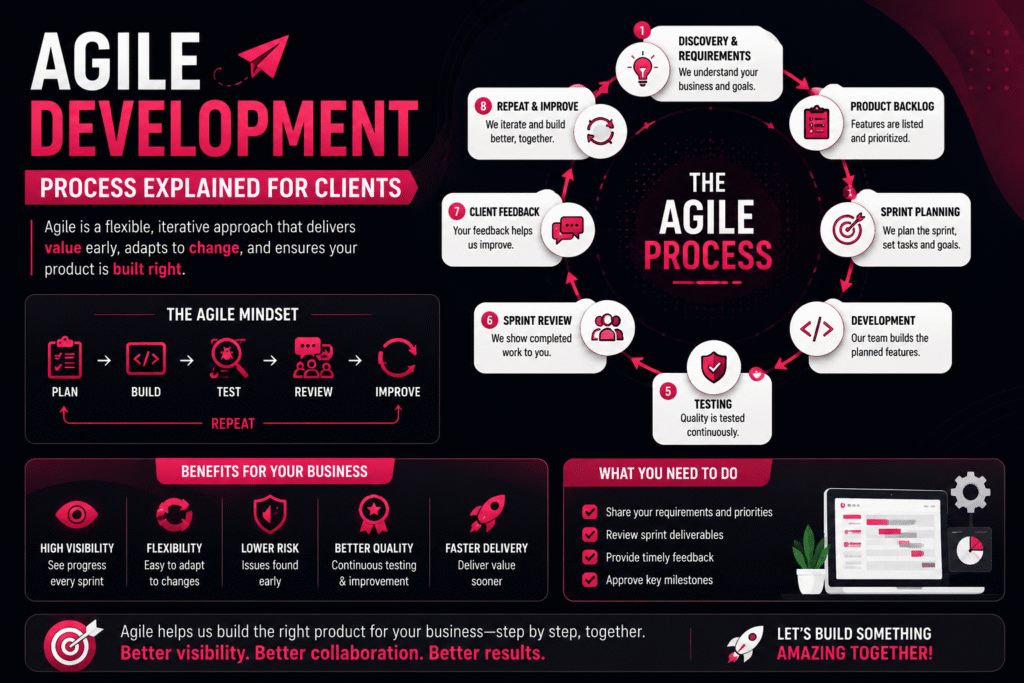
๐Ÿš€ Agile Development Process Explained for Clients

๐Ÿš€ How to Automate Your Business with a Custom App Agile Development Process Explained for Clients | Crawlers Technologies Intro What Is Agile The Process Backlog & Sprints Review & Feedback Launch Agile vs Traditional Client Role Myths & Benefits Client Guide ยท Software Development Agile DevelopmentExplained for Clients Stop waiting months to see progress. Agile breaks your project into small, reviewable stages so you’re always in control โ€” with feedback at every step. ๐Ÿ”„ Sprints ๐Ÿ’ฌ Feedback Loops ๐Ÿงช Continuous Testing ๐Ÿš€ MVP Launch ๐Ÿ“Š vs Traditional ๐Ÿง  Myths Busted Scroll to explore The Foundation What Is Agile Development? Agile is a flexible software development methodology focused on continuous delivery, real client feedback, and incremental improvement โ€” instead of building everything in one go. Traditional vs Agile โ€” The Core Difference โŒ Traditional Planโ†’ Build Everythingโ†’ Testโ†’ Launch You see the result only at the end โ€” months later. โœ… Agile Planโ†’ Buildโ†’ Testโ†’ Reviewโ†’ Improveโ†’ Repeat You see working features every 1โ€“4 weeks. Agile Core Principles ๐Ÿ” Continuous development ๐Ÿ’ฌ Regular client feedback ๐Ÿงช Frequent testing ๐Ÿ“ˆ Incremental improvements ๐Ÿ”“ Flexible requirements The Agile Cycle ๐Ÿ—บ๏ธPlan โ†’ ๐Ÿ’ปBuild โ†’ ๐ŸงชTest โ†’ ๐Ÿ‘€Review โ†’ ๐Ÿ’ฌFeedback โ†’ โšกImprove โ†บ How It Works The Agile Process โ€” Step by Step An Agile project follows clear, repeatable stages that give you visibility and control throughout the entire build. Step 01 Discovery & Requirement Gathering The project begins by deeply understanding your business โ€” goals, customers, features, competitors, budget, and timeline. The output is a clear product roadmap. Business Goals Target Customers Required Features Budget & Timeline Technical Requirements Step 02 Creating the Product Backlog A prioritized list of everything the application needs. The most important features are developed first, so you always get maximum value early. Step 03 Sprint Planning The project is divided into sprints โ€” focused development cycles of 1โ€“4 weeks. During planning, the team decides which features to build, who works on what, and what the sprint goal is. Building Blocks Backlog & Sprint Execution ๐Ÿ“ Example Product Backlog โ€” E-Commerce App Features are listed and prioritised before development begins. High-priority items are built first. #01User registration #02Login & auth #03Product catalog #04Search #05Shopping cart #06Payment #07Order tracking #08Push notifications #09Admin dashboard ๐Ÿ’ป Development โ€” During Each Sprint Developers focus only on the features selected for that sprint โ€” not the whole app. This keeps work focused and quality high. Frontend development Backend development API integration Database setup UI implementation ๐Ÿงช Testing Throughout Development Testing happens throughout every sprint โ€” not only at the end. Finding bugs early makes them far cheaper and easier to fix. โœ… Functionality โšก Performance ๐Ÿ”’ Security ๐Ÿ“ฑ Device compatibility ๐Ÿ˜Š User experience Client Involvement Sprint Review & Your Feedback At the end of every sprint, you see real working features โ€” not a presentation or a status report. This is where Agile earns its value for clients. ๐Ÿ‘€ What You See After Each Sprint 1Login + Registration 2Product Catalog + Search 3Cart + Checkout 4Payments + Order Tracking 5Notifications + Admin Panel ๐Ÿ’ฌ How Client Feedback Works After each sprint review, you share feedback. The team adds your input to the backlog and prioritises it for a future sprint. “The checkout process should have fewer steps โ€” can we consolidate the address and payment into one screen?” This kind of real-time feedback ensures the final product is closely aligned with your actual business needs โ€” not a guess made at the start of the project. Going Live Product Launch & Continuous Improvement ๐Ÿš€ What the Launch Includes ๐Ÿ“ฑ Google Play Store submission ๐ŸŽ Apple App Store submission ๐Ÿ–ฅ๏ธ Production deployment โš™๏ธ Server configuration ๐Ÿ“Š Analytics setup ๐Ÿ”’ Security checks ๐Ÿ’ก Agile doesn’t require waiting for every possible feature. You can launch an MVP and keep improving it based on real user feedback โ€” saving budget and getting to market faster. ๐Ÿ”„ Continuous Improvement After Launch Agile development doesn’t end at launch. The same cycle continues to evolve and improve the product over time. Bug fixes New features Performance improvements Security updates User feedback integration Business requirement changes Head to Head Agile vs Traditional Development A clear breakdown of how these two approaches differ across every important factor. Factor Agile Traditional Development Style Incremental Sequential Client Feedback Frequent throughout Often limited during build Testing Continuous Concentrated at end Flexibility High Lower Progress Visibility High โ€” see every sprint Lower โ€” mostly at end Handling Changes Easier to accommodate Can be expensive late Product Delivery Incremental releases Usually one final delivery Risk Detected early May surface late Your Part What Does the Client Need to Do? Agile doesn’t mean managing developers daily. Your involvement is structured, lightweight, and high-impact. ๐Ÿ“‹ Provide Requirements Explain what your business needs at the start and as things evolve ๐ŸŽฏ Prioritize Features Decide which features are most important for the first release ๐Ÿ‘€ Review Sprint Work Check completed features and share honest, timely feedback โšก Make Quick Decisions Fast feedback prevents development delays and keeps momentum โœ… Approve Milestones Confirm the project is moving in the right direction at key stages ๐Ÿ’ฐ Does Agile Increase Development Cost? Not necessarily โ€” Agile can actually help you control costs. Because features are built incrementally, you can identify low-value items early and invest only in what matters. Instead of spending โ‚น10 lakh building every planned feature, you might launch an MVP first, learn from real users, and invest additional budget only in features that demonstrate real value. Clearing the Air Common Misconceptions About Agile Agile is often misunderstood. Here’s what it actually means โ€” and what it doesn’t. “Agile means there is no plan.” Agile involves continuous planning rather than one rigid plan. The roadmap evolves โ€” it never disappears. “Clients can change anything at any time.” Agile is flexible, but significant changes still affect scope, cost, and timeline โ€” just less than in traditional development. “Agile means no deadlines.” Agile uses sprint goals, milestones, priorities, and delivery schedules. Accountability is built

Uncategorized

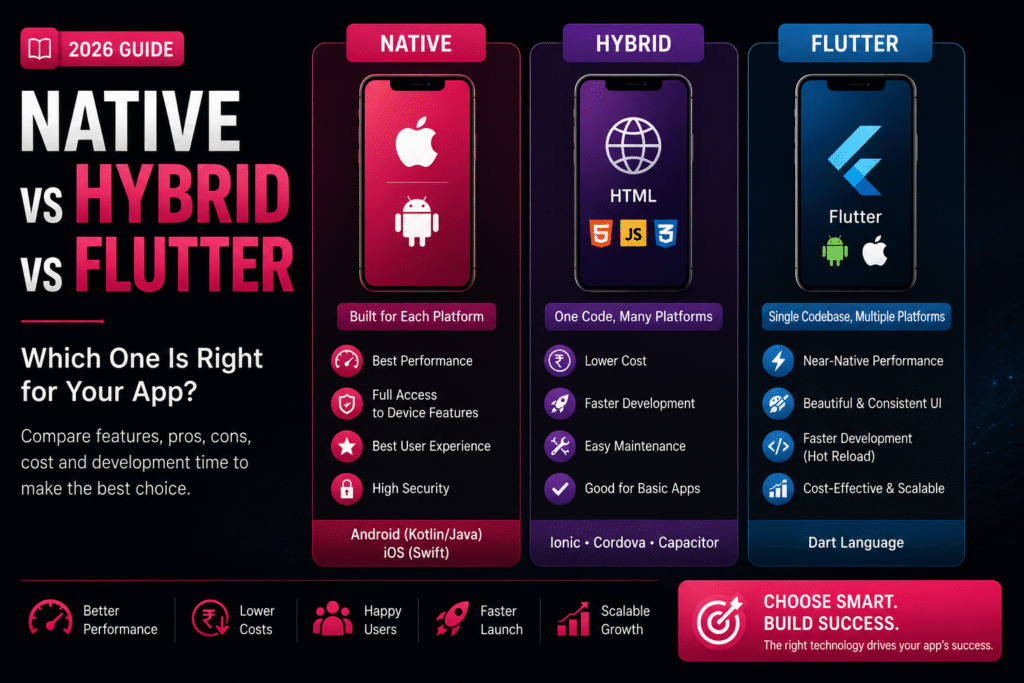
๐Ÿ“ฑ Native vs Hybrid vs Flutter: Pros & Cons

๐Ÿš€ How to Automate Your Business with a Custom App Native vs Hybrid vs Flutter: Pros & Cons | Crawlers Technologies Introduction What Is Each? Comparison Native Hybrid Flutter Cost & Time Which to Choose Final Thoughts Mobile Development Guide ยท 2026 Native vs Hybridvs Flutter Choosing the right technology is one of the most important decisions before development begins. It affects your budget, performance, timeline, and user experience. ๐Ÿ“ฑ Native ๐ŸŒ Hybrid ๐Ÿ’™ Flutter ๐Ÿ’ฐ Cost Comparison โฑ๏ธ Timeline ๐Ÿข Which to Choose Scroll to explore The Technologies Three Approaches, One Goal Each development method is built for a different balance of cost, speed, and performance. Understanding them is the first step to making the right choice. ๐Ÿ“ฑ Native Built specifically for one OS. Android uses Kotlin or Java. iOS uses Swift or Objective-C. Separate codebases for each platform. Best Performance ๐ŸŒ Hybrid Uses HTML, CSS and JavaScript wrapped inside a native container. Frameworks: Ionic, Cordova, Capacitor. One codebase, all platforms. Fastest Launch ๐Ÿ’™ Flutter Google’s open-source UI framework using Dart. Single codebase for Android, iOS, web, and desktop. Near-native performance. Best Balance Side-by-Side Feature Comparison A clear breakdown of every major factor to help you evaluate each approach objectively. Feature Native Hybrid Flutter Performance โญโญโญโญโญ โญโญโญ โญโญโญโญยฝ User Experience Excellent Good Excellent Development Speed Slow Fast Fast Cost High Low Moderate Code Reusability No Yes Yes Maintenance High effort Easy Easy Device Features Full Access Limited Almost Full Scalability Excellent Moderate Excellent Option 01 ๐Ÿ“ฑ Native App Development Native apps are built from the ground up for one specific platform. They offer unmatched performance but come with higher investment requirements. โœ… Advantages โœ”Exceptional Performance โ€” Optimised for each OS, making them the fastest option available โœ”Superior UX โ€” Follows platform design guidelines with smooth animations โœ”Full Device Access โ€” Camera, GPS, Bluetooth, NFC, Biometrics, Sensors โœ”Better Security โ€” Strong platform-specific security features โŒ Disadvantages โœ–Higher development cost โœ–Separate codebases for Android and iOS โœ–Longer development time โœ–Higher maintenance costs Best for: Banking, Gaming, Healthcare, High-performance enterprise apps Option 02 ๐ŸŒ Hybrid App Development Hybrid apps offer speed and cost savings for businesses that need a quick, budget-friendly solution without complex functionality. โœ… Advantages โœ”Lower Cost โ€” A single codebase significantly reduces expenses โœ”Faster Launch โ€” Ship to market much more quickly โœ”Easy Maintenance โ€” One update applies to all platforms โœ”Great for Simple Apps โ€” Internal tools, portals, booking systems โŒ Disadvantages โœ–Lower performance vs native โœ–Limited advanced device feature access โœ–Less fluid animations โœ–UX may not feel fully native Best for: Internal apps, event apps, company portals, simple booking systems Option 03 ๐Ÿ’™ Flutter Development Flutter by Google delivers near-native performance with a single codebase. It’s become the go-to choice for startups and growing businesses in 2026. โœ… Advantages โœ”Single Codebase โ€” One build deploys on Android, iOS, web & desktop โœ”Near-Native Performance โ€” Custom rendering engine, fast and smooth โœ”Beautiful UI โ€” Highly customisable, consistent across platforms โœ”Hot Reload โ€” Developers see changes instantly, speeding up work โœ”Cost-Effective โ€” Shared codebase lowers build & maintenance costs โŒ Disadvantages โœ–Slightly larger app file size โœ–Highly specialised native features may need extra code โœ–Developers need Dart language experience Best for: E-commerce, startups, food delivery, education, healthcare, business apps Investment Cost & Timeline Comparison Actual costs depend on your app’s complexity, features, integrations, and design requirements. These ranges reflect typical projects in India in 2026. ๐Ÿ’ฐ Development Cost (INR) ๐ŸŒ Hybrid App โ‚น2L โ€“ โ‚น8L ๐Ÿ’™ Flutter App โ‚น3L โ€“ โ‚น15L ๐Ÿ“ฑ Native App โ‚น5L โ€“ โ‚น30L+ โฑ๏ธ Development Timeline ๐ŸŒ Hybrid 2โ€“4 Months ๐Ÿ’™ Flutter 3โ€“6 Months ๐Ÿ“ฑ Native 4โ€“8 Months Cross-platform solutions reduce overall development time because one codebase serves multiple platforms. Decision Guide Which Option Is Best for Your Business? The right choice depends on your goals, budget, audience, and timeline. Here’s a clear framework to help you decide. ๐Ÿ“ฑ Native Choose Native Ifโ€ฆ You need maximum performance Advanced hardware features required Expecting millions of active users Budget is not a major concern Banking ยท Gaming ยท Healthcare ยท Enterprise ๐ŸŒ Hybrid Choose Hybrid Ifโ€ฆ You have a limited budget App has basic functionality You want a quick launch Performance isn’t top priority Internal tools ยท Event apps ยท Portals ยท Booking ๐Ÿ’™ Flutter Choose Flutter Ifโ€ฆ You want Android and iOS both You need faster development Excellent UI and performance matter Want to reduce long-term costs E-commerce ยท Startups ยท Food ยท Education ยท Health ๐Ÿ’ก Our Recommendation for 2026 For most startups and growing businesses, Flutter offers the best balance of performance, development speed, cost, and scalability. It delivers near-native quality at a fraction of the native cost. โšก Flutter โ€” Best Value in 2026 Before You Decide Final Thoughts Selecting the right app development approach is about more than technology โ€” it’s about choosing a solution that supports your business growth over the long term. Consider These Factors First ๐Ÿ’ฐYour budget and investment capacity ๐Ÿ‘ฅTarget audience and user expectations โš™๏ธRequired features and integrations โšกPerformance expectations and app type ๐Ÿ“ˆFuture scalability and growth plans ๐Ÿ”งLong-term maintenance costs A well-planned technology choice can save time, reduce costs, and help your app succeed in the long run. Always discuss your project requirements with an experienced development team before making a final decision. Ready to BuildYour App? Not sure which technology is right for you? Our expert team at Crawlers Technologies will help you choose the best approach and build something your users will love. ๐Ÿš€ Start Your Project ๐Ÿ’ฌ WhatsApp Us Crawlers Technologies ยท Mobile App Development ยท Hubli, Karnataka ๐Ÿ’ฌ WhatsApp Us Submit your request Recent Post What Is Custom Software?

DEVELOPMENT, Uncategorized

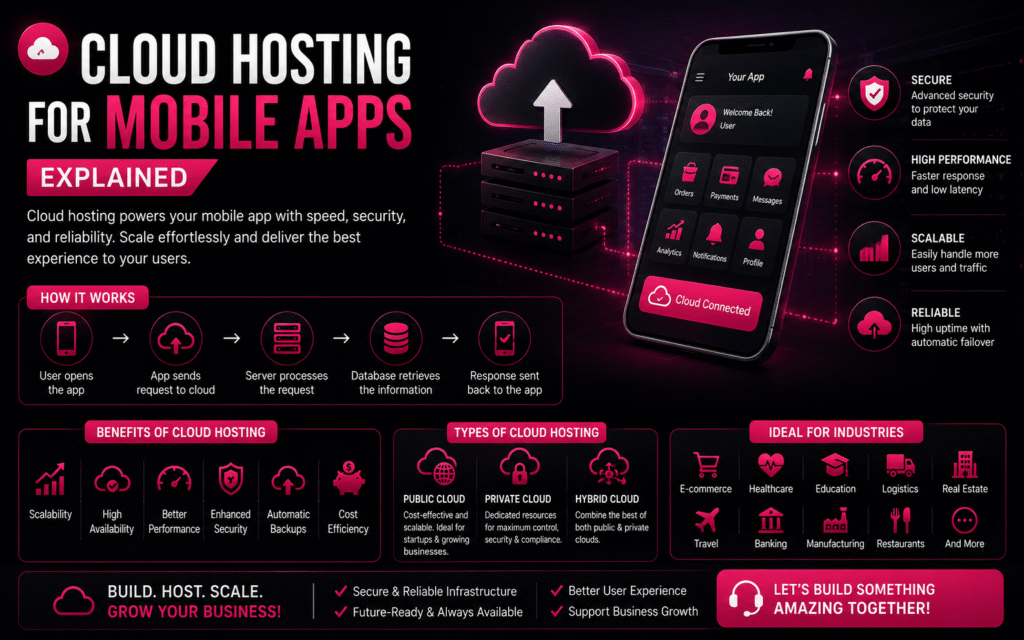
โ˜๏ธ Cloud Hosting for Mobile Apps Explained

๐Ÿš€ How to Automate Your Business with a Custom App Cloud Hosting for Mobile Apps Explained โ˜ Premium Tech Blog Cloud Hosting for Mobile Apps Explained Learn how cloud hosting powers secure, scalable and high-performance mobile applications with a premium SaaS-style reading experience. Start Reading Why Cloud Hosting Matters โšก Faster Apps Cloud infrastructure reduces latency and improves user experience. ๐Ÿ”’ Better Security Automatic backups, encryption and disaster recovery keep your app protected. ๐Ÿ“ˆ Infinite Scaling Handle traffic spikes without downtime. ๐Ÿ’ฐ Lower Costs Pay only for the resources you actually use. How Cloud Hosting Works 1๏ธโƒฃ User opens app 2๏ธโƒฃ Request reaches cloud server 3๏ธโƒฃ Backend processes request 4๏ธโƒฃ Database returns data 5๏ธโƒฃ Response sent back instantly Key Components ๐Ÿ–ฅ Server Runs backend logic. ๐Ÿ—„ Database Stores users, orders and business data. ๐Ÿ“‚ Storage Images, videos and documents. ๐Ÿ”— APIs Integrate payments, maps and third-party services. Traditional vs Cloud Feature Traditional Cloud Scalability โŒ โœ… High Availability โŒ โœ… Automatic Backup โŒ โœ… Performance Medium Excellent Call to Action Need a Scalable Mobile App? Build Android, iOS and Web Applications with cloud-ready architecture. Contact Crawlers Technologies ยฉ Crawlers Technologies โ€ข Premium WordPress HTML Template Demo Submit your request Recent Post What Is Custom Software?

DEVELOPMENT

๐Ÿ”„ How to Plan App Maintenance & Updates

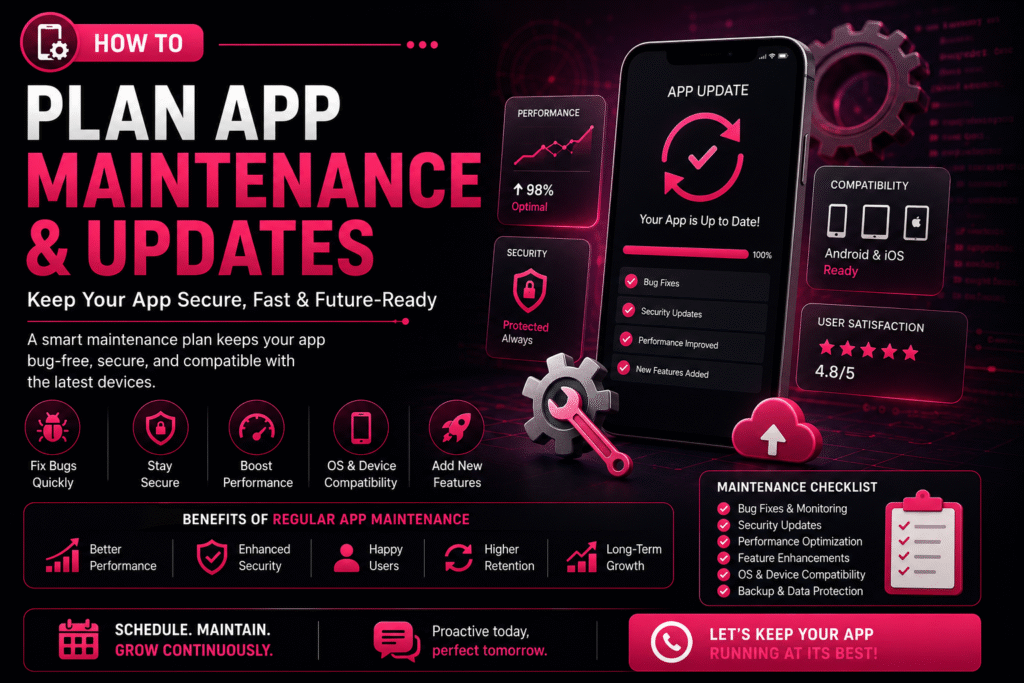
๐Ÿš€ How to Automate Your Business with a Custom App How to Plan App Maintenance & Updates | Crawlers Technologies ๐Ÿ”„ How to Plan App Maintenance & Updates Launching a mobile app is only the beginning of its journey. To keep your app secure, fast, and compatible with the latest devices, regular maintenance and updates are essential. Without a proper maintenance plan, your app may experience bugs, security vulnerabilities, outdated features, and declining user engagement. Whether you own a startup, an e-commerce platform, or an enterprise application โ€” a structured app maintenance strategy ensures long-term success. ๐Ÿš€ Why App Maintenance Matters Mobile apps require continuous care to remain reliable and competitive. A well-maintained app delivers consistent performance and builds user trust. Regular maintenance helps you: ๐Ÿ› Fix bugs & technical issues โšก Improve performance ๐Ÿ”’ Strengthen security ๐Ÿ“ฑ Stay OS compatible โœจ Add new features ๐Ÿ˜Š Enhance user experience ๐Ÿ“ˆ Increase retention ๐Ÿ“‹ Create a Maintenance Plan A maintenance plan outlines what needs to be updated, when it should be done, and who is responsible. Having a roadmap helps prevent unexpected issues and keeps your app running smoothly. ๐Ÿ› Bug Fixing Schedule Structured cycles to resolve issues before they impact users ๐Ÿ”’ Security Updates Routine patches to keep your app safe from new threats ๐Ÿ“Š Performance Monitoring Continuous tracking of speed, crashes, and load times โœจ Feature Improvements Planned enhancements driven by user feedback and goals ๐Ÿ“ฑ OS Compatibility Testing and updates for every new Android & iOS release โ˜๏ธ Backup & Recovery Automated backups and disaster recovery protocols 1 Prioritize Bug Fixes Even after thorough testing, users may discover issues in real-world scenarios. Classify and resolve them efficiently. ๐Ÿ” Common Bugs App crashes Login failures Payment errors Slow loading UI glitches Notification issues โš ๏ธ Classify by Severity ๐Ÿ”ด Critical Fix immediately โ€” app unusable ๐ŸŸก Major Resolve in next update ๐ŸŸข Minor Include in scheduled maintenance 2 Schedule Regular Security Updates Cyber threats evolve constantly, making security maintenance essential. Protecting customer data should always be a top priority. ๐Ÿ›ก๏ธ Security patches ๐Ÿ”— API security improvements ๐Ÿ” Encryption updates ๐Ÿ”‘ Authentication enhancements ๐Ÿ•ต๏ธ Vulnerability fixes 3 Keep Up with Android & iOS Updates Google and Apple frequently release operating system updates. Testing your app before major OS releases helps avoid compatibility issues. ๐Ÿ“ฑ Each New OS May Require UI adjustments Permission updates Performance optimisation Compatibility testing SDK upgrades โœ… Best Practices โœ”Test on beta OS versions early โœ”Monitor Apple & Google release notes โœ”Keep SDKs and libraries current โœ”Run regression tests after every OS update 4 Monitor App Performance Performance should be monitored continuously. Performance optimisation improves the overall user experience significantly. ๐Ÿš€ App Startup Time Users abandon apps that take more than 3 seconds to load ๐Ÿ“บ Screen Loading Speed Each screen should render within 1โ€“2 seconds ๐Ÿ’ฅ Crash Rates Keep crash-free session rate above 99.5% ๐Ÿ”‹ Battery Consumption Optimise background processes to save battery ๐Ÿ’พ Memory Usage Prevent memory leaks that cause slowdowns โšก API Response Times Ensure server calls complete within acceptable thresholds 5 Plan Feature Updates Successful apps evolve based on customer needs. Prioritise features based on customer feedback and business goals. ๐Ÿ’ณ New payment methods ๐Ÿ’ฌ Chat support ๐Ÿ… Loyalty programmes ๐ŸŒ™ Dark mode ๐Ÿค– AI-powered recommendations ๐Ÿ” Improved search 6 Use Analytics to Make Better Decisions Analytics help you understand how users interact with your app and reveal opportunities for improvement. ๐Ÿ“Š Key Metrics to Monitor Active users (DAU / MAU) Session duration Feature usage rates Conversion rates User retention Drop-off points ๐Ÿ’ก What Insights Tell You โœ”Which features are loved (keep & improve) โœ”Where users get stuck (fix friction) โœ”What drives conversions (double down) โœ”What causes churn (address urgently) 7 Collect User Feedback Customer reviews are one of the best sources of improvement ideas. Listening to users helps you prioritise meaningful updates. ๐Ÿ“ In-app surveys โญ App Store reviews ๐Ÿค– Google Play reviews ๐ŸŽง Customer support tickets ๐Ÿ“ฑ Social media mentions 8 Backup Your Data Regularly Data protection is a critical part of app maintenance. Regular backups reduce downtime and protect against data loss. โ˜๏ธ Backup Essentials Automatic backups Disaster recovery plans Secure cloud storage Data restoration procedures โœ… Best Practices โœ”Daily automated backups โœ”Test restoration monthly โœ”Store backups in multiple regions โœ”Encrypt all backup data 9 Test Before Every Release Every update should undergo thorough testing. Testing minimises the risk of introducing new issues to your users. โœ… Functional testing โšก Performance testing ๐Ÿ”’ Security testing ๐Ÿ“ฑ Device compatibility ๐Ÿ” Regression testing ๐Ÿ‘ฅ User acceptance testing (UAT) 10 Create an Update Schedule Instead of making random updates, establish a consistent release cycle. A predictable schedule keeps your users and development team aligned. Frequency Focus Area Activities Weekly Bug Fixes & Monitoring Crash reports, error logs, critical patches Monthly Performance Improvements Speed optimisation, memory fixes, UI tweaks Quarterly Feature Updates New features, UI enhancements, integrations Annually Major Upgrades Redesigns, technology upgrades, full audits ๐Ÿ“ˆ Benefits vs Risks Understanding the impact of proactive maintenance versus neglect. โœ… Benefits of Regular Maintenance โœ”Improved app performance โœ”Enhanced security โœ”Reduced downtime โœ”Increased customer satisfaction โœ”Compatibility with new devices โœ”Valuable new features added โœ”Extended app lifespan ๐Ÿšจ Risks of Ignoring Maintenance โœ–Frequent crashes โœ–Security vulnerabilities โœ–Poor user reviews โœ–Lower app store ratings โœ–Customer churn โœ–Lost revenue โœ–Compatibility issues with new devices ๐Ÿค Partner with an Experienced Development Team Working with a professional development partner ensures your app stays competitive, secure, and future-ready without adding burden to your internal team. โšก Faster issue resolution ๐Ÿ‘๏ธ Proactive monitoring ๐Ÿ”’ Regular security updates ๐Ÿ“ˆ Performance optimisation ๐Ÿ›Ÿ Reliable technical support A skilled team can help your app adapt to changing technologies and business needs at every stage of growth. ๐Ÿ’ก Final Thoughts Building a mobile app is a significant investment, but its long-term success depends on consistent maintenance and updates. By planning regular bug fixes, security improvements, performance optimisation, and feature enhancements โ€” you can keep your app reliable, secure, and competitive. โœ”Better user experience โœ”Increased customer loyalty โœ”Supports business

DEVELOPMENT

Website & Mobile Application Development Cost in Hubli (2026 Guide)

๐Ÿš€ How to Automate Your Business with a Custom App Website & Mobile Application Development Cost in Hubli (2026 Guide) ๐Ÿ’ป Website & Mobile Application Development Cost in Hubli (2026 Guide) Complete pricing guide for businesses planning websites and mobile apps. In today’s digital-first world, having a professional website or mobile application is no longer optionalโ€”it’s essential. Whether you’re a startup, retailer, manufacturer, healthcare provider, educational institution, or service-based business in Hubli, investing in the right digital solution can help you reach more customers and grow faster. “How much does website or mobile app development cost in Hubli?” The answer depends on your project requirements, features, design complexity, technology stack, and ongoing maintenance needs. This guide explains the key factors affecting development costs and provides realistic pricing ranges. ๐ŸŒ Website Development Cost in Hubli Website Type Estimated Cost Basic Business Website โ‚น15,000 โ€“ โ‚น40,000 Corporate Website โ‚น40,000 โ€“ โ‚น1,00,000 E-commerce Website โ‚น80,000 โ€“ โ‚น3,00,000+ Custom Web Application โ‚น2,00,000 โ€“ โ‚น10,00,000+ ๐Ÿ“ฑ Mobile Application Development Cost in Hubli App Type Estimated Cost Basic Business App โ‚น2,00,000 โ€“ โ‚น5,00,000 Medium Complexity App โ‚น5,00,000 โ€“ โ‚น12,00,000 Advanced Mobile App โ‚น12,00,000 โ€“ โ‚น30,00,000+ Enterprise Application โ‚น30,00,000+ ๐Ÿ’ฐ Factors That Affect Development Cost Number of pages or app screens Custom UI/UX design Android, iOS or cross-platform development Payment gateway integration Third-party API integration User authentication Admin dashboard Real-time chat, tracking and notifications AI or automation features Security and testing ๐ŸŽจ UI/UX Design Wireframes Interactive prototypes Responsive layouts Brand-focused design User journey optimisation โš™๏ธ Custom Development vs Ready-Made Solutions Ready-Made Solutions Lower initial cost Faster deployment Suitable for small businesses Limited customization Scalability constraints Custom Development Tailored to your business Better scalability Enhanced security Seamless integrations Unique branding ๐Ÿ“ฑ Android, iOS or Cross-Platform? Cross-platform frameworks like Flutter and React Native reduce development time and cost while supporting Android and iOS from a single codebase. ๐Ÿ›  Additional Costs Domain Registration Hosting / Cloud App Store Fees SSL Certificates Maintenance & Support Security Updates SEO & Digital Marketing ๐Ÿš€ Reduce Development Costs Build an MVP first Prioritise core features Choose cross-platform Plan requirements clearly Release features in phases ๐Ÿข Industries Investing Retail, Healthcare, Education, Manufacturing, Logistics, Real Estate, Restaurants, Travel, Finance and Professional Services. ๐Ÿ’ก Why Invest? Reach more customers Build credibility Increase enquiries Automate operations Scale efficiently โœ… Final Thoughts The cost of website and mobile application development in Hubli depends on your business goals, required features, integrations and long-term scalability. Choose an experienced development partner who delivers quality, transparency and post-launch support. Contact Crawlers Technologies ยฉ 2026 Crawlers Technologies Pvt. Ltd. Submit your request Recent Post What Is Custom Software?

DEVELOPMENT

๐Ÿ”„ Why Post-Launch Support Is Important for Mobile Apps

๐Ÿš€ How to Automate Your Business with a Custom App ๐Ÿ“ฑ Device-Level Security Mobile devices store sensitive business and customer information. Implementing strong device-level security helps protect users from data breaches, malware, and unauthorised access while ensuring a safer mobile experience. ๐Ÿ“ฑ Device Protection Every mobile app should include multiple layers of protection to secure user devices and sensitive information from modern cyber threats. Secure Local Data Storage Biometric Authentication Strong Password Protection Encrypted Communication (SSL/TLS) Root & Jailbreak Detection Session Timeout Management Device Integrity Verification Multi-Factor Authentication (MFA) ๐Ÿ›ก๏ธ Why It Matters Strong device-level protection safeguards both users and businesses by preventing unauthorised access, reducing fraud, and ensuring compliance with modern security standards. Protect Customer Privacy Prevent Data Theft Reduce Account Takeovers Improve Brand Trust Meet Industry Compliance Secure Financial Transactions Minimise Cyber Risks Enhance User Confidence ๐Ÿ” Regular Security Testing Cyber threats constantly evolve. Regular testing helps identify vulnerabilities before attackers can exploit them, ensuring your application remains secure throughout its lifecycle. ๐Ÿ” Security Audits Routine security assessments help uncover hidden weaknesses and improve the overall resilience of your mobile application. Penetration Testing Source Code Review Vulnerability Assessment API Security Testing Authentication Testing Cloud Infrastructure Review Database Security Analysis Compliance Verification โš™๏ธ Continuous Monitoring Real-time monitoring allows developers to detect unusual behaviour quickly, respond to threats, and minimise potential downtime. Real-Time Threat Detection Crash Monitoring Error Log Analysis Server Health Checks API Monitoring Performance Analytics Security Alerts Automated Incident Response ๐Ÿšจ Common Cyber Threats Modern mobile applications face a wide range of cybersecurity risks. Understanding these threats helps businesses implement stronger protection measures and reduce the likelihood of data breaches, financial losses, and reputational damage. Cyber Threat Description Business Impact Recommended Protection Risk Level Phishing Attacks Fake emails, SMS, or websites designed to steal user credentials. Account compromise and data theft. Multi-Factor Authentication & User Awareness High Malware Malicious software that steals or damages sensitive information. Data loss and system compromise. App Integrity Checks & Endpoint Security High API Attacks Attackers exploit insecure APIs to access business data. Customer information leakage. API Authentication & Rate Limiting High SQL Injection Malicious database queries targeting vulnerable applications. Database manipulation or theft. Prepared Statements & Input Validation High Man-in-the-Middle Intercepting communication between users and servers. Credential theft and data interception. SSL/TLS Encryption High Weak Passwords Easy-to-guess passwords increase unauthorised access. Account takeover. Strong Password Policy & MFA Medium Outdated Software Older app versions contain known vulnerabilities. Higher security exposure. Regular Updates & Security Patches Medium Denial of Service (DoS) Attackers overload servers with excessive requests. Service disruption and downtime. Cloud Protection & Traffic Filtering Medium Data Leakage Accidental exposure of confidential customer information. Legal penalties and reputation damage. Encryption & Access Controls High Session Hijacking Attackers steal active user sessions. Unauthorised account access. Secure Session Management Medium ๐Ÿ›ก๏ธ Prevent Before It Happens Proactive security measures help identify vulnerabilities early, reducing costly cyber incidents and ensuring uninterrupted business operations. ๐Ÿ“Š Continuous Monitoring Real-time monitoring enables faster threat detection, quicker response times, and improved overall application reliability. ๐Ÿ” Security First Approach Combining encryption, authentication, secure APIs, regular testing, and timely updates creates multiple layers of defence against modern cyber attacks. ๐Ÿ”„ Updates & Security Patches Keeping your mobile application updated is one of the most effective ways to protect users and maintain optimal performance. Regular updates ensure your app remains compatible with the latest operating systems, fixes known vulnerabilities, and delivers an improved user experience. ๐Ÿ”’ Security Vulnerability Fixes Cybercriminals constantly discover new attack methods. Regular security patches close these vulnerabilities before they can be exploited. Fix critical security flaws Improve data encryption Strengthen authentication systems Protect customer information ๐Ÿ“ฑ Operating System Compatibility Android and iOS release frequent updates. Mobile apps should stay compatible with the newest devices and software versions. Support latest Android releases Support latest iOS versions Improve UI compatibility Reduce crashes โšก Performance Improvements Updates optimise your application’s speed, responsiveness, memory usage, and battery consumption for a better user experience. Faster loading time Lower battery usage Better app stability Improved responsiveness ๐Ÿ’ก Feature Enhancements Continuous improvements allow businesses to introduce new features and keep their applications competitive in a rapidly evolving market. New functionalities UI/UX improvements Third-party integrations Business scalability ๐Ÿข Industries That Require Strong Security Every industry benefits from mobile app security, but some sectors handle highly sensitive customer information and require stronger protection, compliance, and continuous monitoring. ๐Ÿฆ Banking & Finance Protect financial transactions, payment gateways, customer accounts, and confidential banking information from cyber attacks and fraud. ๐Ÿฅ Healthcare Secure patient records, prescriptions, telemedicine platforms, and healthcare systems while ensuring regulatory compliance. ๐Ÿ›’ E-Commerce Safeguard customer accounts, payment information, order history, and shopping data against online threats. ๐ŸŽ“ Education Protect student records, online learning platforms, examination systems, and educational resources from unauthorised access. ๐Ÿšš Logistics Secure fleet tracking, delivery management, inventory systems, and operational business data. ๐Ÿข Enterprise Apps Protect internal business operations, employee data, confidential documents, and cloud-based enterprise systems. ๐Ÿ“ก Telecommunications Secure communication networks, subscriber information, and digital infrastructure against evolving cyber threats. ๐Ÿ›๏ธ Government Services Protect citizen information, digital public services, and critical infrastructure using enterprise-grade security practices. ๐Ÿ’ก Expanded Final Thoughts Launching a mobile app is only the beginning of its journey. Continuous maintenance, security updates, performance optimisation, and feature enhancements are essential to delivering a reliable user experience and ensuring long-term business success. ๐Ÿ”’ Security First Regular security updates, vulnerability fixes, and continuous monitoring help protect customer information while reducing cyber risks and ensuring compliance with modern security standards. โšก Better Performance Optimising speed, reducing crashes, improving responsiveness, and enhancing stability keep users engaged and increase customer satisfaction over time. ๐Ÿ“ˆ Business Growth As your business expands, your application should evolve too. Scalable architecture and regular feature enhancements allow your app to grow with your customers. ๐Ÿค Customer Trust Reliable updates, bug fixes, and continuous improvements demonstrate your commitment to delivering a secure, dependable, and high-quality mobile experience. ๐ŸŽฏ Ready to Build & Maintain a Future-Proof Mobile App? Whether you’re launching your

DEVELOPMENT

๐Ÿ” How App Security Works: Protecting Your Business and Customer Data

๐Ÿš€ How to Automate Your Business with a Custom App App Security Premium Blog ๐Ÿ” How App Security Works Protecting your business and customer data requires more than strong passwords. Modern mobile app security combines authentication, encryption, secure APIs, cloud protection, testing, and continuous monitoring to defend against evolving cyber threats. ๐Ÿš€ What Is Mobile App Security? App security protects mobile applications from unauthorized access, malware, data breaches and cyberattacks. It secures user accounts, payment information, APIs, databases and servers so your business can operate safely. ๐Ÿ”‘ Secure Authentication Implement Email & Password, OTP, Face ID, Fingerprint and Multiโ€‘Factor Authentication (MFA). Strong authentication dramatically reduces the risk of account takeover. Tip: Require strong passwords and enable MFA for administrators. ๐Ÿ”’ Data Encryption Encrypt data both in transit and at rest. Even if information is intercepted, encryption makes it unreadable without the proper key. ๐ŸŒ API Security Protect APIs using HTTPS, SSL/TLS, JWT tokens, API keys and request validation. Secure APIs prevent unauthorized systems from accessing sensitive business data. ๐Ÿ’ณ Secure Payments Use trusted gateways with PCI DSS compliance, tokenization and fraud detection. Avoid storing raw card details unless your infrastructure is fully compliant. โ˜๏ธ Cloud & Backup Security Store business data securely using encrypted cloud infrastructure, automated backups, disaster recovery and access monitoring. ๐Ÿงช Continuous Security Testing Perform penetration testing, vulnerability scans, code reviews and security audits before and after launch. Security is an ongoing process, not a one-time task. ๐Ÿ›ก๏ธ Best Practices Use HTTPS, validate user input, secure APIs, monitor suspicious activity, update libraries regularly and educate employees about cybersecurity awareness. ๐Ÿ’ก Why It Matters A secure app builds customer trust, protects your reputation, reduces downtime, prevents financial losses and helps meet regulatory compliance requirements across industries like healthcare, finance and e-commerce. WhatsApp ๐Ÿ“ฑ Device-Level Security Modern smartphones provide hardware-backed protection through biometric authentication, secure enclaves and device PIN verification. Integrating these capabilities gives users an additional layer of protection beyond passwords. Best Practice: Combine biometrics with server-side authentication for stronger security. ๐Ÿ” Regular Security Testing Professional app development teams continuously test applications through penetration testing, vulnerability scanning, source-code reviews and security audits. Continuous testing helps identify weaknesses before attackers can exploit them. ๐Ÿšจ Protection Against Common Threats Threat Protection SQL Injection Input validation & parameterized queries Cross-Site Scripting (XSS) Output sanitization & secure coding Brute Force Attacks Rate limiting & MFA Session Hijacking Secure tokens & HTTPS Malware Code signing & app integrity checks ๐Ÿ”„ Updates & Security Patches Cyber threats evolve constantly. Regular updates, dependency upgrades, operating system compatibility checks and timely security patches keep your application resilient and compliant. ๐Ÿข Industries That Require Strong Security Banking, healthcare, insurance, SaaS, government, education, logistics and e-commerce platforms all process sensitive information and require robust security controls to meet customer expectations and compliance standards. ๐Ÿ’ก Final Thoughts Security should never be treated as an afterthought. By combining secure authentication, encryption, protected APIs, continuous monitoring and regular testing, businesses can protect customer data, reduce operational risk and build long-term trust. Key Takeaway: Investing in security early is significantly less expensive than recovering from a security breach. Build a Secure, Futureโ€‘Ready Mobile App Create applications that prioritize user trust, business continuity and scalable growth with security built into every layer. Start Your Project Submit your request Recent Post What Is Custom Software?

DEVELOPMENT

๐Ÿ”— What Is API Integration in Mobile Apps?

๐Ÿš€ How to Automate Your Business with a Custom App ย  ย  ๐Ÿ”— Mobile App Development Guide ย  . 8+ API Types 24/7 Automation Fast Integration Scale Business Growth Contents Introduction What is an API? API Integration Why It Matters Payment APIs Part 1 of the premium blog. ๐Ÿ“ฑ Introduction Mobile apps have become an essential part of modern businesses, offering online shopping, digital payments, booking systems and real-time tracking. Behind these features is API Integrationโ€”the technology that allows your application to communicate with external systems securely and efficiently. Business Insight: APIs help you launch faster by reusing trusted services instead of building everything from scratch.Mobile AppsBusiness Growth ๐Ÿš€ What Is an API? An API (Application Programming Interface) acts as a messenger between two software systems. It receives requests, communicates with another service, and returns the required information within seconds. Think of an API as a waiter taking your order to the kitchen and bringing the finished meal back to your table. ๐Ÿ”— What Is API Integration? API integration connects your app with payment gateways, maps, CRMs, cloud storage, social logins, SMS providers and many other services so data flows automatically without manual work. ๐Ÿ’ก Why API Integration Matters Businesses use APIs to reduce development time, improve customer experience, automate operations, access third-party services and scale applications efficiently. ๐Ÿ’ณ Payment Gateway Integration Integrating payment APIs such as Razorpay, Stripe or PayPal enables secure online payments, multiple payment options and faster checkout experiences for customers. API Integration in Mobile Apps Premium Blog โ€ข Part 2 โ€” Core API integrations and business use cases. ๐Ÿ“ Google Maps Integration Map APIs allow businesses to display live locations, route navigation, nearby places and real-time delivery tracking. Industries like food delivery, logistics, taxi booking and real estate depend on maps to improve customer experience. Business Insight: Live tracking builds trust and reduces customer support requests.MapsTrackingLocation๐Ÿ” Social Login Integration Users can sign in using Google, Apple ID, Facebook or LinkedIn instead of creating new accounts. This reduces friction during registration and improves user onboarding. Benefits: Faster sign-ups, better user experience and higher conversion rates.GoogleAppleOAuth๐Ÿ“ฉ SMS & Email APIs Messaging APIs automate OTP verification, appointment reminders, order confirmations, invoices and marketing campaigns using providers like Twilio, MSG91 and SendGrid. Business Insight: Automated communication keeps customers informed and engaged.OTPEmailNotifications๐Ÿ“ฆ Shipping & Delivery APIs E-commerce businesses integrate courier APIs to create shipments, track packages, update delivery status and manage logistics from one place. Benefits: Better transparency, smoother delivery workflows and happier customers.LogisticsCourierE-commerceย  Analytics APIs Analytics platforms help monitor downloads, active users, screen views, purchases and retention. These insights support better marketing and product decisions. Business Insight: Data-driven decisions improve ROI and product growth.AnalyticsInsightsGrowthโ˜๏ธ Cloud Storage APIs Cloud integrations allow apps to securely store images, videos, documents and customer data while ensuring high availability and scalability. Benefits: Reliable storage, faster access and effortless scaling.CloudStorageScalabilitytable>IntegrationPrimary PurposeBusiness ValueMaps APINavigation & TrackingReal-time customer updatesSocial LoginAuthenticationHigher registrationsSMS/EmailNotificationsBetter communicationShipping APIDelivery ManagementImproved logisticsAnalytics APIUser BehaviourSmarter business decisionsCloud APIData StorageReliable infrastructure API Integration in Mobile Apps โ€” Part 3 ๐Ÿข Business Software Integration Custom mobile apps can connect with CRM, ERP, inventory, accounting and HR systems to eliminate duplicate work and automate operations. Information flows between systems in real time, improving productivity and reducing manual errors. Business Insight: Integrating existing software protects your investment while improving operational efficiency. ๐Ÿ“ˆ Benefits of API Integration API integration enables faster development, lower costs, real-time synchronization, better automation, improved customer experience, higher productivity and effortless scalability. Businesses can launch new features quickly by using trusted third-party services instead of building everything from scratch. โš ๏ธ Challenges of API Integration Businesses should evaluate API security, rate limits, third-party downtime, version updates and documentation quality. Proper planning and experienced developers help minimize these risks. Tip: Always choose APIs with strong documentation, active support and long-term reliability. ๐ŸŒŸ Real-World Example An online grocery app uses multiple APIs simultaneously. Payment APIs process transactions, inventory APIs check stock, notification APIs send confirmations, delivery APIs assign drivers and Google Maps APIs provide live tracking. All of these services work together seamlessly to create an excellent customer experience. ย  ๐Ÿš€ How to Choose the Right APIs Choose APIs based on security, scalability, performance, documentation quality, pricing, uptime and customer support. Trusted providers reduce future maintenance and ensure stable application performance as your business grows. ๐Ÿ’ก Final Thoughts API integration is the backbone of modern mobile applications. It enables apps to communicate with external services, automate business processes and deliver seamless digital experiences. Whether you’re building an e-commerce platform, healthcare app, booking solution or enterprise system, choosing the right APIs will improve performance, accelerate development and support long-term business growth. โ“Quick FAQs What is an API?A bridge that allows software systems to communicate. Why use APIs?To save development time and add trusted functionality. Are APIs secure?Yes, when implemented with authentication, encryption and best practices. Ready to Build a Powerful Mobile App? Leverage secure API integrations to create scalable, feature-rich applications that delight your users and streamline your business. Start Your Project Submit your request Recent Post What Is Custom Software?