
Uncategorized

DEVELOPMENT, Uncategorized

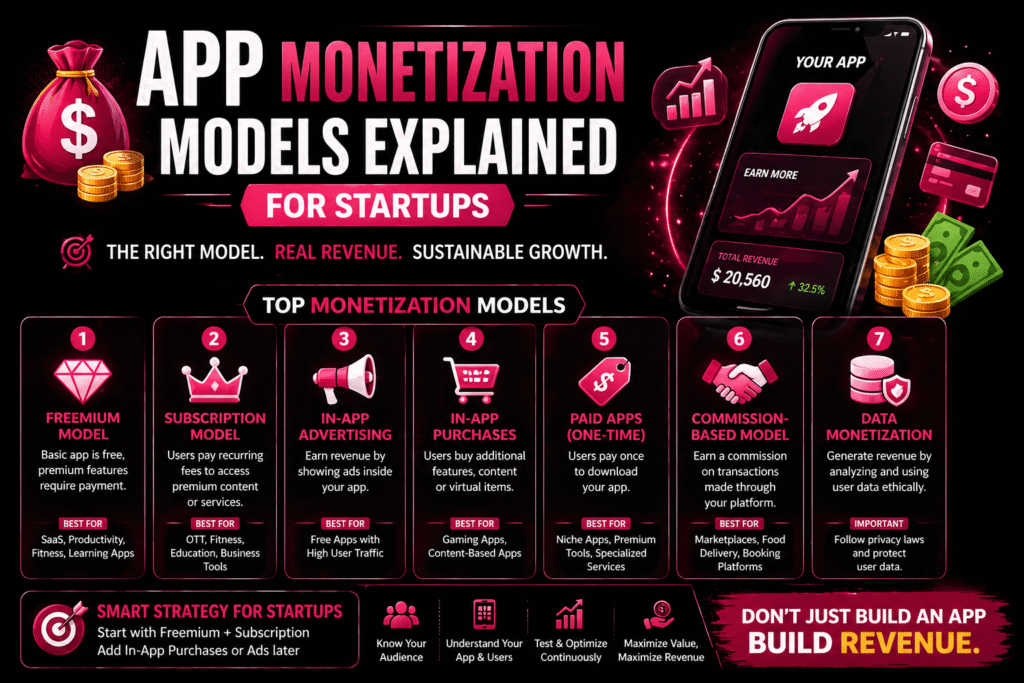
💰 App Monetization Models Explained for Startups

Building a mobile app is only the first step — the real question is: How will your app make money? Choosing the right monetization strategy is critical for your startup’s success. The wrong model can drive users away, while the right one can create sustainable revenue and growth. In this blog, we’ll explore the most effective app monetization models for startups in 2026. 🚀 Why App Monetization Strategy Matters A well-planned monetization strategy helps you: ✔ Generate consistent revenue✔ Improve user experience✔ Scale your business sustainably✔ Increase app valuation Monetization is not just about earning — it’s about creating value for users. 💳 1. Freemium Model The freemium model is one of the most popular strategies. Users can download and use the app for free, but premium features require payment. ✅ Best For: SaaS apps Productivity apps Fitness or learning apps 💡 Example: Basic features are free, but advanced tools or content require a subscription. 🔄 2. Subscription Model Users pay a recurring fee (monthly or yearly) to access content or services. ✅ Best For: OTT platforms Fitness apps Educational apps Business tools Advantages: ✔ Predictable revenue✔ Higher customer lifetime value 📢 3. In-App Advertising You earn revenue by displaying ads inside your app. Types of ads: Banner ads Video ads Native ads ✅ Best For: Free apps with high user traffic ⚠️ Note: Too many ads can hurt user experience. 🛒 4. In-App Purchases Users buy additional features, content, or virtual goods within the app. Examples: Game coins Premium filters Extra features ✅ Best For: Gaming apps Content-based apps 💼 5. Paid Apps (One-Time Purchase) Users pay once to download the app. ✅ Best For: Niche apps Premium tools Specialized services ⚠️ Limitation: Harder to attract users compared to free apps. 🤝 6. Commission-Based Model Your app earns a commission on transactions made through the platform. Examples: Food delivery apps Booking platforms E-commerce apps ✅ Best For: Marketplace businesses 📊 7. Data Monetization Apps can generate revenue by analyzing and using user data (ethically and legally). ⚠️ Important: Follow privacy laws Maintain transparency Protect user data 🧠 How to Choose the Right Monetization Model Consider these factors: ✔ Your target audience✔ Type of app✔ User behavior✔ Market competition✔ Value you provide Many successful apps combine multiple monetization strategies. 🔥 Best Strategy for Startups For most startups: 👉 Start with Freemium + Subscription👉 Add In-App Purchases or Ads later This approach balances user growth and revenue generation. 💡 Final Thoughts Choosing the right monetization model is as important as building the app itself. A successful app doesn’t just attract users — it converts them into paying customers. The key is to: ✔ Provide value first✔ Choose user-friendly monetization✔ Optimize based on feedback Build smart, monetize smarter.     Submit your request Recent Post What Is Custom Software?

DEVELOPMENT, Uncategorized

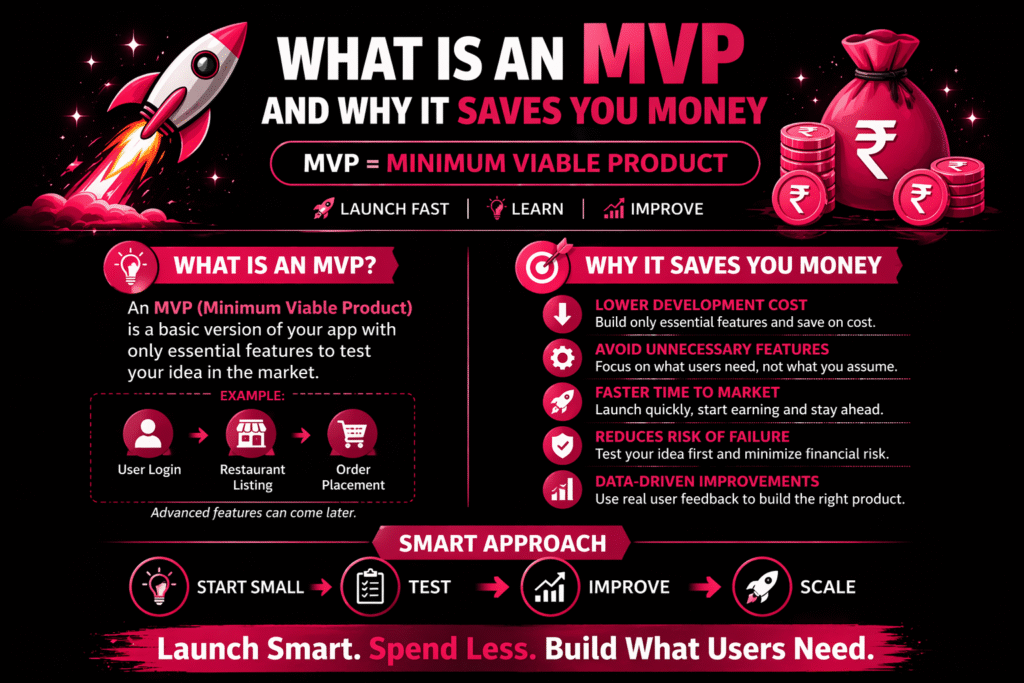
💡What Is an MVP and Why It Saves You Money

What Is an MVP and Why It Saves You Money 💡 What Is an MVP and Why It Saves You Money When building a mobile app or digital product, many businesses make the mistake of launching a fully-featured product from day one. This leads to high costs, delays, and unnecessary risks. That’s where MVP (Minimum Viable Product) comes in. 🚀 What Is an MVP? An MVP is the simplest version of your app with only core features to solve a specific problem. Example: Food delivery MVP → Login + Restaurants + Order 🎯 Why MVP Is Important ✔ Validate your idea ✔ Reduce development time ✔ Test market demand ✔ Get real feedback ✔ Improve step-by-step 💰 How MVP Saves You Money 1️⃣ Lower Development Cost Build only essential features → reduce cost. 2️⃣ Avoid Unnecessary Features Focus on what users actually need. 3️⃣ Faster Time to Market Launch early → earn faster → grow faster. 4️⃣ Reduce Risk Test idea before full investment. 5️⃣ Data-Driven Growth Improve using real user behavior. 🔄 MVP vs Full App Feature MVP Full App Cost Low High Time Fast Slow Features Basic Advanced Risk Low High Flexibility High Limited 🧠 When Should You Build an MVP? ✔ Startup ✔ New idea ✔ Limited budget ✔ Need quick launch 💡 Final Thoughts ✔ Save money ✔ Reduce risk ✔ Validate idea ✔ Build what users need Don’t guess — test with MVP. 💬 Chat on WhatsApp Submit your request Recent Post What Is Custom Software?

DEVELOPMENT, Uncategorized

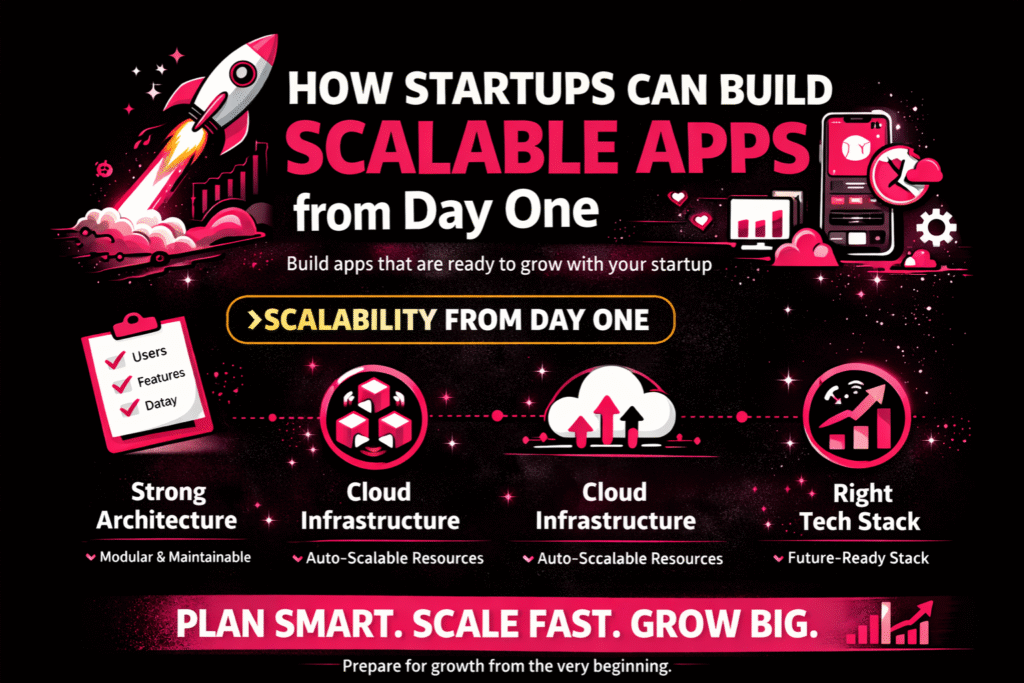
🚀 How Startups Can Build Scalable Apps from Day One

For startups, building a mobile app is not just about launching — it’s about growing. Many startups fail because their apps cannot handle increased users, new features, or business expansion. Scalability ensures your app can grow smoothly without performance issues or costly rebuilds. So, how can startups build scalable apps from day one? Let’s break it down. 💡 What is a Scalable App? A scalable app is designed to handle growth efficiently. As your business grows, your app should be able to: Support more users Process more data Add new features easily Maintain performance under high traffic Scalability is the key to long-term success. 🧠 1. Start with a Strong Architecture Your app’s foundation determines its scalability. Choose: Modular architecture Microservices (for complex apps) Clean and maintainable code structure A strong architecture makes it easier to scale without rebuilding the entire system. ☁️ 2. Use Cloud-Based Infrastructure Cloud platforms help your app scale automatically. Benefits: Flexible storage On-demand resources Better performance Cost optimization Cloud infrastructure ensures your app can handle sudden traffic spikes. ⚙️ 3. Choose the Right Technology Stack Selecting the right technologies is crucial. Consider: Backend frameworks (Node.js, Django, etc.) Scalable databases (SQL/NoSQL) Cross-platform tools (Flutter, React Native) The right stack supports future growth and performance. 📊 4. Build an MVP First — But Plan for Scale Start with an MVP to test your idea, but design it with scalability in mind. ✔ Avoid hardcoding features✔ Keep the code flexible✔ Plan future integrations This ensures your app can evolve without major changes. 🚀 5. Optimize Performance from the Start Performance directly impacts user experience. Focus on: Fast loading speed Efficient data handling Optimized APIs Caching mechanisms A fast app retains users and supports growth. 🔐 6. Prioritize Security & Data Management As your app scales, data security becomes critical. Ensure: Secure APIs Data encryption Regular backups Access control systems Security should grow with your app. 🧪 7. Continuous Testing & Monitoring Scaling apps require continuous monitoring. Use tools to: Track performance Detect errors Analyze user behavior Identify bottlenecks Regular testing prevents issues during growth. 🔄 8. Plan for Regular Updates A scalable app evolves over time. Be ready to: Add new features Improve UI/UX Fix bugs Upgrade systems Continuous improvement keeps your app competitive. 👨‍💻 9. Work with an Experienced Development Team A skilled development team understands scalability from day one. They help you: Choose the right architecture Avoid technical mistakes Build future-ready systems Scale efficiently Choosing the right partner saves time and cost in the long run. 📈 10. Think Long-Term, Not Just Launch Many startups focus only on launching quickly. But success comes from:✔ Planning for growth✔ Designing for scalability✔ Building flexible systems A scalable app grows with your business — without limitations. 💡 Final Thoughts Building a scalable app from day one is one of the smartest decisions a startup can make. It ensures your app can:✔ Handle increasing users✔ Adapt to market needs✔ Support business expansion✔ Deliver consistent performance Don’t just build an app — build a system that grows with your vision. Submit your request Recent Post What Is Custom Software?

Uncategorized

📱 How Long Does It Take to Develop a Mobile App? Realistic Timeline Breakdown

One of the most common questions businesses ask before starting a mobile app project is: “How long will it take to develop my app?” The honest answer? It depends. Mobile app development timelines vary based on complexity, features, platform, and team experience. In this blog, we’ll break down a realistic timeline so you can plan your project effectively in 2026. ⏳ Average Mobile App Development Timeline On average: Simple App: 2–4 months Medium Complexity App: 4–7 months Complex App: 7–12+ months Let’s break it down phase by phase. 🧠 1. Discovery & Planning (2–4 Weeks) This is the foundation stage where everything is planned before development begins. Includes: Requirement gathering Market research Competitor analysis Feature listing Project roadmap Skipping this phase often leads to delays later. 🎨 2. UI/UX Design (3–6 Weeks) Before coding starts, designers create: Wireframes User flow diagrams Visual mockups Interactive prototypes A well-designed app improves user experience and reduces development rework. 👨‍💻 3. Development Phase (8–20 Weeks) This is the core stage where developers build: Frontend (what users see) Backend (server, database, APIs) Admin panel Third-party integrations Timeline Based on Complexity: 🟢 Simple App (8–12 Weeks) ✔ Basic screens✔ No complex backend✔ Minimal integrations 🟡 Medium App (12–18 Weeks) ✔ User login system✔ API integrations✔ Push notifications✔ Admin dashboard 🔴 Complex App (20+ Weeks) ✔ Payment gateways✔ Chat systems✔ Real-time features✔ AI integrations✔ Advanced backend architecture 🧪 4. Testing & Quality Assurance (2–4 Weeks) Before launch, the app is tested for: Bugs Performance issues Security vulnerabilities Device compatibility Proper testing ensures smooth performance after release. 🚀 5. Deployment & Launch (1–2 Weeks) This includes: App Store & Play Store submission Approval process Final optimizations Live server setup Store approvals may take additional time depending on compliance. 📊 Total Development Timeline Summary App Type Estimated Timeline Basic App 2–4 Months Medium App 4–7 Months Complex App 7–12+ Months ⚡ Factors That Affect Development Time Several elements can increase or reduce your timeline: ✔ Number of features✔ Android vs iOS vs both✔ Custom UI/UX requirements✔ Backend complexity✔ Third-party integrations✔ Team size & experience✔ Change requests during development Clear planning significantly reduces delays. 💡 Can You Launch Faster? Yes. Here’s how: Start with an MVP (Minimum Viable Product) Use cross-platform frameworks Finalize features before development Work with an experienced development team Launching an MVP first allows faster market entry and real user feedback. 🎯 Final Thoughts Mobile app development is not just about coding — it’s about strategy, design, testing, and execution. While simple apps can be built in a few months, advanced apps require careful planning and structured development. The key is not just building fast — but building right. A well-planned app saves time, money, and future headaches. Submit your request Recent Post What Is Custom Software?

Uncategorized

How Much Does It Cost to Build a Mobile App in India in 2026?

With the ever-increasing penetration of smartphones and internet usage in India, businesses across industries are investing heavily in mobile apps. Whether it’s an e-commerce platform, a food delivery service, or a fintech startup—apps are now essential. One of the most frequently asked questions by entrepreneurs and business owners is: “How much does it cost to build a mobile app in India in 2026?” In this blog, we break down mobile app development costs, the factors that influence pricing, and how you can plan your budget wisely. 📱 Average Cost of Mobile App Development in India (2026) The cost of developing a mobile app in India in 2026 typically ranges between ₹80,000 to ₹30,00,000+ depending on various factors such as app complexity, features, technology stack, and the development team’s expertise. Type of App Estimated Cost (INR) Basic App ₹80,000 – ₹2,00,000 Medium Complexity App ₹2,00,000 – ₹7,00,000 High-End/Complex App ₹7,00,000 – ₹30,00,000+   🧩 Key Factors That Influence App Development Cost 1. App Complexity and Features As your app’s functionality becomes more advanced, the development time and resources needed increase significantly. For example: Basic features: Login/signup, profile, contact forms Medium features: Chat support, API integration, payment gateway Advanced features: Real-time tracking, AI/ML integration, AR/VR 2. Platform (Android, iOS, or Both) Android-only apps are generally more affordable. iOS apps may cost more due to stricter design guidelines. Cross-platform apps using Flutter or React Native offer cost-efficiency. 3. UI/UX Design A user-friendly and visually appealing design can improve app engagement—but also adds to the cost. 4. Backend Development For apps that require user authentication, data storage, or cloud functionality, backend infrastructure is crucial. This includes databases, servers, and admin panels. 5. Development Team Freelancers: Affordable but may lack accountability In-house team: More control but high salary overheads App development agencies: Professional, reliable, and scalable 6. Maintenance and Updates After the app is live, regular updates, bug fixes, and feature enhancements are necessary. Expect to budget 15–20% of the initial development cost annually. ⚙️ Mobile App Development Cost by Type (2026) App Type   Estimated Cost Range (INR) E-commerce App   ₹2,50,000 – ₹12,00,000 On-Demand Delivery App   ₹4,00,000 – ₹15,00,000 Social Media App   ₹5,00,000 – ₹20,00,000+ Fintech App   ₹6,00,000 – ₹25,00,000+ Healthcare App   ₹3,00,000 – ₹18,00,000 Educational App   ₹2,50,000 – ₹10,00,000   💡 Tips to Reduce App Development Costs Start with an MVP (Minimum Viable Product) and build iteratively. Choose cross-platform development to save time and money. Outsource to trusted Indian app development companies with proven portfolios. Use pre-built modules and APIs where possible. ✅ Final Thoughts In 2026, India remains one of the most cost-effective countries for mobile app development, without compromising on quality. Whether you’re a startup or an established business, building an app is a smart investment—but it’s crucial to plan your budget wisely. Need a reliable mobile app development partner in India? [Your Company Name] offers end-to-end app development services tailored to your business needs. Contact us today for a free consultation and cost estimate.   Submit your request Recent Post

Uncategorized

Unlock the Future of Content Creation with 60 Powerful AI Tools Free from Crawlers Technologies!

In the digital-first world, content is no longer king — smart content is. Whether you’re a brand, creator, marketer, or startup founder, the speed at which you generate high-quality, engaging content can make or break your growth. That’s why Crawlers Technologies is thrilled to introduce the Ultimate AI Content Creation Toolkit – featuring 60 handpicked, cutting-edge tools designed to supercharge your creativity, productivity, and brand presence. 🧠 What Is the AI Toolkit? It’s a free, filterable, and searchable Notion-based toolkit containing direct links to the best AI tools across video, voice, design, automation, analytics, and more — all curated by our team to help creators and businesses level up effortlessly. 🔍 Just comment “TOOLKIT” and you’ll get access to this game-changing library. 🚀 Explore the AI Powerhouse Inside the Toolkit Here’s a sneak peek into the categories and top tools included: 🎬 AI VIDEO GENERATION Create studio-grade videos in minutes using tools like: HeyGen – Avatar cloning Veo 3 – Cinematic AI videos Pika 2.1, Dream Machine, Runway, InVideo, Artflow, and more 🗣️ AI VOICE & AUDIOAdd life to your content with realistic AI voiceovers and enhancements: ElevenLabs, Fish Audio, Artlist, Descript, Enhance Speech Lip sync AI with Hedra 🎨 GRAPHIC & IMAGE DESIGNWhether it’s logos, infographics, or social posts, get stunning visuals with: Recraft, Kittl, Flora.ai, Logo Diffusion, Gamma, Leonardo.Ai, Midjourney ✨ VIBE CODING & UI MAGICAdd modern UI vibes with: Firebase Studio, Bolt, Lovable 📈 Analytics, Editing & Custom Tools Analytics: Rows, Napkin Image editing: Adobe Firefly, ClipDrop Video editing: VEED.IO, CapCut Grammar & Writing: Grammarly, Otter.ai 💡 Why You Need This Toolkit🔧 Save Hours of Research – We’ve done the homework for you. 🎯 Boost Efficiency – Automate tasks and scale output without scaling time. 📊 Enhance Quality – Get results that rival pro studios — without the price tag. 🧩 Always Updated – The toolkit is regularly refreshed with the latest AI trends. 🆓 How to Get the Free Toolkit Simply comment “TOOLKIT” on our social post or reach out through crawlerstechnologies.com — and we’ll send you full access to the live, filterable version. 👉 Perfect for: Content Creators Digital Marketers Startups Designers Agencies Educators Developers … and everyone building with intention and intelligence Submit your request Recent Post

Scroll to Top