App Security

DEVELOPMENT, Uncategorized

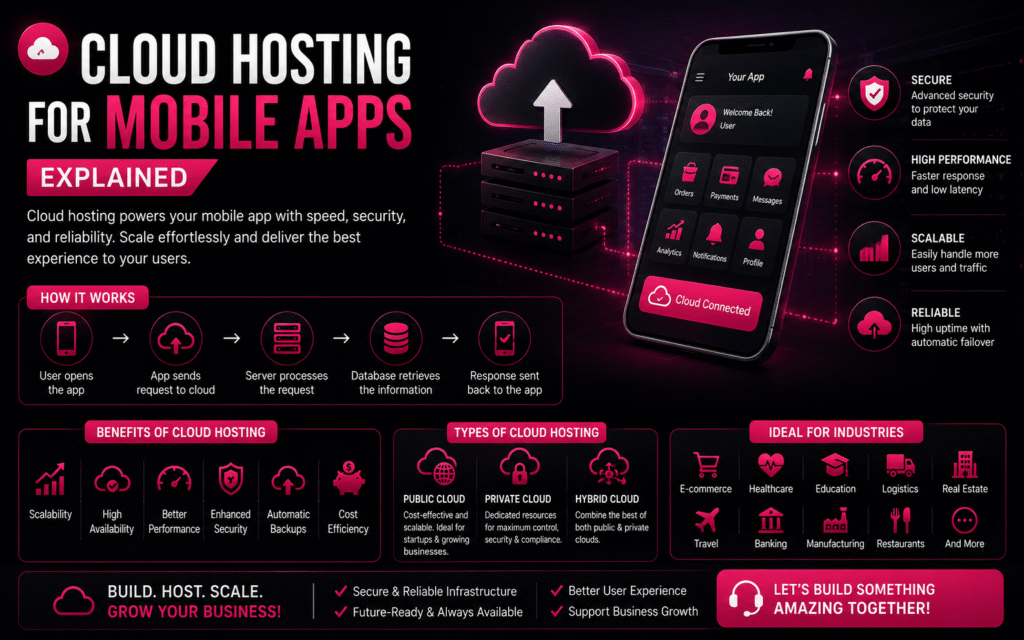
☁️ Cloud Hosting for Mobile Apps Explained

🚀 How to Automate Your Business with a Custom App Cloud Hosting for Mobile Apps Explained ☁ Premium Tech Blog Cloud Hosting for Mobile Apps Explained Learn how cloud hosting powers secure, scalable and high-performance mobile applications with a premium SaaS-style reading experience. Start Reading Why Cloud Hosting Matters ⚡ Faster Apps Cloud infrastructure reduces latency and improves user experience. 🔒 Better Security Automatic backups, encryption and disaster recovery keep your app protected. 📈 Infinite Scaling Handle traffic spikes without downtime. 💰 Lower Costs Pay only for the resources you actually use. How Cloud Hosting Works 1️⃣ User opens app 2️⃣ Request reaches cloud server 3️⃣ Backend processes request 4️⃣ Database returns data 5️⃣ Response sent back instantly Key Components 🖥 Server Runs backend logic. 🗄 Database Stores users, orders and business data. 📂 Storage Images, videos and documents. 🔗 APIs Integrate payments, maps and third-party services. Traditional vs Cloud Feature Traditional Cloud Scalability ❌ ✅ High Availability ❌ ✅ Automatic Backup ❌ ✅ Performance Medium Excellent Call to Action Need a Scalable Mobile App? Build Android, iOS and Web Applications with cloud-ready architecture. Contact Crawlers Technologies © Crawlers Technologies • Premium WordPress HTML Template Demo Submit your request Recent Post What Is Custom Software?

DEVELOPMENT

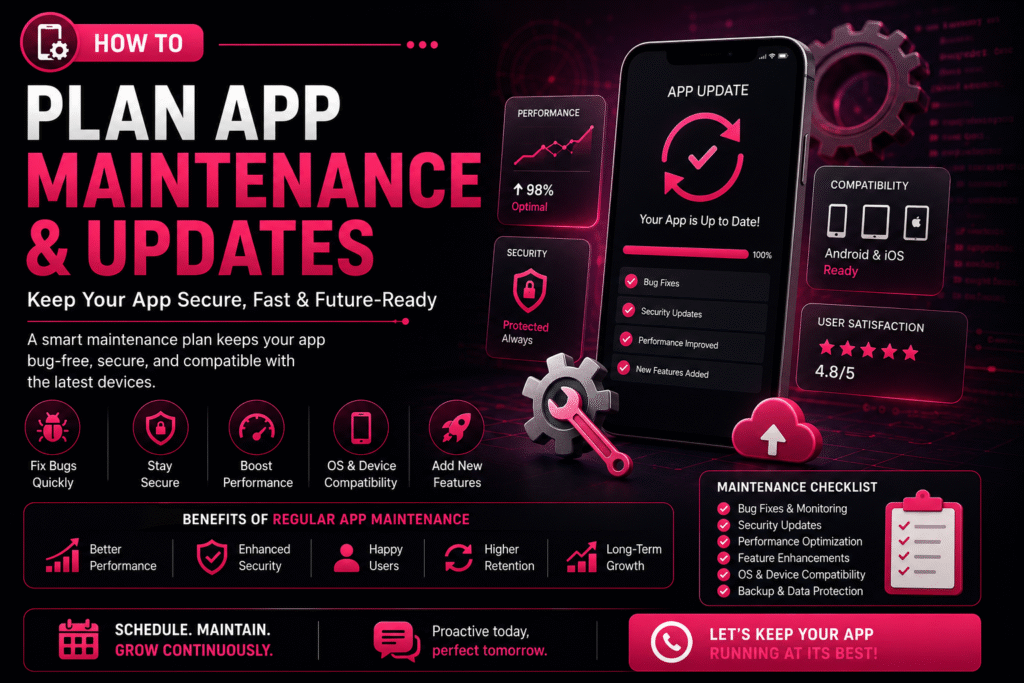
🔄 How to Plan App Maintenance & Updates

🚀 How to Automate Your Business with a Custom App How to Plan App Maintenance & Updates | Crawlers Technologies 🔄 How to Plan App Maintenance & Updates Launching a mobile app is only the beginning of its journey. To keep your app secure, fast, and compatible with the latest devices, regular maintenance and updates are essential. Without a proper maintenance plan, your app may experience bugs, security vulnerabilities, outdated features, and declining user engagement. Whether you own a startup, an e-commerce platform, or an enterprise application — a structured app maintenance strategy ensures long-term success. 🚀 Why App Maintenance Matters Mobile apps require continuous care to remain reliable and competitive. A well-maintained app delivers consistent performance and builds user trust. Regular maintenance helps you: 🐛 Fix bugs & technical issues ⚡ Improve performance 🔒 Strengthen security 📱 Stay OS compatible ✨ Add new features 😊 Enhance user experience 📈 Increase retention 📋 Create a Maintenance Plan A maintenance plan outlines what needs to be updated, when it should be done, and who is responsible. Having a roadmap helps prevent unexpected issues and keeps your app running smoothly. 🐛 Bug Fixing Schedule Structured cycles to resolve issues before they impact users 🔒 Security Updates Routine patches to keep your app safe from new threats 📊 Performance Monitoring Continuous tracking of speed, crashes, and load times ✨ Feature Improvements Planned enhancements driven by user feedback and goals 📱 OS Compatibility Testing and updates for every new Android & iOS release ☁️ Backup & Recovery Automated backups and disaster recovery protocols 1 Prioritize Bug Fixes Even after thorough testing, users may discover issues in real-world scenarios. Classify and resolve them efficiently. 🔍 Common Bugs App crashes Login failures Payment errors Slow loading UI glitches Notification issues ⚠️ Classify by Severity 🔴 Critical Fix immediately — app unusable 🟡 Major Resolve in next update 🟢 Minor Include in scheduled maintenance 2 Schedule Regular Security Updates Cyber threats evolve constantly, making security maintenance essential. Protecting customer data should always be a top priority. 🛡️ Security patches 🔗 API security improvements 🔐 Encryption updates 🔑 Authentication enhancements 🕵️ Vulnerability fixes 3 Keep Up with Android & iOS Updates Google and Apple frequently release operating system updates. Testing your app before major OS releases helps avoid compatibility issues. 📱 Each New OS May Require UI adjustments Permission updates Performance optimisation Compatibility testing SDK upgrades ✅ Best Practices ✔Test on beta OS versions early ✔Monitor Apple & Google release notes ✔Keep SDKs and libraries current ✔Run regression tests after every OS update 4 Monitor App Performance Performance should be monitored continuously. Performance optimisation improves the overall user experience significantly. 🚀 App Startup Time Users abandon apps that take more than 3 seconds to load 📺 Screen Loading Speed Each screen should render within 1–2 seconds 💥 Crash Rates Keep crash-free session rate above 99.5% 🔋 Battery Consumption Optimise background processes to save battery 💾 Memory Usage Prevent memory leaks that cause slowdowns ⚡ API Response Times Ensure server calls complete within acceptable thresholds 5 Plan Feature Updates Successful apps evolve based on customer needs. Prioritise features based on customer feedback and business goals. 💳 New payment methods 💬 Chat support 🏅 Loyalty programmes 🌙 Dark mode 🤖 AI-powered recommendations 🔍 Improved search 6 Use Analytics to Make Better Decisions Analytics help you understand how users interact with your app and reveal opportunities for improvement. 📊 Key Metrics to Monitor Active users (DAU / MAU) Session duration Feature usage rates Conversion rates User retention Drop-off points 💡 What Insights Tell You ✔Which features are loved (keep & improve) ✔Where users get stuck (fix friction) ✔What drives conversions (double down) ✔What causes churn (address urgently) 7 Collect User Feedback Customer reviews are one of the best sources of improvement ideas. Listening to users helps you prioritise meaningful updates. 📝 In-app surveys ⭐ App Store reviews 🤖 Google Play reviews 🎧 Customer support tickets 📱 Social media mentions 8 Backup Your Data Regularly Data protection is a critical part of app maintenance. Regular backups reduce downtime and protect against data loss. ☁️ Backup Essentials Automatic backups Disaster recovery plans Secure cloud storage Data restoration procedures ✅ Best Practices ✔Daily automated backups ✔Test restoration monthly ✔Store backups in multiple regions ✔Encrypt all backup data 9 Test Before Every Release Every update should undergo thorough testing. Testing minimises the risk of introducing new issues to your users. ✅ Functional testing ⚡ Performance testing 🔒 Security testing 📱 Device compatibility 🔁 Regression testing 👥 User acceptance testing (UAT) 10 Create an Update Schedule Instead of making random updates, establish a consistent release cycle. A predictable schedule keeps your users and development team aligned. Frequency Focus Area Activities Weekly Bug Fixes & Monitoring Crash reports, error logs, critical patches Monthly Performance Improvements Speed optimisation, memory fixes, UI tweaks Quarterly Feature Updates New features, UI enhancements, integrations Annually Major Upgrades Redesigns, technology upgrades, full audits 📈 Benefits vs Risks Understanding the impact of proactive maintenance versus neglect. ✅ Benefits of Regular Maintenance ✔Improved app performance ✔Enhanced security ✔Reduced downtime ✔Increased customer satisfaction ✔Compatibility with new devices ✔Valuable new features added ✔Extended app lifespan 🚨 Risks of Ignoring Maintenance ✖Frequent crashes ✖Security vulnerabilities ✖Poor user reviews ✖Lower app store ratings ✖Customer churn ✖Lost revenue ✖Compatibility issues with new devices 🤝 Partner with an Experienced Development Team Working with a professional development partner ensures your app stays competitive, secure, and future-ready without adding burden to your internal team. ⚡ Faster issue resolution 👁️ Proactive monitoring 🔒 Regular security updates 📈 Performance optimisation 🛟 Reliable technical support A skilled team can help your app adapt to changing technologies and business needs at every stage of growth. 💡 Final Thoughts Building a mobile app is a significant investment, but its long-term success depends on consistent maintenance and updates. By planning regular bug fixes, security improvements, performance optimisation, and feature enhancements — you can keep your app reliable, secure, and competitive. ✔Better user experience ✔Increased customer loyalty ✔Supports business

DEVELOPMENT

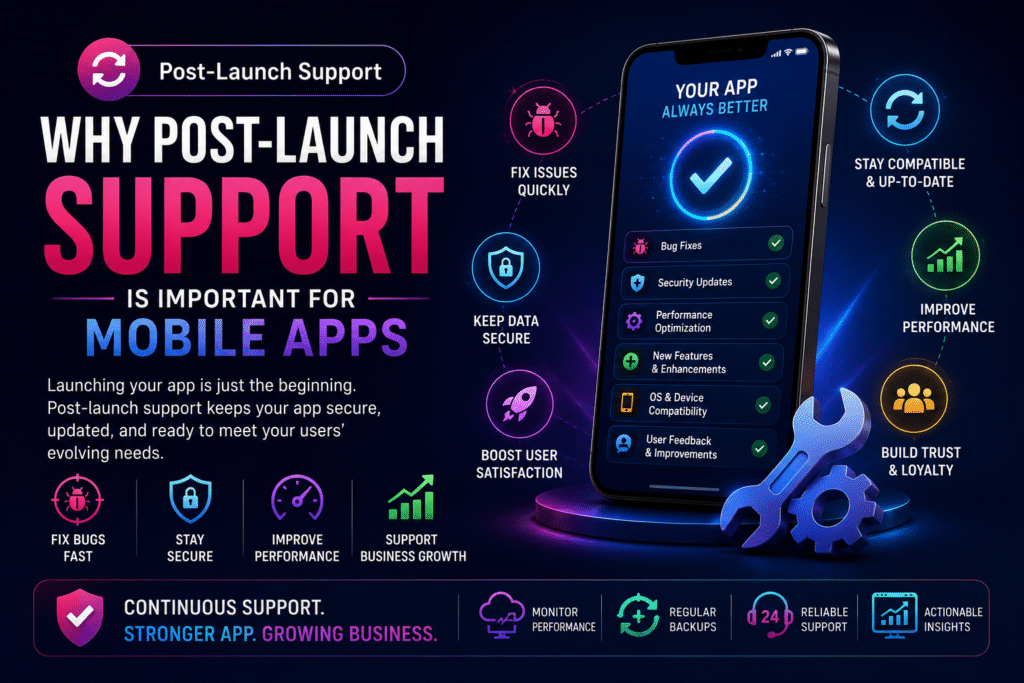
🔄 Why Post-Launch Support Is Important for Mobile Apps

🚀 How to Automate Your Business with a Custom App 📱 Device-Level Security Mobile devices store sensitive business and customer information. Implementing strong device-level security helps protect users from data breaches, malware, and unauthorised access while ensuring a safer mobile experience. 📱 Device Protection Every mobile app should include multiple layers of protection to secure user devices and sensitive information from modern cyber threats. Secure Local Data Storage Biometric Authentication Strong Password Protection Encrypted Communication (SSL/TLS) Root & Jailbreak Detection Session Timeout Management Device Integrity Verification Multi-Factor Authentication (MFA) 🛡️ Why It Matters Strong device-level protection safeguards both users and businesses by preventing unauthorised access, reducing fraud, and ensuring compliance with modern security standards. Protect Customer Privacy Prevent Data Theft Reduce Account Takeovers Improve Brand Trust Meet Industry Compliance Secure Financial Transactions Minimise Cyber Risks Enhance User Confidence 🔍 Regular Security Testing Cyber threats constantly evolve. Regular testing helps identify vulnerabilities before attackers can exploit them, ensuring your application remains secure throughout its lifecycle. 🔍 Security Audits Routine security assessments help uncover hidden weaknesses and improve the overall resilience of your mobile application. Penetration Testing Source Code Review Vulnerability Assessment API Security Testing Authentication Testing Cloud Infrastructure Review Database Security Analysis Compliance Verification ⚙️ Continuous Monitoring Real-time monitoring allows developers to detect unusual behaviour quickly, respond to threats, and minimise potential downtime. Real-Time Threat Detection Crash Monitoring Error Log Analysis Server Health Checks API Monitoring Performance Analytics Security Alerts Automated Incident Response 🚨 Common Cyber Threats Modern mobile applications face a wide range of cybersecurity risks. Understanding these threats helps businesses implement stronger protection measures and reduce the likelihood of data breaches, financial losses, and reputational damage. Cyber Threat Description Business Impact Recommended Protection Risk Level Phishing Attacks Fake emails, SMS, or websites designed to steal user credentials. Account compromise and data theft. Multi-Factor Authentication & User Awareness High Malware Malicious software that steals or damages sensitive information. Data loss and system compromise. App Integrity Checks & Endpoint Security High API Attacks Attackers exploit insecure APIs to access business data. Customer information leakage. API Authentication & Rate Limiting High SQL Injection Malicious database queries targeting vulnerable applications. Database manipulation or theft. Prepared Statements & Input Validation High Man-in-the-Middle Intercepting communication between users and servers. Credential theft and data interception. SSL/TLS Encryption High Weak Passwords Easy-to-guess passwords increase unauthorised access. Account takeover. Strong Password Policy & MFA Medium Outdated Software Older app versions contain known vulnerabilities. Higher security exposure. Regular Updates & Security Patches Medium Denial of Service (DoS) Attackers overload servers with excessive requests. Service disruption and downtime. Cloud Protection & Traffic Filtering Medium Data Leakage Accidental exposure of confidential customer information. Legal penalties and reputation damage. Encryption & Access Controls High Session Hijacking Attackers steal active user sessions. Unauthorised account access. Secure Session Management Medium 🛡️ Prevent Before It Happens Proactive security measures help identify vulnerabilities early, reducing costly cyber incidents and ensuring uninterrupted business operations. 📊 Continuous Monitoring Real-time monitoring enables faster threat detection, quicker response times, and improved overall application reliability. 🔐 Security First Approach Combining encryption, authentication, secure APIs, regular testing, and timely updates creates multiple layers of defence against modern cyber attacks. 🔄 Updates & Security Patches Keeping your mobile application updated is one of the most effective ways to protect users and maintain optimal performance. Regular updates ensure your app remains compatible with the latest operating systems, fixes known vulnerabilities, and delivers an improved user experience. 🔒 Security Vulnerability Fixes Cybercriminals constantly discover new attack methods. Regular security patches close these vulnerabilities before they can be exploited. Fix critical security flaws Improve data encryption Strengthen authentication systems Protect customer information 📱 Operating System Compatibility Android and iOS release frequent updates. Mobile apps should stay compatible with the newest devices and software versions. Support latest Android releases Support latest iOS versions Improve UI compatibility Reduce crashes ⚡ Performance Improvements Updates optimise your application’s speed, responsiveness, memory usage, and battery consumption for a better user experience. Faster loading time Lower battery usage Better app stability Improved responsiveness 💡 Feature Enhancements Continuous improvements allow businesses to introduce new features and keep their applications competitive in a rapidly evolving market. New functionalities UI/UX improvements Third-party integrations Business scalability 🏢 Industries That Require Strong Security Every industry benefits from mobile app security, but some sectors handle highly sensitive customer information and require stronger protection, compliance, and continuous monitoring. 🏦 Banking & Finance Protect financial transactions, payment gateways, customer accounts, and confidential banking information from cyber attacks and fraud. 🏥 Healthcare Secure patient records, prescriptions, telemedicine platforms, and healthcare systems while ensuring regulatory compliance. 🛒 E-Commerce Safeguard customer accounts, payment information, order history, and shopping data against online threats. 🎓 Education Protect student records, online learning platforms, examination systems, and educational resources from unauthorised access. 🚚 Logistics Secure fleet tracking, delivery management, inventory systems, and operational business data. 🏢 Enterprise Apps Protect internal business operations, employee data, confidential documents, and cloud-based enterprise systems. 📡 Telecommunications Secure communication networks, subscriber information, and digital infrastructure against evolving cyber threats. 🏛️ Government Services Protect citizen information, digital public services, and critical infrastructure using enterprise-grade security practices. 💡 Expanded Final Thoughts Launching a mobile app is only the beginning of its journey. Continuous maintenance, security updates, performance optimisation, and feature enhancements are essential to delivering a reliable user experience and ensuring long-term business success. 🔒 Security First Regular security updates, vulnerability fixes, and continuous monitoring help protect customer information while reducing cyber risks and ensuring compliance with modern security standards. ⚡ Better Performance Optimising speed, reducing crashes, improving responsiveness, and enhancing stability keep users engaged and increase customer satisfaction over time. 📈 Business Growth As your business expands, your application should evolve too. Scalable architecture and regular feature enhancements allow your app to grow with your customers. 🤝 Customer Trust Reliable updates, bug fixes, and continuous improvements demonstrate your commitment to delivering a secure, dependable, and high-quality mobile experience. 🎯 Ready to Build & Maintain a Future-Proof Mobile App? Whether you’re launching your


DEVELOPMENT

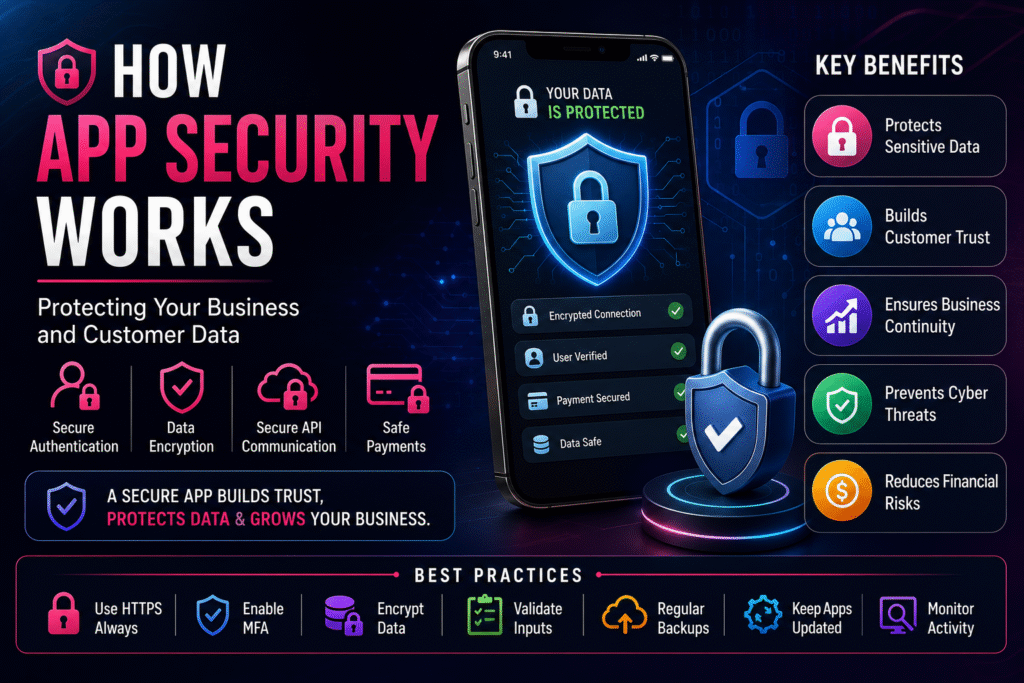
🔐 How App Security Works: Protecting Your Business and Customer Data

🚀 How to Automate Your Business with a Custom App App Security Premium Blog 🔐 How App Security Works Protecting your business and customer data requires more than strong passwords. Modern mobile app security combines authentication, encryption, secure APIs, cloud protection, testing, and continuous monitoring to defend against evolving cyber threats. 🚀 What Is Mobile App Security? App security protects mobile applications from unauthorized access, malware, data breaches and cyberattacks. It secures user accounts, payment information, APIs, databases and servers so your business can operate safely. 🔑 Secure Authentication Implement Email & Password, OTP, Face ID, Fingerprint and Multi‑Factor Authentication (MFA). Strong authentication dramatically reduces the risk of account takeover. Tip: Require strong passwords and enable MFA for administrators. 🔒 Data Encryption Encrypt data both in transit and at rest. Even if information is intercepted, encryption makes it unreadable without the proper key. 🌐 API Security Protect APIs using HTTPS, SSL/TLS, JWT tokens, API keys and request validation. Secure APIs prevent unauthorized systems from accessing sensitive business data. 💳 Secure Payments Use trusted gateways with PCI DSS compliance, tokenization and fraud detection. Avoid storing raw card details unless your infrastructure is fully compliant. ☁️ Cloud & Backup Security Store business data securely using encrypted cloud infrastructure, automated backups, disaster recovery and access monitoring. 🧪 Continuous Security Testing Perform penetration testing, vulnerability scans, code reviews and security audits before and after launch. Security is an ongoing process, not a one-time task. 🛡️ Best Practices Use HTTPS, validate user input, secure APIs, monitor suspicious activity, update libraries regularly and educate employees about cybersecurity awareness. 💡 Why It Matters A secure app builds customer trust, protects your reputation, reduces downtime, prevents financial losses and helps meet regulatory compliance requirements across industries like healthcare, finance and e-commerce. WhatsApp 📱 Device-Level Security Modern smartphones provide hardware-backed protection through biometric authentication, secure enclaves and device PIN verification. Integrating these capabilities gives users an additional layer of protection beyond passwords. Best Practice: Combine biometrics with server-side authentication for stronger security. 🔍 Regular Security Testing Professional app development teams continuously test applications through penetration testing, vulnerability scanning, source-code reviews and security audits. Continuous testing helps identify weaknesses before attackers can exploit them. 🚨 Protection Against Common Threats Threat Protection SQL Injection Input validation & parameterized queries Cross-Site Scripting (XSS) Output sanitization & secure coding Brute Force Attacks Rate limiting & MFA Session Hijacking Secure tokens & HTTPS Malware Code signing & app integrity checks 🔄 Updates & Security Patches Cyber threats evolve constantly. Regular updates, dependency upgrades, operating system compatibility checks and timely security patches keep your application resilient and compliant. 🏢 Industries That Require Strong Security Banking, healthcare, insurance, SaaS, government, education, logistics and e-commerce platforms all process sensitive information and require robust security controls to meet customer expectations and compliance standards. 💡 Final Thoughts Security should never be treated as an afterthought. By combining secure authentication, encryption, protected APIs, continuous monitoring and regular testing, businesses can protect customer data, reduce operational risk and build long-term trust. Key Takeaway: Investing in security early is significantly less expensive than recovering from a security breach. Build a Secure, Future‑Ready Mobile App Create applications that prioritize user trust, business continuity and scalable growth with security built into every layer. Start Your Project Submit your request Recent Post What Is Custom Software?