Startup App Development

Uncategorized

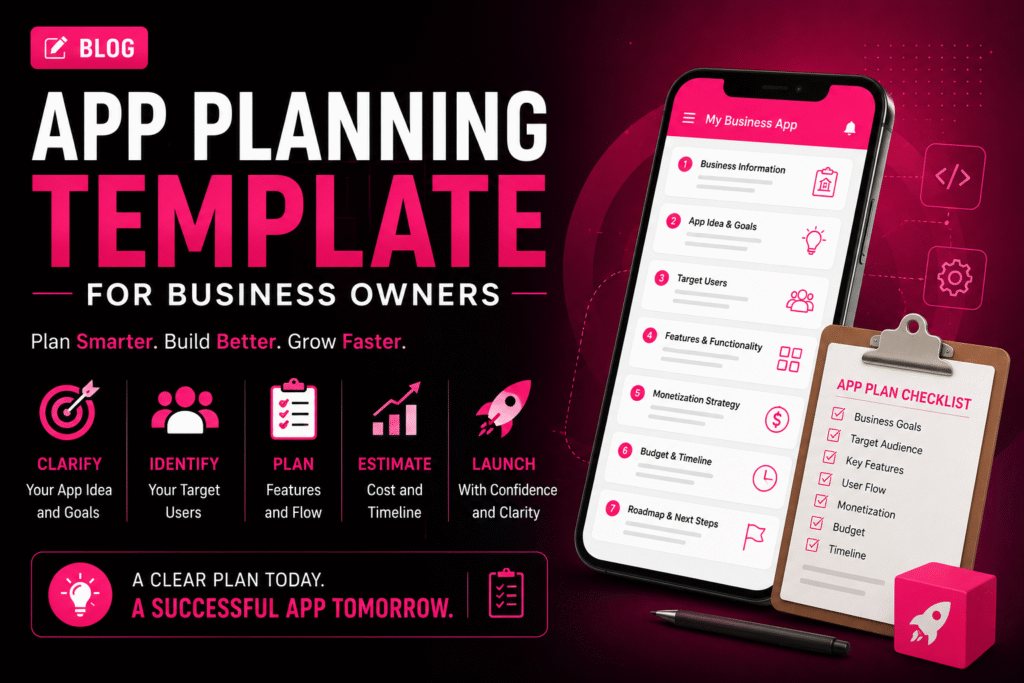
📱 App Planning Template for Business Owners

🚀 How to Automate Your Business with a Custom App App Planning Template for Business Owners | Crawlers Technologies Template 0 / 22 sections filled Intro Business Info App Idea Users & UVP Features UX & Platform Tech & Integrations Revenue & Budget Timeline & Launch Security & KPIs Partner & Ownership Full Summary Free Template · App Planning · Fillable App Planning Templatefor Business Owners Fill in each section before approaching a development company. A well-prepared plan reduces development cost, saves time, and gives your app the best chance of success. 💡 22 Sections ✍️ Fully Fillable 📋 Competitor Research 💰 Budget Planner 🗺️ User Journey 📊 KPI Tracker 🚀 Launch Strategy Fill each section as you go Section 01 – 02 01Business Information This helps your development team understand the business context before discussing technology. Business Name Industry Business Location Website Current Business Model Main Products / Services Current Customer Base 02Define Your App Idea My App Idea (one or two sentences) Keep it simple. If you can explain the idea clearly in one sentence, it becomes far easier to define the required features. Section 03 – 04 03What Problem Will Your App Solve? This is one of the most important sections. Your app should solve a real problem — not simply exist as another digital channel. Current Customer Problem How Customers Currently Solve It How My App Will Improve It 04Identify Your Target Users Primary Users Age Group Location Customer Type Main User Needs Biggest User Pain Point Section 05 – 06 05Define Your Unique Value Proposition Complete this sentence Better pricing Faster service Easier booking Better UX Exclusive products Local availability Personalised service Faster delivery 06Research Your Competitors Study negative reviews — they reveal gaps your competitors haven’t solved yet. Competitor Name Main Features Strength Weakness What can my app do better? Section 07 – 09 07Decide Your App Platform Click to select all that apply. 🤖Android 🍎iOS 🌐Web App 🖥️Admin Dashboard 08Create Your Feature List Click each feature to select it for your project. 👤 User Features Registration / Login User Profile Search & Filters Product / Service Listings Booking / Cart Online Payment Order / Booking Tracking Push Notifications Reviews & Ratings Customer Support / Chat ⚙️ Business Features Admin Dashboard Customer Management Order Management Inventory Management Reports & Analytics Employee Management Offers & Promotions Real-time Dashboards 09Separate MVP from Future Features ✅ Must-Have Features (MVP — launch with these) ◇ Future Features (add after validation) “If I could launch with only 5 features, which ones would they be?” — Those are your MVP features. Section 10 – 11 10Plan Your App Screens My Required Screens (list them) Common Screen Checklist Splash Screen Login / Registration Home / Dashboard Search & Filter Product / Service Detail Cart / Booking Checkout / Payment Order Confirmation User Profile Notifications Support / Help Admin Panel 11Map the User Journey Think through what happens from the moment someone opens your app to completing an action. 📱Open App ↓ 👤Login / Register ↓ 🔍Browse Services / Products ↓ ☑️Select & Choose Date/Time ↓ 💳Make Payment ↓ ✅Confirmation & Notification My Custom User Journey Section 15 – 17 15List Required Integrations Payment Gateway (Razorpay / Stripe) Google Maps / Location WhatsApp API SMS / OTP Service Email Service CRM System ERP / Accounting Software Social Login (Google / Facebook) Cloud Storage (AWS S3 / Firebase) Analytics (Firebase / Mixpanel) Other Integrations 16Plan Backend & Cloud Infrastructure Database Preference Cloud Hosting Questions for Your Development Team 17Plan App Security Secure login (OTP / email) Strong authentication (2FA) Data encryption at rest and transit HTTPS across all endpoints Secure APIs with token auth Role-based access control Database protection Regular automated backups Security testing before launch Section 12 – 13 12Decide How Your App Will Make Money Click your revenue model(s). 🛒 Direct Sales Sell products or services through the app 🔁 Subscription Charge users monthly or annually 💸 Commission Take a percentage from each transaction 📣 Advertising Generate revenue through in-app ads 🆓 Freemium Free basic, paid premium features 🎯 Lead Generation Convert app users into business leads 13Set Your Budget Development cost is only one part of the total app investment. Expense Category Estimated Budget (₹) 🎨 UI/UX Design 📱 App Development ⚙️ Backend Development 🧪 Testing & QA ☁️ Cloud Hosting (Annual) 🔗 API Costs (Annual) 📱 App Store Fees 🔧 Maintenance (Annual) 📣 Marketing 💰 Total Estimated Budget Section 14 & 22 14Set Your Timeline & Milestones Milestone Target Date 🎨 UI/UX Design Completion 💻 MVP Development Complete 🧪 Testing & Bug Fixes 🚀 App Store Submission 📣 Launch & Marketing Start Target Launch Date 22Create a Launch & Marketing Plan Instagram & Facebook Google Ads Meta Ads SEO & Content Marketing Influencer Marketing WhatsApp Marketing Email Marketing Referral Programs App Store Optimization (ASO) My Launch Strategy Section 18 18Define Your Success Metrics Don’t measure success only by downloads. Define meaningful business KPIs. 📥Downloads Target 👥Monthly Active Users 📝Registrations 🛒Orders / Bookings 💰Revenue Goal 🔁Customer Retention 🎯Conversion Rate ⭐Customer Satisfaction Section 19 – 21 19Choose Your Development Partner Portfolio reviewed — live apps seen Relevant industry experience confirmed Technical expertise validated UI/UX capabilities reviewed Development process explained Testing process confirmed Security practices discussed Communication frequency agreed Pricing is fully transparent Post-launch support confirmed 20Clarify Ownership Before Signing Source code ownership — in writing UI/UX design files handed over Database ownership confirmed Documentation included in handover Domain owned by you Cloud and App Store accounts in your name Intellectual property terms in contract 21Plan Post-Launch Support Bug fix process and SLA agreed Security update schedule planned OS compatibility updates covered Server and performance monitoring New feature roadmap planned Customer feedback loop established Maintenance budget separated from build cost Complete Template 📝 Your Complete App Planning Summary A condensed one-page view of your entire plan. Fill this in and share it with your development team as the starting brief. 💡 Business Business Name Industry Business Goal 📱 App App Name
DEVELOPMENT

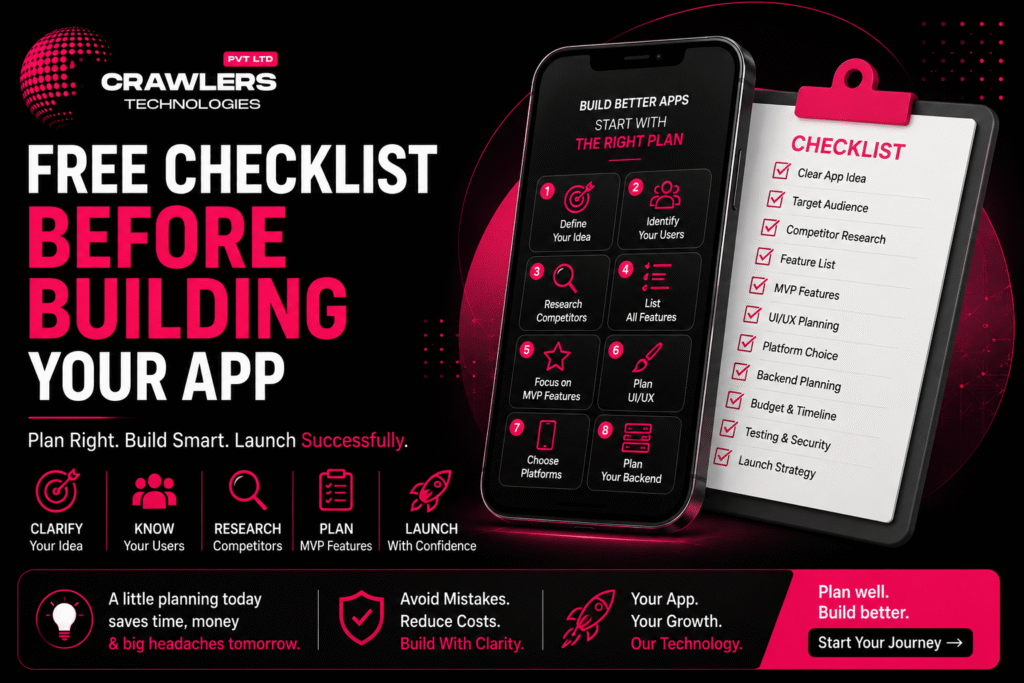
📱 Free Checklist Before Building Your App

🚀 How to Automate Your Business with a Custom App Free Checklist Before Building Your App | Crawlers Technologies 0 / 0 completed Intro Define Your Idea Features & MVP Tech & Backend Budget & Timeline Security & Testing Partner & Launch Full Checklist Final Thoughts Free Resource · App Planning Free ChecklistBefore Building Your App Don’t spend a rupee on development until these questions are answered. This interactive checklist covers everything — from idea to launch — so your app project starts right. 💡 Idea Definition 🎯 Target Users 📝 Features & MVP 📱 Platform Choice 💰 Budget Planning 🔐 Security 🧪 Testing 🚀 Launch Strategy Click each item to check it off Steps 1 – 3 01Define Your App Idea Before talking to developers, clearly explain what your app is supposed to do. If you cannot explain your idea in one sentence, spend more time on the planning stage first. I can explain my app idea in one sentence I know the specific problem I’m solving I know my target audience I understand my app’s main purpose I know what makes my idea different from competitors 02Identify Your Target Users Your app should be designed for a specific audience. An app for college students has very different requirements from one built for business owners. Age groupLocationCustomer type InterestsProblemsTech preferences Target audience clearly identified Customer problems understood User behaviour and buying patterns researched User expectations identified 03Research Your Competitors Don’t build your app without studying similar products. Negative reviews are goldmines — they reveal problems your competitors haven’t solved yet. Google Play Store Apple App Store Google Search Social media Competitors identified and listed Competitor features compared Customer reviews — especially negative ones — studied Competitor weaknesses identified My unique competitive advantage defined Steps 4 – 6 04Create a Feature List Write down every feature you’re considering — then separate them into essential and future categories. Don’t build everything in version one. ✅ Essential Features (Build Now) User registration & login Core product or service listing Search & filter Checkout & payment Order / booking tracking Push notifications ◇ Future Features (Build Later) AI-powered recommendations Loyalty & referral programs Advanced analytics Voice search Multi-language support Social sharing 05Decide Your MVP Features An MVP (Minimum Viable Product) is the first version containing only the features needed to test the idea. It reduces initial cost and validates the concept before full investment. “If I could launch with only 5 features, which ones would they be?” — Those are your MVP features. Core problem clearly identified Must-have features listed and agreed Nice-to-have features separated from essentials Future features documented for later phases MVP scope finalized and agreed with team 06Plan Your UI/UX Before development starts, map how users will move through the app. You don’t need a final design — a basic user flow makes developer discussions far easier and more accurate. Open App → Sign Up → Browse → Select → Action → Confirmation Main screens identified User journey mapped from open to completion Navigation structure planned Branding requirements defined (logo, colours, fonts) UI/UX requirements discussed with development team Steps 7 – 9 07Choose Your Platform Decide where your app needs to be available. The right choice depends on your audience, performance requirements, features, budget, and long-term plans. 🤖 Android Best when your target audience primarily uses Android devices 🍎 iOS Important when your audience includes significant iPhone users 💙 Both (Flutter) Cross-platform for broad coverage at lower development cost 08Plan Your Backend Many businesses focus only on the mobile interface and forget the backend. A strong backend foundation becomes critical as your app grows. Ask your development company: “What backend architecture will this app need?” 👤 User accounts 🗄️ Databases 💳 Payments 📦 Orders 🔔 Notifications 🔑 Authentication ⚙️ Business logic 📊 Reports 09List Required Integrations Create a complete list of all third-party services before development begins. This helps your team estimate the project more accurately — and avoids nasty surprises mid-build. 💳 Payment gateways 🗺️ Google Maps 💬 WhatsApp API 📱 SMS providers 📧 Email services 🗄️ CRM / ERP 📊 Accounting software 🔐 Social login ☁️ Cloud storage 📈 Analytics tools Android / iOS platform requirements decided Technology approach (Native / Flutter / React Native) discussed Backend requirements identified and documented All required APIs and integrations listed Steps 10 – 11 10Set a Realistic Budget Don’t consider only the development cost. Your total app investment includes much more than what a developer quotes you on day one. ❌ Wrong Question “How much does it cost to build the app?” ✅ Right Question “How much will it cost to build, launch, operate, and grow the app?” 🎨 UI/UX design 💻 App development ⚙️ Backend development 🧪 Testing ☁️ Cloud hosting 🌐 Domain 🔗 API costs 💳 Payment gateway fees 📱 App Store fees 🔧 Maintenance 📣 Marketing Development budget set with realistic expectations Hosting and cloud infrastructure costs considered API and third-party service costs included Ongoing maintenance budget planned App marketing budget allocated 11Define Your Timeline Set realistic expectations. A simple MVP takes far less time than a complex marketplace or enterprise application. Target launch date defined and agreed MVP deadline defined Development milestones planned Testing period included in the schedule App Store submission time accounted for (7–14 days) Steps 12 – 14 12Think About Security Security is not an afterthought. If your app handles financial, healthcare, personal, or business information, security planning starts before a single line of code is written. User authentication method decided (OTP, email, social) Data encryption requirements discussed Secure APIs planned from day one Payment security requirements identified Role-based access control planned Database security and backups included 13Plan for Testing Never assume an app is ready just because coding is complete. Testing should catch bugs before your customers do — not after. Functional testing included in project plan UI and usability testing planned Performance and load testing included Device compatibility testing across Android and iOS API and integration testing planned Security testing included

Uncategorized

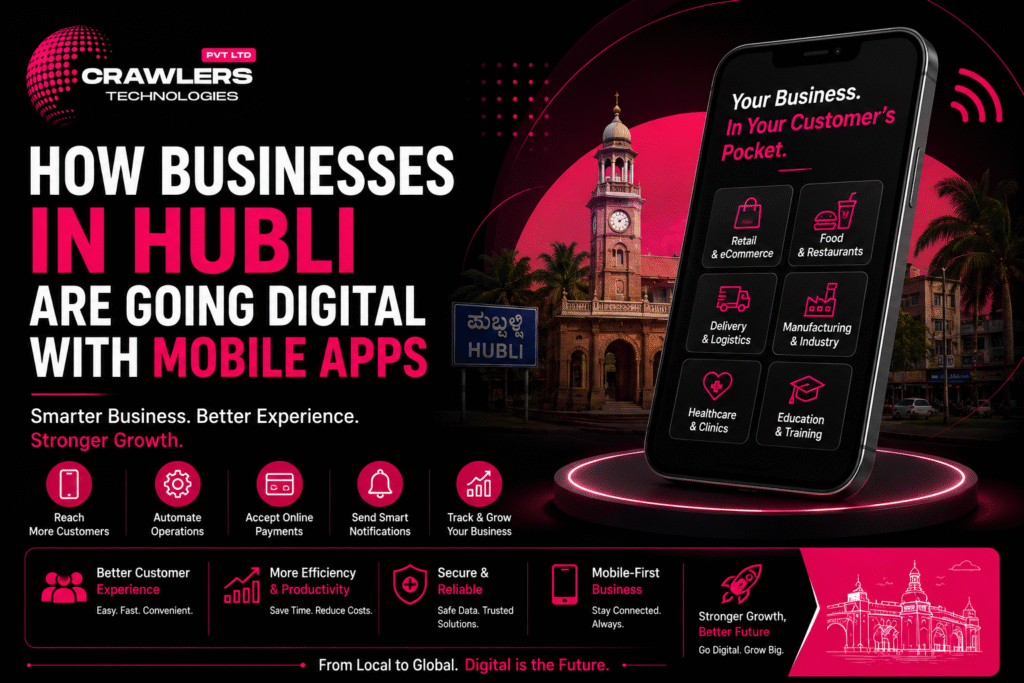
How Businesses in Hubli Are Going Digital with Mobile Apps

🚀 How to Automate Your Business with a Custom App How Businesses in Hubli Are Going Digital with Mobile Apps | Crawlers Technologies Intro Why Digital? Industries Automation Traditional vs App Getting Started Security Future Final Thoughts Digital Transformation · Hubli · 2026 How Businesses in HubliAre Going Digital From retail and restaurants to healthcare, manufacturing, and real estate — mobile apps are helping Hubli businesses reach customers faster, automate operations, and grow smarter. 🛍️ Retail 🍔 Food & Delivery 🏥 Healthcare 🏭 Manufacturing 🎓 Education 🏠 Real Estate 🌾 Agriculture 🤖 Automation Scroll to explore The Shift Why Are Hubli Businesses Moving Towards Mobile Apps? Traditional business models rely on phone calls, WhatsApp, manual records, walk-in customers, and paper processes. They work at small scale — but as customers and transactions grow, managing everything manually becomes a constraint. 10+Industries Being Transformed 24/7Digital Accessibility 1Centralized Platform ∞Scalability Potential What Businesses Can Achieve with a Mobile App 📲 Reach customers directly 🤖 Automate repetitive tasks 🛒 Accept online orders 👥 Manage customer information 🔔 Send push notifications 💳 Collect digital payments 📊 Track operations in real time ❤️ Improve customer retention From Manual to Digital — The Core Shift 🕰️ Traditional Methods 📞 Phone calls 💬 WhatsApp messages 📝 Manual records 🚶 Walk-in customers 📊 Spreadsheets 📄 Paper processes 📱 Mobile App Platform Online orders Digital database Auto notifications Digital payments Live dashboards In-app messaging Sector by Sector How Different Industries in Hubli Are Using Apps Digital transformation in Hubli is not limited to tech companies. Businesses across every sector are finding practical, revenue-generating uses for custom mobile applications. 🛍️ Sector 01 Retail Businesses Browse products & check prices Place orders & make payments Track deliveries Receive offers & discounts View order history 🍔 Sector 02 Restaurants & Food Digital menu & online ordering Table reservations Online payments Delivery tracking Loyalty programs 🚚 Sector 03 Delivery & Logistics Order & driver management GPS live tracking Delivery notifications Route optimisation Digital payments 🏭 Sector 04 Manufacturing Production updates Employee task management Inventory tracking Purchase orders Centralized reports 🏥 Sector 05 Healthcare Appointment booking Doctor profiles Digital prescriptions Patient communication Online payments 🏠 Sector 06 Real Estate Browse & filter properties Location-based discovery Site-visit booking Agent communication Lead management 🎓 Sector 07 Education & Training Video lessons & courses Quizzes & attendance Fee payments Student dashboards Parent notifications 🌾 Sector 08 Agriculture & Rural Market price updates Weather information Farm management tools Equipment booking Supply-chain tracking 💼 Sector 09 Service Businesses Online booking & scheduling Service selection & time slots Automated confirmations Customer reviews Digital payments Hubli-Dharwad’s technology ecosystem already includes companies working across education, healthcare, manufacturing, retail, finance, and agriculture — and this is only the beginning. The Next Level 🤖 Combining Apps with Business Automation The next stage isn’t simply having an app — it’s connecting the app with automated business systems so every step happens without manual intervention. How a Fully Automated Order Flow Works 👤Customer places an order in the app ↓ 📡App sends order to backend instantly ↓ 📦Inventory automatically updates ↓ 💳Payment is processed & confirmed ↓ 🔔Customer receives notification ↓ 🚚Delivery team receives the order Zero manual steps. Fewer errors. Faster operations. 🔗 Systems a Custom App Can Connect With A custom app doesn’t need to operate separately — it can integrate with your existing business tools. 🗄️ CRM systems ⚙️ ERP software 📊 Accounting platforms 📦 Inventory systems 💳 Payment gateways 💬 WhatsApp API 📱 SMS platforms 🗺️ Google Maps ☁️ Cloud services 📈 Analytics tools Side by Side Traditional Business vs Mobile App Approach The goal isn’t to eliminate traditional business — it’s to use technology where it makes the business faster and more efficient for both you and your customers. Traditional Process Mobile App Approach 📞 Phone-based orders Online orders — 24/7, instant 📝 Manual records Digital database — searchable, secure 🔁 Manual follow-ups Automated push notifications 💵 Cash / manual payments Digital payments with receipts 📄 Paper reports Real-time dashboards & analytics 📞 Customer calls In-app communication & chat 📅 Manual booking Online self-service booking 🕐 Limited business hours 24/7 digital access for customers 💰 Is a Mobile App Worth It for Your Business? Not every business needs an app immediately. Answer these questions first: ?Does my business have a recurring customer base? ?Do customers frequently place orders or make bookings? ?Can an app meaningfully reduce our manual work? ?Will direct customer communication add value? ?Can the app generate revenue or reduce costs? If the answer to several of these is yes, a mobile app is very likely worth the investment. Start with an MVP to reduce initial risk. Your Roadmap 🚀 How a Hubli Business Can Start Its Digital Transformation You don’t need to digitize everything at once. Start with one problem, build the core solution, and grow from there. STEP 01 Identify the Problem Find the biggest operational or customer-service challenge your business faces today. STEP 02 Define the Solution Determine whether a mobile app can solve that problem — and what the core features would be. STEP 03 Prioritize Features Start with essential features rather than building everything at once. Scope creep kills timelines. STEP 04 Design the User Experience Create wireframes and UI/UX designs. Simple, intuitive flows matter more than flashy design. STEP 05 Build the MVP Launch the core version of the application. Get it into customers’ hands as early as possible. STEP 06 Collect Feedback Understand how customers actually use the product. Real usage always reveals surprises. STEP 07 Improve & Scale Add new features based on real business and customer requirements — not assumptions. Non-Negotiable 🔐 Security Should Be Part of the Plan As businesses move from paper and manual systems to digital platforms, protecting customer and business data becomes increasingly critical. Digital transformation should improve efficiency without compromising data protection. Essential Security Measures for Business Apps 🔑 Secure authentication 🔒 Data encryption 🔗 Secure APIs 👥 Role-based access control ☁️ Regular automated backups

Uncategorized

📱 Mobile App Development Services in Bangalore – Complete Guide

🚀 How to Automate Your Business with a Custom App Mobile App Development Services in Bangalore – Complete Guide | Crawlers Technologies Intro What Is It? App Types Native vs Cross Backend & Security Cost & Timeline How to Choose Tips & Mistakes Final Thoughts Complete Guide · Bangalore · 2026 Mobile App DevelopmentServices in Bangalore Everything businesses need to know before building a mobile application — technology, costs, timelines, and how to pick the right development partner. 📱 App Types 💻 Native vs Flutter 🎨 UI/UX Design 💰 Cost Breakdown ⏱️ Timelines 🔐 Security 🧪 Testing & QA 🚩 Mistakes to Avoid Scroll to explore The Basics What Is Mobile App Development? Mobile app development is the process of designing, building, testing, and launching applications for smartphones and tablets — for Android, iOS, or both. 618+Dev Companies in Bangalore ₹3LSimple MVP Starting Cost 8 WksFastest Basic App 2026Market Data A Professional Project Typically Includes 📋 Business requirement analysis 🎨 UI/UX design 💻 Frontend development ⚙️ Backend development 🔗 API integration 🗄️ Database development 🧪 Testing & QA 🚀 App Store deployment 🔧 Post-launch maintenance Typical Development Process 🔭Discovery → 🎨UI / UX → 💻Development → 🧪Testing → 🚀Deployment → 🔧Support What You Can Build Types of Mobile Apps Businesses Can Build From internal business tools to consumer-facing platforms, the type of app determines the architecture, features, timeline, and investment required. 🏢 Business Apps Customer management Employee operations Orders & inventory Reports & dashboards Internal automation 🛍️ E-Commerce Apps Browse & filter products Cart & checkout Payment integration Order tracking CRM & inventory sync 🍽️ Food Delivery Apps Restaurant listings Menu management Online ordering Delivery tracking Customer reviews 🏥 Healthcare Apps Appointment booking Doctor profiles Patient communication Digital records Teleconsultation 🏠 Real Estate Apps Property listings Location-based search Lead generation Site-visit booking Agent communication 🎓 Education Apps Online courses & videos Quizzes & assessments Student dashboards Progress tracking Online payments Technology Decision Native vs Cross-Platform Development One of the first — and most important — decisions is choosing your development approach. Each has distinct trade-offs in cost, speed, and performance. Kotlin · Swift 📱 Native Development ✔Exceptional performance & speed ✔Full access to platform features ✔Highly optimised user experience ✔Best for complex applications ✗Higher cost — two separate codebases ✗Longer development timeline Flutter · React Native 💙 Cross-Platform Development ✔Faster development — one shared codebase ✔Lower development effort & cost ✔Easier maintenance & updates ✔Near-native performance (especially Flutter) ~Best for startups & growing businesses 🎨 UI/UX Design — Why It Matters as Much as Code A technically powerful app can still fail if users find it difficult to use. Good UI/UX directly improves engagement, conversions, and retention. User research User journey mapping Wireframing Prototyping Visual design Usability testing Design system creation Infrastructure Backend, Security & Cloud The backend powers everything users interact with inside the app. As your user base grows, a well-architected backend becomes the difference between a product that scales and one that breaks. ⚙️ Backend & API Development The backend manages: User accountsDatabasesPaymentsOrdersNotificationsAuthenticationBusiness logic Common integrations: Payment gatewaysGoogle MapsWhatsApp APISMS providersCRM / ERPAnalytics toolsCloud services 🔐 Mobile App Security Security must be considered from the first line of code — not retrofitted at the end. This is especially critical for payment, healthcare, and financial applications. 🔑 Secure authentication 🔒 Data encryption 🌐 HTTPS everywhere 🔗 Secure APIs 👥 Role-based access 🗄️ Database protection 🧪 Regular security testing ☁️ Secure cloud infra 🧪 Testing & Quality Assurance Before launching, every app should be tested across real devices, scenarios, and use cases. Testing catches bugs before your customers do. ✅ Functional testing 🖥️ UI testing ⚡ Performance testing 🔒 Security testing 🔗 API testing 📱 Device compatibility 🔁 Regression testing 👥 User acceptance testing ☁️ Cloud & Hosting Most modern apps require cloud infrastructure for the backend, database, storage, and APIs — allowing the application to scale as traffic grows. ☁️ AWS Amazon Web Services 🔵 Azure Microsoft Azure 🟢 GCP Google Cloud Platform Investment How Much Does App Development Cost in Bangalore? There is no fixed price — costs depend on complexity, platform, integrations, and team structure. These are 2026 Bangalore market estimates. 💰 Indicative Cost Ranges App Type Approximate Cost Simple MVP ₹3L – ₹8L Standard Business App ₹5L – ₹15L Medium-Complexity App ₹8L – ₹20L Marketplace / On-Demand App ₹15L – ₹40L+ Enterprise Application ₹40L+ These are indicative market ranges. The final quotation depends on your exact requirements. 📊 Cost by App Type (Relative Scale) Simple MVP₹3L – ₹8L Standard Business App₹5L – ₹15L Medium-Complexity App₹8L – ₹20L Marketplace / On-Demand₹15L – ₹40L+ Enterprise Application₹40L+ ⚡ What Determines Your App’s Cost ⚙️ Number of Features More functionality means more development time and investment 📱 Number of Platforms Separate native builds cost more than a cross-platform approach 🎨 UI/UX Complexity Custom animations and advanced interfaces require more design work 🖥️ Backend Complexity Complex logic, real-time data, and multiple user roles add cost 🔗 Third-Party Integrations Payments, maps, SMS, CRM, and ERP add development requirements 🔒 Security Requirements Sensitive data apps need additional testing and infrastructure 📈 Scalability Apps built for millions of users require more sophisticated architecture ⏱️ Development Timelines — 2026 Bangalore Estimates 8–14 Weeks Basic App 3–6 Months Medium App 4–12 Months Complex App A clear scope and well-defined requirements can significantly reduce unnecessary delays. Decision Framework How to Choose a Mobile App Development Company in Bangalore With 618+ reviewed companies in Bangalore alone, don’t choose based only on price. Evaluate each company across these critical dimensions. 🔍Relevant Portfolio — Has the company built apps similar to yours in functionality or industry? 🧠Technical Expertise — Does the team understand the specific technologies your project requires? 🎨UI/UX Capability — Review the quality and usability of their previous applications, not just screenshots. 🧪Testing Process — Ask exactly how bugs, performance, security, and device compatibility are handled. 💰Transparent Pricing — The proposal should explain features, deliverables, timeline, payment terms, and maintenance costs. 🔧Post-Launch Support — What happens

Uncategorized

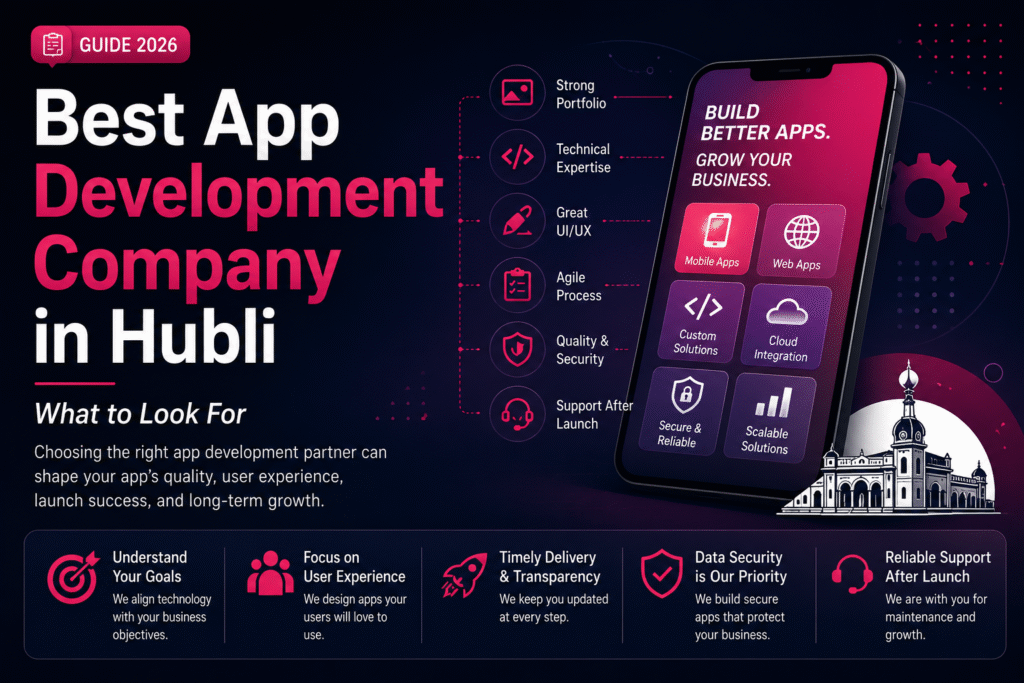
Best App Development Company in Hubli – What to Look For

🚀 How to Automate Your Business with a Custom App Best App Development Company in Hubli – What to Look For | Crawlers Technologies Intro Why It Matters Key Factors Process Security & Cost Red Flags Questions to Ask Hubli Advantage Final Thoughts Business Guide · Hubli, Karnataka Best App DevelopmentCompany in Hubli What to look for before you invest. Your development partner shapes your app’s performance, security, timeline, and long-term success — choose wisely. 🔍 Portfolio 🧠 Tech Expertise 🎨 UI/UX Design 🧪 Testing & QA 🔐 Security 🚩 Red Flags 💰 Pricing Transparency 📅 Timelines Scroll to explore The Stakes Why Choosing the Right Partner Matters A mobile app can become a critical part of how your business operates every day. The wrong development partner can cost far more than money. Your App May Handle 👤 Customer registrations 💳 Online payments 📦 Product orders 📅 Appointments 📊 Customer data 👥 Employee operations ⚙️ Business automation 💬 Real-time communication What Goes Wrong with the Wrong Partner ✗ Delayed launches ✗ Unexpected costs ✗ Poor performance ✗ Security vulnerabilities ✗ App that doesn’t solve your business problem The right partner should understand your business goals — not just your technical requirements. 🍽️ Restaurant Online ordering Delivery tracking Loyalty rewards 🏥 Healthcare Appointment booking Patient records Notifications 🏠 Real Estate Property listings Lead management Site-visit booking Evaluation Criteria 13 Factors to Evaluate Any Development Company Work through this list before signing any contract. Each factor reveals something important about whether a company is the right fit for your project. 01 Check Their Previous App Development Work Don’t just look at their website. Ask to see real, live applications they have designed and developed — not mockups or concept screenshots. Similar industries Similar functionality Android & iOS apps Cross-platform apps UI/UX quality 02 Evaluate Their Technical Expertise A capable team can explain why a particular technology is right for your project — not just what’s popular right now. Flutter React Native Kotlin Swift Node.js Laravel Python APIs & Cloud 03 Don’t Ignore UI/UX Design A technically powerful app can still fail if users find it difficult to use. A good app makes it easy for users to accomplish their goals. User research Wireframes User journeys Prototypes Visual design Usability testing 04 Look for Custom Development Every business has different requirements. The company should build a solution around your specific workflow — not force your business to adapt to a generic product. 05 Understand Their Development Process A professional development process should follow structured stages. Ask how the project will be managed before any work begins. 🔭Discovery → 🗺️Planning → 🎨UI/UX → 💻Dev → 🧪Testing → 🚀Deploy → 🔧Support 06 Ask About Testing & Quality Assurance Never choose a company based only on development speed. A proper QA process catches problems before your customers do. ✅ Functional testing 📱 Device testing ⚡ Performance testing 🔒 Security testing 🔗 API testing 🔁 Regression testing Critical Factors Security, Pricing & Scalability 07 Check Their Approach to App Security Security should be built into the development process — not added as an afterthought at the end. Data encryption Secure APIs Authentication Role-based access Database security Security testing Regular updates 08 Don’t Choose the Cheapest Quote Automatically Two companies can quote different prices because their proposals cover different scopes. ❌ Wrong Question “Who is the cheapest?” ✅ Right Question “What exactly am I getting for this investment?” UI/UX design scope Testing included Cloud infrastructure Integrations App Store deployment Maintenance plan 09 Ask About Timeline & Milestones Be cautious of companies promising complex applications in unrealistically short timelines. A professional proposal should include clearly defined stages. Discovery timeline Design milestones Development phases Testing period Client review stages Post-launch support 10 Evaluate Communication Communication can make or break a software project. A good partner makes technical information understandable to business owners. 👤 Dedicated project manager? 📅 Regular update frequency? 🛠️ Communication tools used? 💬 Feedback collection process? 11 Check Post-Launch Support Development doesn’t end when your app reaches the store. After launch, your app needs ongoing attention. Bug fixes Security updates OS compatibility Performance improvements New features Technical support 12 Clarify Source Code & Ownership These details must be clearly defined in your agreement before development begins. Your business should know exactly what is handed over at completion. 📁 Source code 🎨 UI/UX designs 🗄️ Database 📄 Documentation ☁️ Cloud accounts 📱 App Store accounts ⚖️ IP ownership 13 Ask About Scalability Don’t build only for today. Think about where your business could be in three to five years and whether the architecture supports that growth. Can this support more users? Can we add new features later? Can it integrate with our CRM or ERP? Can it expand to additional markets? Warning Signs 🚩 Red Flags to Watch Out For A strong development partner is transparent about both opportunities and limitations. Watch for these warning signs. ✗Extremely low quote without understanding your requirements ✗Promises unrealistic delivery timelines ✗Cannot show relevant previous work ✗Avoids explaining the technology stack ✗Unclear ownership and IP terms ✗Doesn’t discuss testing or QA process ✗No post-launch support plan ✗Difficult or slow communication ✗Focuses only on selling instead of understanding your business Due Diligence ✅ Questions to Ask Before Hiring These questions help you compare companies on value and capability — not price alone. Take them into every discovery call. 01Have you developed similar applications before? 02Can I see examples of your live, working apps? 03Which technology do you recommend and why? 04Will you handle UI/UX design as part of this project? 05What testing process do you follow at each stage? 06How will project progress be communicated to me? 07What happens if requirements change during development? 08Who owns the source code at the end of the project? 09Do you provide App Store and Play Store deployment? 10What post-launch support do you provide and at what cost? 11Can the application scale as my business grows? 12What exactly is included in the quoted price? Working Locally 🏆

Uncategorized

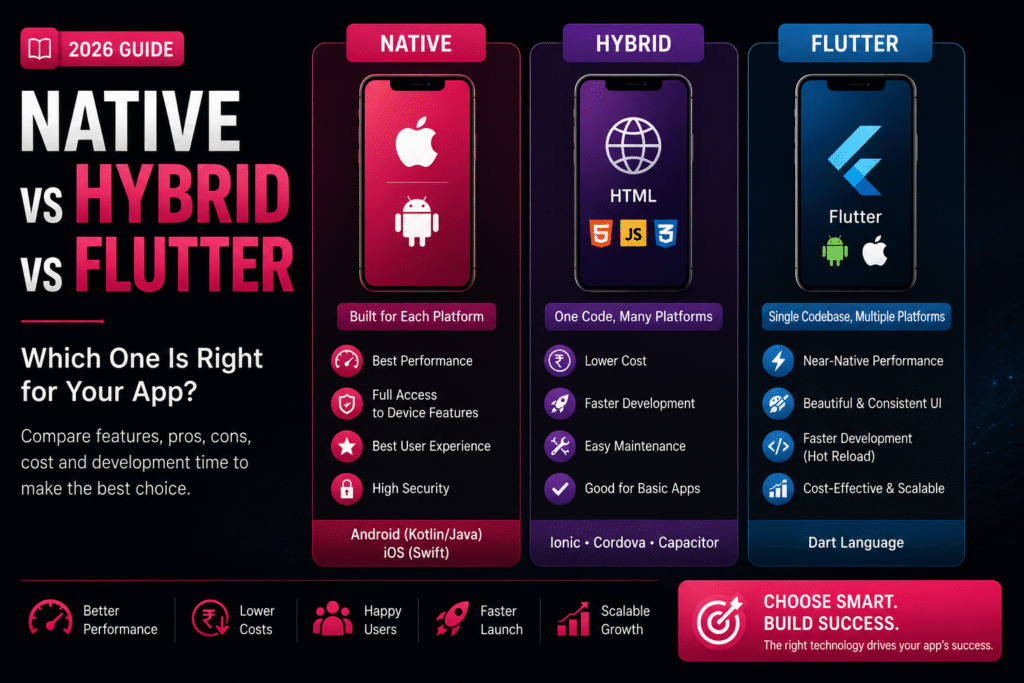
📱 Native vs Hybrid vs Flutter: Pros & Cons

🚀 How to Automate Your Business with a Custom App Native vs Hybrid vs Flutter: Pros & Cons | Crawlers Technologies Introduction What Is Each? Comparison Native Hybrid Flutter Cost & Time Which to Choose Final Thoughts Mobile Development Guide · 2026 Native vs Hybridvs Flutter Choosing the right technology is one of the most important decisions before development begins. It affects your budget, performance, timeline, and user experience. 📱 Native 🌐 Hybrid 💙 Flutter 💰 Cost Comparison ⏱️ Timeline 🏢 Which to Choose Scroll to explore The Technologies Three Approaches, One Goal Each development method is built for a different balance of cost, speed, and performance. Understanding them is the first step to making the right choice. 📱 Native Built specifically for one OS. Android uses Kotlin or Java. iOS uses Swift or Objective-C. Separate codebases for each platform. Best Performance 🌐 Hybrid Uses HTML, CSS and JavaScript wrapped inside a native container. Frameworks: Ionic, Cordova, Capacitor. One codebase, all platforms. Fastest Launch 💙 Flutter Google’s open-source UI framework using Dart. Single codebase for Android, iOS, web, and desktop. Near-native performance. Best Balance Side-by-Side Feature Comparison A clear breakdown of every major factor to help you evaluate each approach objectively. Feature Native Hybrid Flutter Performance ⭐⭐⭐⭐⭐ ⭐⭐⭐ ⭐⭐⭐⭐½ User Experience Excellent Good Excellent Development Speed Slow Fast Fast Cost High Low Moderate Code Reusability No Yes Yes Maintenance High effort Easy Easy Device Features Full Access Limited Almost Full Scalability Excellent Moderate Excellent Option 01 📱 Native App Development Native apps are built from the ground up for one specific platform. They offer unmatched performance but come with higher investment requirements. ✅ Advantages ✔Exceptional Performance — Optimised for each OS, making them the fastest option available ✔Superior UX — Follows platform design guidelines with smooth animations ✔Full Device Access — Camera, GPS, Bluetooth, NFC, Biometrics, Sensors ✔Better Security — Strong platform-specific security features ❌ Disadvantages ✖Higher development cost ✖Separate codebases for Android and iOS ✖Longer development time ✖Higher maintenance costs Best for: Banking, Gaming, Healthcare, High-performance enterprise apps Option 02 🌐 Hybrid App Development Hybrid apps offer speed and cost savings for businesses that need a quick, budget-friendly solution without complex functionality. ✅ Advantages ✔Lower Cost — A single codebase significantly reduces expenses ✔Faster Launch — Ship to market much more quickly ✔Easy Maintenance — One update applies to all platforms ✔Great for Simple Apps — Internal tools, portals, booking systems ❌ Disadvantages ✖Lower performance vs native ✖Limited advanced device feature access ✖Less fluid animations ✖UX may not feel fully native Best for: Internal apps, event apps, company portals, simple booking systems Option 03 💙 Flutter Development Flutter by Google delivers near-native performance with a single codebase. It’s become the go-to choice for startups and growing businesses in 2026. ✅ Advantages ✔Single Codebase — One build deploys on Android, iOS, web & desktop ✔Near-Native Performance — Custom rendering engine, fast and smooth ✔Beautiful UI — Highly customisable, consistent across platforms ✔Hot Reload — Developers see changes instantly, speeding up work ✔Cost-Effective — Shared codebase lowers build & maintenance costs ❌ Disadvantages ✖Slightly larger app file size ✖Highly specialised native features may need extra code ✖Developers need Dart language experience Best for: E-commerce, startups, food delivery, education, healthcare, business apps Investment Cost & Timeline Comparison Actual costs depend on your app’s complexity, features, integrations, and design requirements. These ranges reflect typical projects in India in 2026. 💰 Development Cost (INR) 🌐 Hybrid App ₹2L – ₹8L 💙 Flutter App ₹3L – ₹15L 📱 Native App ₹5L – ₹30L+ ⏱️ Development Timeline 🌐 Hybrid 2–4 Months 💙 Flutter 3–6 Months 📱 Native 4–8 Months Cross-platform solutions reduce overall development time because one codebase serves multiple platforms. Decision Guide Which Option Is Best for Your Business? The right choice depends on your goals, budget, audience, and timeline. Here’s a clear framework to help you decide. 📱 Native Choose Native If… You need maximum performance Advanced hardware features required Expecting millions of active users Budget is not a major concern Banking · Gaming · Healthcare · Enterprise 🌐 Hybrid Choose Hybrid If… You have a limited budget App has basic functionality You want a quick launch Performance isn’t top priority Internal tools · Event apps · Portals · Booking 💙 Flutter Choose Flutter If… You want Android and iOS both You need faster development Excellent UI and performance matter Want to reduce long-term costs E-commerce · Startups · Food · Education · Health 💡 Our Recommendation for 2026 For most startups and growing businesses, Flutter offers the best balance of performance, development speed, cost, and scalability. It delivers near-native quality at a fraction of the native cost. ⚡ Flutter — Best Value in 2026 Before You Decide Final Thoughts Selecting the right app development approach is about more than technology — it’s about choosing a solution that supports your business growth over the long term. Consider These Factors First 💰Your budget and investment capacity 👥Target audience and user expectations ⚙️Required features and integrations ⚡Performance expectations and app type 📈Future scalability and growth plans 🔧Long-term maintenance costs A well-planned technology choice can save time, reduce costs, and help your app succeed in the long run. Always discuss your project requirements with an experienced development team before making a final decision. Ready to BuildYour App? Not sure which technology is right for you? Our expert team at Crawlers Technologies will help you choose the best approach and build something your users will love. 🚀 Start Your Project 💬 WhatsApp Us Crawlers Technologies · Mobile App Development · Hubli, Karnataka 💬 WhatsApp Us Submit your request Recent Post What Is Custom Software?