
Business App Development

DEVELOPMENT

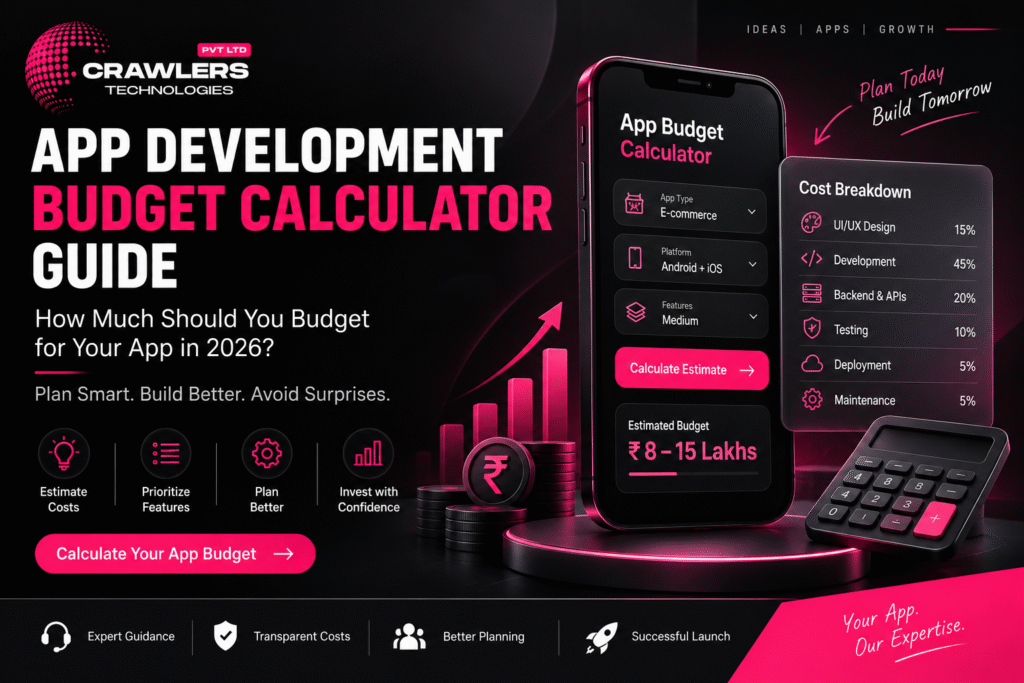
App Development Budget Calculator Guide: How Much Should You Budget for Your App in 2026?

🚀 How to Automate Your Business with a Custom App App Development Budget Calculator 2026 | Crawlers Technologies Intro Cost Factors App Complexity Live Calculator Example Breakdown Annual Costs MVP vs Full Checklist Final Thoughts Interactive Tool · India · 2026 App DevelopmentBudget Calculator How much should you budget for your app in 2026? Use this interactive calculator to estimate your total investment — from development to post-launch. 💰 Live Calculator 📊 Cost Factors 🚀 MVP vs Full 📅 Annual Budget 📋 Checklist 🚨 Common Mistakes Scroll to estimate your budget The Formula What Determines App Development Cost? Two businesses may build apps with similar purposes but have completely different budgets. There is no single price. Understanding what drives cost helps you plan realistically. The Budget Formula Total App Budget = UI/UX Design + Mobile Development + Backend + Admin Panel + Integrations + Testing + Deployment + Initial Infrastructure Annual Operating Budget = Maintenance + Cloud + APIs + Third-Party Services + Marketing Major Cost Factors Cost Factor Impact on Budget App complexity ● HIGH Number of features ● HIGH UI/UX design quality ◐ MEDIUM–HIGH Platform (Android / iOS / Both) ◐ MEDIUM–HIGH Backend development ● HIGH API & third-party integrations ◐ MEDIUM–HIGH Security requirements ◐ MEDIUM–HIGH Testing & QA ◐ MEDIUM Admin panel ◐ MEDIUM Maintenance (post-launch) ⟳ ONGOING Step 1 Choose Your App Complexity The first step in budget calculation. Click your complexity tier to pre-fill the calculator below with indicative ranges. 🌱 Basic App ₹2L – ₹5L+ Limited functionality, few screens, simple backend Info appBookingUtilityProfile ⚡ Medium App ₹5L – ₹15L+ User accounts, payments, APIs, notifications, admin panel E-commerceBookingEdTechRestaurant 🔥 Complex App ₹15L – ₹50L+ Multiple roles, real-time features, advanced integrations, large-scale infra MarketplaceFintechLogisticsEnterprise Step 2 — Interactive 💰 Live Budget Calculator Enter your estimated cost for each component. The total updates in real time. Values are pre-filled based on your complexity selection above — adjust as needed. 🎨 UI/UX Design User research, wireframes, visual design, prototypes, design system ₹ 📱 Mobile App Development Frontend, screens, navigation, device features, animations ₹ ⚙️ Backend Development APIs, database, authentication, business logic, notifications ₹ 🖥️ Admin Panel / Dashboard Web-based admin to manage users, orders, products, reports ₹ 🔗 API & Third-Party Integrations Payment gateway, maps, SMS, WhatsApp, CRM, social login ₹ 🧪 Testing & Quality Assurance Functional, UI, performance, security, device, regression testing ₹ 🚀 Deployment & Infrastructure App Store accounts, cloud setup, domain, SSL, initial config ₹ Estimated Build Budget ₹8,00,000 Indicative planning estimate — actual quotes depend on detailed requirements Budget Breakdown Real-World Example 📊 Example: Service Booking App A business wants to build a service booking application with user registration, OTP login, service listing, booking, payment, notifications, customer profile, booking history, and an admin panel. Illustrative Budget Breakdown Component Example Budget 🎨 UI/UX Design ₹75,000 📱 Mobile App Development ₹3,00,000 ⚙️ Backend & APIs ₹2,00,000 🖥️ Admin Panel ₹1,00,000 💳 Payment Integration ₹30,000 🧪 Testing & QA ₹50,000 🚀 Deployment ₹25,000 💰 Estimated Total ₹7,80,000 This is an illustrative calculation only. Actual pricing can be significantly different depending on requirements, technology choice, and development team. Don’t Forget This 📅 Annual Operating Budget Your app budget doesn’t end when it reaches the Play Store or App Store. Calculate your ongoing annual costs separately — many businesses forget this until it’s too late. 🔧 Maintenance & Bug Fixes OS updates, security patches, routine fixes ₹ ☁️ Cloud Hosting & Servers AWS / GCP / Azure monthly costs ₹ 🔗 API & Third-Party Subscriptions SMS, maps, payment fees, analytics tools ₹ ✨ New Features Quarterly feature enhancements based on user feedback ₹ 📣 Marketing Google Ads, Meta, ASO, influencers, referral campaigns ₹ Annual Operating Budget Cloud + Maintenance + APIs + Features + Marketing ₹3,60,000 Post-Launch Cost Categories 🔧 Maintenance Bug fixes, OS updates, security patches ☁️ Infrastructure Servers, databases, storage, backups 🔗 APIs SMS, maps, payment fees, analytics 📣 Marketing Ads, ASO, referrals, content Smart Strategy 🚀 MVP vs Full App: Which Budget to Choose? If budget is limited, you don’t need to build everything at once. An MVP focuses on the most important features needed to validate the business idea — then you expand based on real feedback. ✅ MVP — Launch First Login & registration Product / service catalogue Product / service detail Cart / booking Checkout & payment Order / booking tracking Basic notifications ◇ Full App — Add Later AI-powered recommendations Loyalty & referral programs Multiple payment options Advanced reviews & ratings Advanced analytics AI chatbot Subscription tier The MVP can launch earlier and help you understand what customers actually use. Then invest in additional features based on real data — not assumptions. Before You Quote 📋 Budget Readiness Checklist Answer these questions before requesting a development quotation. The clearer your brief, the more accurate the estimate you’ll receive. 💡 Business Problem the app solves is defined Target users clearly identified Business model decided Revenue strategy planned 📱 Features Must-have features listed Future features separated from MVP User roles identified Admin panel requirement decided ⚙️ Technology Android / iOS / Both decided Native vs cross-platform discussed Backend requirements identified Required APIs and integrations listed 💰 Budget UI/UX budget allocated Development budget set Backend and integrations budgeted Testing budget included Deployment costs considered Maintenance budget planned separately Cloud infrastructure costs included Marketing budget allocated 🚨 Common App Budget Mistakes ✗ Choosing the Cheapest Quote Poor architecture and weak testing create expensive problems later ✗ Building Too Many Features Unnecessary spending before validating the idea ✗ Ignoring Backend Costs The mobile interface is only one part of the system ✗ Forgetting Maintenance Apps require updates as OS, devices, and APIs change ✗ Not Clarifying Ownership Source code, designs, and IP must be in writing before payment Summary 💡 Final Thoughts Ask the Right Question ❌ Wrong Question “How much does an app cost?” ✅ Right Question “What exactly do I need, what should I build first, and what will it cost to operate long
Uncategorized

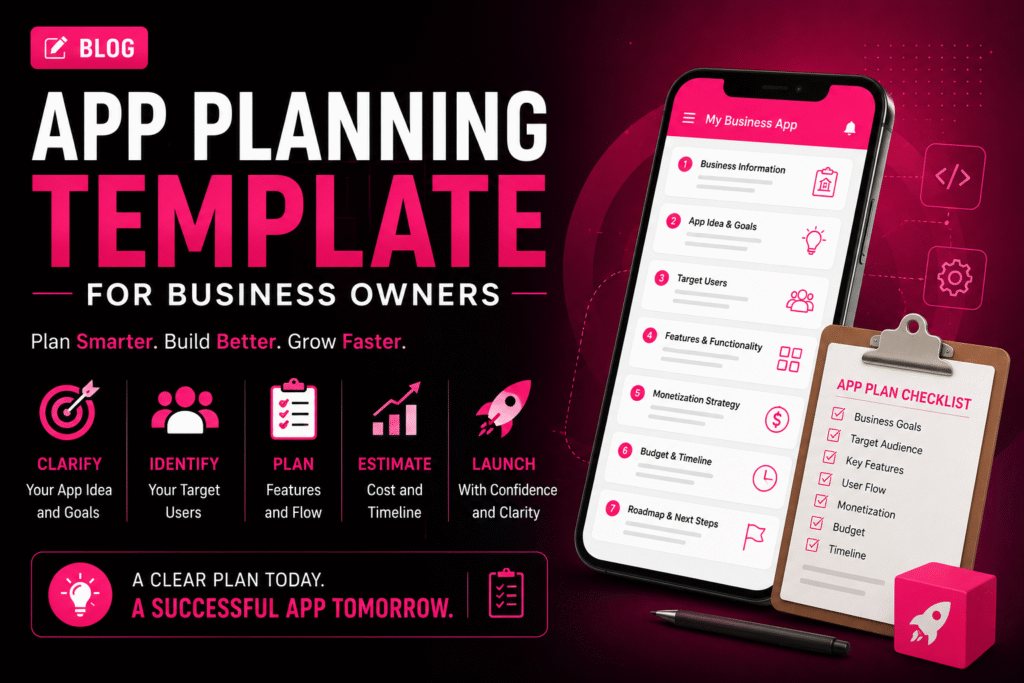
📱 App Planning Template for Business Owners

🚀 How to Automate Your Business with a Custom App App Planning Template for Business Owners | Crawlers Technologies Template 0 / 22 sections filled Intro Business Info App Idea Users & UVP Features UX & Platform Tech & Integrations Revenue & Budget Timeline & Launch Security & KPIs Partner & Ownership Full Summary Free Template · App Planning · Fillable App Planning Templatefor Business Owners Fill in each section before approaching a development company. A well-prepared plan reduces development cost, saves time, and gives your app the best chance of success. 💡 22 Sections ✍️ Fully Fillable 📋 Competitor Research 💰 Budget Planner 🗺️ User Journey 📊 KPI Tracker 🚀 Launch Strategy Fill each section as you go Section 01 – 02 01Business Information This helps your development team understand the business context before discussing technology. Business Name Industry Business Location Website Current Business Model Main Products / Services Current Customer Base 02Define Your App Idea My App Idea (one or two sentences) Keep it simple. If you can explain the idea clearly in one sentence, it becomes far easier to define the required features. Section 03 – 04 03What Problem Will Your App Solve? This is one of the most important sections. Your app should solve a real problem — not simply exist as another digital channel. Current Customer Problem How Customers Currently Solve It How My App Will Improve It 04Identify Your Target Users Primary Users Age Group Location Customer Type Main User Needs Biggest User Pain Point Section 05 – 06 05Define Your Unique Value Proposition Complete this sentence Better pricing Faster service Easier booking Better UX Exclusive products Local availability Personalised service Faster delivery 06Research Your Competitors Study negative reviews — they reveal gaps your competitors haven’t solved yet. Competitor Name Main Features Strength Weakness What can my app do better? Section 07 – 09 07Decide Your App Platform Click to select all that apply. 🤖Android 🍎iOS 🌐Web App 🖥️Admin Dashboard 08Create Your Feature List Click each feature to select it for your project. 👤 User Features Registration / Login User Profile Search & Filters Product / Service Listings Booking / Cart Online Payment Order / Booking Tracking Push Notifications Reviews & Ratings Customer Support / Chat ⚙️ Business Features Admin Dashboard Customer Management Order Management Inventory Management Reports & Analytics Employee Management Offers & Promotions Real-time Dashboards 09Separate MVP from Future Features ✅ Must-Have Features (MVP — launch with these) ◇ Future Features (add after validation) “If I could launch with only 5 features, which ones would they be?” — Those are your MVP features. Section 10 – 11 10Plan Your App Screens My Required Screens (list them) Common Screen Checklist Splash Screen Login / Registration Home / Dashboard Search & Filter Product / Service Detail Cart / Booking Checkout / Payment Order Confirmation User Profile Notifications Support / Help Admin Panel 11Map the User Journey Think through what happens from the moment someone opens your app to completing an action. 📱Open App ↓ 👤Login / Register ↓ 🔍Browse Services / Products ↓ ☑️Select & Choose Date/Time ↓ 💳Make Payment ↓ ✅Confirmation & Notification My Custom User Journey Section 15 – 17 15List Required Integrations Payment Gateway (Razorpay / Stripe) Google Maps / Location WhatsApp API SMS / OTP Service Email Service CRM System ERP / Accounting Software Social Login (Google / Facebook) Cloud Storage (AWS S3 / Firebase) Analytics (Firebase / Mixpanel) Other Integrations 16Plan Backend & Cloud Infrastructure Database Preference Cloud Hosting Questions for Your Development Team 17Plan App Security Secure login (OTP / email) Strong authentication (2FA) Data encryption at rest and transit HTTPS across all endpoints Secure APIs with token auth Role-based access control Database protection Regular automated backups Security testing before launch Section 12 – 13 12Decide How Your App Will Make Money Click your revenue model(s). 🛒 Direct Sales Sell products or services through the app 🔁 Subscription Charge users monthly or annually 💸 Commission Take a percentage from each transaction 📣 Advertising Generate revenue through in-app ads 🆓 Freemium Free basic, paid premium features 🎯 Lead Generation Convert app users into business leads 13Set Your Budget Development cost is only one part of the total app investment. Expense Category Estimated Budget (₹) 🎨 UI/UX Design 📱 App Development ⚙️ Backend Development 🧪 Testing & QA ☁️ Cloud Hosting (Annual) 🔗 API Costs (Annual) 📱 App Store Fees 🔧 Maintenance (Annual) 📣 Marketing 💰 Total Estimated Budget Section 14 & 22 14Set Your Timeline & Milestones Milestone Target Date 🎨 UI/UX Design Completion 💻 MVP Development Complete 🧪 Testing & Bug Fixes 🚀 App Store Submission 📣 Launch & Marketing Start Target Launch Date 22Create a Launch & Marketing Plan Instagram & Facebook Google Ads Meta Ads SEO & Content Marketing Influencer Marketing WhatsApp Marketing Email Marketing Referral Programs App Store Optimization (ASO) My Launch Strategy Section 18 18Define Your Success Metrics Don’t measure success only by downloads. Define meaningful business KPIs. 📥Downloads Target 👥Monthly Active Users 📝Registrations 🛒Orders / Bookings 💰Revenue Goal 🔁Customer Retention 🎯Conversion Rate ⭐Customer Satisfaction Section 19 – 21 19Choose Your Development Partner Portfolio reviewed — live apps seen Relevant industry experience confirmed Technical expertise validated UI/UX capabilities reviewed Development process explained Testing process confirmed Security practices discussed Communication frequency agreed Pricing is fully transparent Post-launch support confirmed 20Clarify Ownership Before Signing Source code ownership — in writing UI/UX design files handed over Database ownership confirmed Documentation included in handover Domain owned by you Cloud and App Store accounts in your name Intellectual property terms in contract 21Plan Post-Launch Support Bug fix process and SLA agreed Security update schedule planned OS compatibility updates covered Server and performance monitoring New feature roadmap planned Customer feedback loop established Maintenance budget separated from build cost Complete Template 📝 Your Complete App Planning Summary A condensed one-page view of your entire plan. Fill this in and share it with your development team as the starting brief. 💡 Business Business Name Industry Business Goal 📱 App App Name

Uncategorized

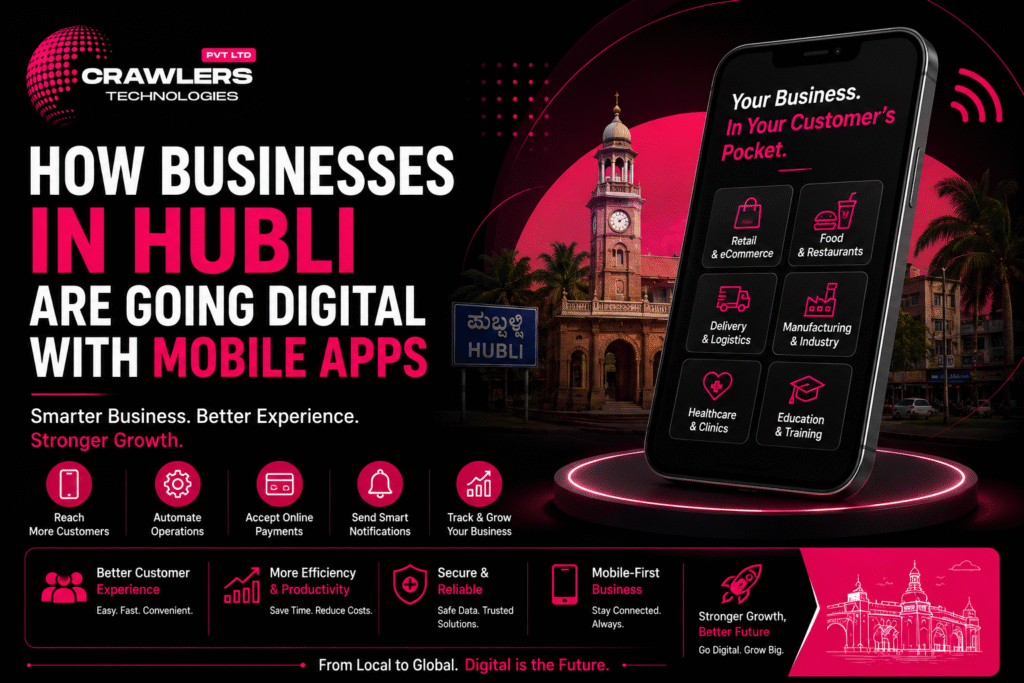
How Businesses in Hubli Are Going Digital with Mobile Apps

🚀 How to Automate Your Business with a Custom App How Businesses in Hubli Are Going Digital with Mobile Apps | Crawlers Technologies Intro Why Digital? Industries Automation Traditional vs App Getting Started Security Future Final Thoughts Digital Transformation · Hubli · 2026 How Businesses in HubliAre Going Digital From retail and restaurants to healthcare, manufacturing, and real estate — mobile apps are helping Hubli businesses reach customers faster, automate operations, and grow smarter. 🛍️ Retail 🍔 Food & Delivery 🏥 Healthcare 🏭 Manufacturing 🎓 Education 🏠 Real Estate 🌾 Agriculture 🤖 Automation Scroll to explore The Shift Why Are Hubli Businesses Moving Towards Mobile Apps? Traditional business models rely on phone calls, WhatsApp, manual records, walk-in customers, and paper processes. They work at small scale — but as customers and transactions grow, managing everything manually becomes a constraint. 10+Industries Being Transformed 24/7Digital Accessibility 1Centralized Platform ∞Scalability Potential What Businesses Can Achieve with a Mobile App 📲 Reach customers directly 🤖 Automate repetitive tasks 🛒 Accept online orders 👥 Manage customer information 🔔 Send push notifications 💳 Collect digital payments 📊 Track operations in real time ❤️ Improve customer retention From Manual to Digital — The Core Shift 🕰️ Traditional Methods 📞 Phone calls 💬 WhatsApp messages 📝 Manual records 🚶 Walk-in customers 📊 Spreadsheets 📄 Paper processes 📱 Mobile App Platform Online orders Digital database Auto notifications Digital payments Live dashboards In-app messaging Sector by Sector How Different Industries in Hubli Are Using Apps Digital transformation in Hubli is not limited to tech companies. Businesses across every sector are finding practical, revenue-generating uses for custom mobile applications. 🛍️ Sector 01 Retail Businesses Browse products & check prices Place orders & make payments Track deliveries Receive offers & discounts View order history 🍔 Sector 02 Restaurants & Food Digital menu & online ordering Table reservations Online payments Delivery tracking Loyalty programs 🚚 Sector 03 Delivery & Logistics Order & driver management GPS live tracking Delivery notifications Route optimisation Digital payments 🏭 Sector 04 Manufacturing Production updates Employee task management Inventory tracking Purchase orders Centralized reports 🏥 Sector 05 Healthcare Appointment booking Doctor profiles Digital prescriptions Patient communication Online payments 🏠 Sector 06 Real Estate Browse & filter properties Location-based discovery Site-visit booking Agent communication Lead management 🎓 Sector 07 Education & Training Video lessons & courses Quizzes & attendance Fee payments Student dashboards Parent notifications 🌾 Sector 08 Agriculture & Rural Market price updates Weather information Farm management tools Equipment booking Supply-chain tracking 💼 Sector 09 Service Businesses Online booking & scheduling Service selection & time slots Automated confirmations Customer reviews Digital payments Hubli-Dharwad’s technology ecosystem already includes companies working across education, healthcare, manufacturing, retail, finance, and agriculture — and this is only the beginning. The Next Level 🤖 Combining Apps with Business Automation The next stage isn’t simply having an app — it’s connecting the app with automated business systems so every step happens without manual intervention. How a Fully Automated Order Flow Works 👤Customer places an order in the app ↓ 📡App sends order to backend instantly ↓ 📦Inventory automatically updates ↓ 💳Payment is processed & confirmed ↓ 🔔Customer receives notification ↓ 🚚Delivery team receives the order Zero manual steps. Fewer errors. Faster operations. 🔗 Systems a Custom App Can Connect With A custom app doesn’t need to operate separately — it can integrate with your existing business tools. 🗄️ CRM systems ⚙️ ERP software 📊 Accounting platforms 📦 Inventory systems 💳 Payment gateways 💬 WhatsApp API 📱 SMS platforms 🗺️ Google Maps ☁️ Cloud services 📈 Analytics tools Side by Side Traditional Business vs Mobile App Approach The goal isn’t to eliminate traditional business — it’s to use technology where it makes the business faster and more efficient for both you and your customers. Traditional Process Mobile App Approach 📞 Phone-based orders Online orders — 24/7, instant 📝 Manual records Digital database — searchable, secure 🔁 Manual follow-ups Automated push notifications 💵 Cash / manual payments Digital payments with receipts 📄 Paper reports Real-time dashboards & analytics 📞 Customer calls In-app communication & chat 📅 Manual booking Online self-service booking 🕐 Limited business hours 24/7 digital access for customers 💰 Is a Mobile App Worth It for Your Business? Not every business needs an app immediately. Answer these questions first: ?Does my business have a recurring customer base? ?Do customers frequently place orders or make bookings? ?Can an app meaningfully reduce our manual work? ?Will direct customer communication add value? ?Can the app generate revenue or reduce costs? If the answer to several of these is yes, a mobile app is very likely worth the investment. Start with an MVP to reduce initial risk. Your Roadmap 🚀 How a Hubli Business Can Start Its Digital Transformation You don’t need to digitize everything at once. Start with one problem, build the core solution, and grow from there. STEP 01 Identify the Problem Find the biggest operational or customer-service challenge your business faces today. STEP 02 Define the Solution Determine whether a mobile app can solve that problem — and what the core features would be. STEP 03 Prioritize Features Start with essential features rather than building everything at once. Scope creep kills timelines. STEP 04 Design the User Experience Create wireframes and UI/UX designs. Simple, intuitive flows matter more than flashy design. STEP 05 Build the MVP Launch the core version of the application. Get it into customers’ hands as early as possible. STEP 06 Collect Feedback Understand how customers actually use the product. Real usage always reveals surprises. STEP 07 Improve & Scale Add new features based on real business and customer requirements — not assumptions. Non-Negotiable 🔐 Security Should Be Part of the Plan As businesses move from paper and manual systems to digital platforms, protecting customer and business data becomes increasingly critical. Digital transformation should improve efficiency without compromising data protection. Essential Security Measures for Business Apps 🔑 Secure authentication 🔒 Data encryption 🔗 Secure APIs 👥 Role-based access control ☁️ Regular automated backups

Uncategorized

📱 Mobile App Development Services in Bangalore – Complete Guide

🚀 How to Automate Your Business with a Custom App Mobile App Development Services in Bangalore – Complete Guide | Crawlers Technologies Intro What Is It? App Types Native vs Cross Backend & Security Cost & Timeline How to Choose Tips & Mistakes Final Thoughts Complete Guide · Bangalore · 2026 Mobile App DevelopmentServices in Bangalore Everything businesses need to know before building a mobile application — technology, costs, timelines, and how to pick the right development partner. 📱 App Types 💻 Native vs Flutter 🎨 UI/UX Design 💰 Cost Breakdown ⏱️ Timelines 🔐 Security 🧪 Testing & QA 🚩 Mistakes to Avoid Scroll to explore The Basics What Is Mobile App Development? Mobile app development is the process of designing, building, testing, and launching applications for smartphones and tablets — for Android, iOS, or both. 618+Dev Companies in Bangalore ₹3LSimple MVP Starting Cost 8 WksFastest Basic App 2026Market Data A Professional Project Typically Includes 📋 Business requirement analysis 🎨 UI/UX design 💻 Frontend development ⚙️ Backend development 🔗 API integration 🗄️ Database development 🧪 Testing & QA 🚀 App Store deployment 🔧 Post-launch maintenance Typical Development Process 🔭Discovery → 🎨UI / UX → 💻Development → 🧪Testing → 🚀Deployment → 🔧Support What You Can Build Types of Mobile Apps Businesses Can Build From internal business tools to consumer-facing platforms, the type of app determines the architecture, features, timeline, and investment required. 🏢 Business Apps Customer management Employee operations Orders & inventory Reports & dashboards Internal automation 🛍️ E-Commerce Apps Browse & filter products Cart & checkout Payment integration Order tracking CRM & inventory sync 🍽️ Food Delivery Apps Restaurant listings Menu management Online ordering Delivery tracking Customer reviews 🏥 Healthcare Apps Appointment booking Doctor profiles Patient communication Digital records Teleconsultation 🏠 Real Estate Apps Property listings Location-based search Lead generation Site-visit booking Agent communication 🎓 Education Apps Online courses & videos Quizzes & assessments Student dashboards Progress tracking Online payments Technology Decision Native vs Cross-Platform Development One of the first — and most important — decisions is choosing your development approach. Each has distinct trade-offs in cost, speed, and performance. Kotlin · Swift 📱 Native Development ✔Exceptional performance & speed ✔Full access to platform features ✔Highly optimised user experience ✔Best for complex applications ✗Higher cost — two separate codebases ✗Longer development timeline Flutter · React Native 💙 Cross-Platform Development ✔Faster development — one shared codebase ✔Lower development effort & cost ✔Easier maintenance & updates ✔Near-native performance (especially Flutter) ~Best for startups & growing businesses 🎨 UI/UX Design — Why It Matters as Much as Code A technically powerful app can still fail if users find it difficult to use. Good UI/UX directly improves engagement, conversions, and retention. User research User journey mapping Wireframing Prototyping Visual design Usability testing Design system creation Infrastructure Backend, Security & Cloud The backend powers everything users interact with inside the app. As your user base grows, a well-architected backend becomes the difference between a product that scales and one that breaks. ⚙️ Backend & API Development The backend manages: User accountsDatabasesPaymentsOrdersNotificationsAuthenticationBusiness logic Common integrations: Payment gatewaysGoogle MapsWhatsApp APISMS providersCRM / ERPAnalytics toolsCloud services 🔐 Mobile App Security Security must be considered from the first line of code — not retrofitted at the end. This is especially critical for payment, healthcare, and financial applications. 🔑 Secure authentication 🔒 Data encryption 🌐 HTTPS everywhere 🔗 Secure APIs 👥 Role-based access 🗄️ Database protection 🧪 Regular security testing ☁️ Secure cloud infra 🧪 Testing & Quality Assurance Before launching, every app should be tested across real devices, scenarios, and use cases. Testing catches bugs before your customers do. ✅ Functional testing 🖥️ UI testing ⚡ Performance testing 🔒 Security testing 🔗 API testing 📱 Device compatibility 🔁 Regression testing 👥 User acceptance testing ☁️ Cloud & Hosting Most modern apps require cloud infrastructure for the backend, database, storage, and APIs — allowing the application to scale as traffic grows. ☁️ AWS Amazon Web Services 🔵 Azure Microsoft Azure 🟢 GCP Google Cloud Platform Investment How Much Does App Development Cost in Bangalore? There is no fixed price — costs depend on complexity, platform, integrations, and team structure. These are 2026 Bangalore market estimates. 💰 Indicative Cost Ranges App Type Approximate Cost Simple MVP ₹3L – ₹8L Standard Business App ₹5L – ₹15L Medium-Complexity App ₹8L – ₹20L Marketplace / On-Demand App ₹15L – ₹40L+ Enterprise Application ₹40L+ These are indicative market ranges. The final quotation depends on your exact requirements. 📊 Cost by App Type (Relative Scale) Simple MVP₹3L – ₹8L Standard Business App₹5L – ₹15L Medium-Complexity App₹8L – ₹20L Marketplace / On-Demand₹15L – ₹40L+ Enterprise Application₹40L+ ⚡ What Determines Your App’s Cost ⚙️ Number of Features More functionality means more development time and investment 📱 Number of Platforms Separate native builds cost more than a cross-platform approach 🎨 UI/UX Complexity Custom animations and advanced interfaces require more design work 🖥️ Backend Complexity Complex logic, real-time data, and multiple user roles add cost 🔗 Third-Party Integrations Payments, maps, SMS, CRM, and ERP add development requirements 🔒 Security Requirements Sensitive data apps need additional testing and infrastructure 📈 Scalability Apps built for millions of users require more sophisticated architecture ⏱️ Development Timelines — 2026 Bangalore Estimates 8–14 Weeks Basic App 3–6 Months Medium App 4–12 Months Complex App A clear scope and well-defined requirements can significantly reduce unnecessary delays. Decision Framework How to Choose a Mobile App Development Company in Bangalore With 618+ reviewed companies in Bangalore alone, don’t choose based only on price. Evaluate each company across these critical dimensions. 🔍Relevant Portfolio — Has the company built apps similar to yours in functionality or industry? 🧠Technical Expertise — Does the team understand the specific technologies your project requires? 🎨UI/UX Capability — Review the quality and usability of their previous applications, not just screenshots. 🧪Testing Process — Ask exactly how bugs, performance, security, and device compatibility are handled. 💰Transparent Pricing — The proposal should explain features, deliverables, timeline, payment terms, and maintenance costs. 🔧Post-Launch Support — What happens