
Android Development

Uncategorized

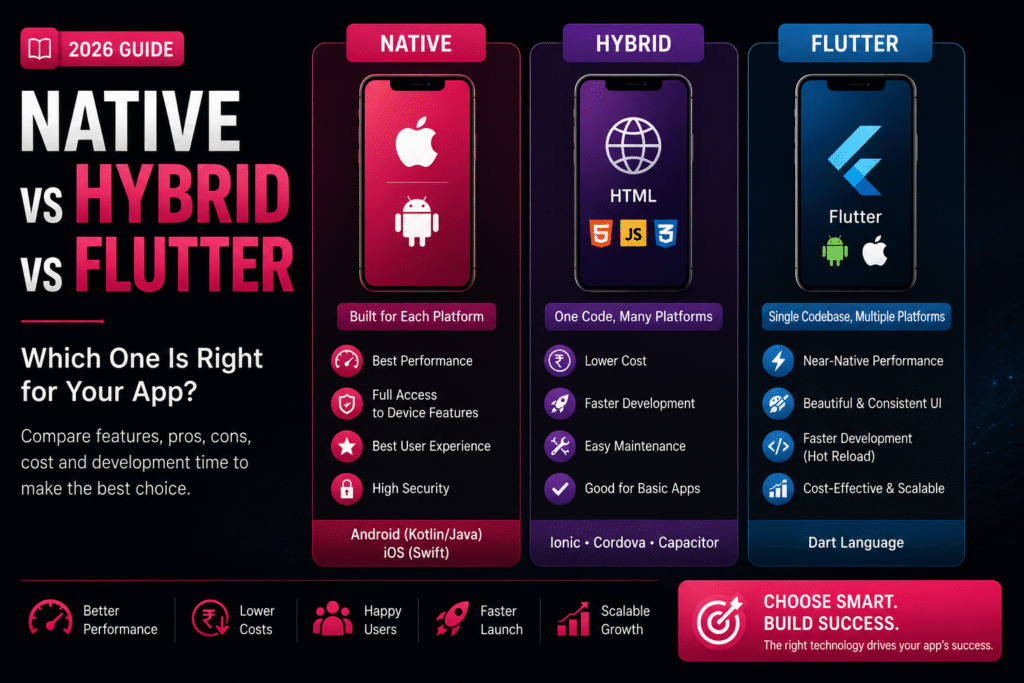
📱 Native vs Hybrid vs Flutter: Pros & Cons

🚀 How to Automate Your Business with a Custom App Native vs Hybrid vs Flutter: Pros & Cons | Crawlers Technologies Introduction What Is Each? Comparison Native Hybrid Flutter Cost & Time Which to Choose Final Thoughts Mobile Development Guide · 2026 Native vs Hybridvs Flutter Choosing the right technology is one of the most important decisions before development begins. It affects your budget, performance, timeline, and user experience. 📱 Native 🌐 Hybrid 💙 Flutter 💰 Cost Comparison ⏱️ Timeline 🏢 Which to Choose Scroll to explore The Technologies Three Approaches, One Goal Each development method is built for a different balance of cost, speed, and performance. Understanding them is the first step to making the right choice. 📱 Native Built specifically for one OS. Android uses Kotlin or Java. iOS uses Swift or Objective-C. Separate codebases for each platform. Best Performance 🌐 Hybrid Uses HTML, CSS and JavaScript wrapped inside a native container. Frameworks: Ionic, Cordova, Capacitor. One codebase, all platforms. Fastest Launch 💙 Flutter Google’s open-source UI framework using Dart. Single codebase for Android, iOS, web, and desktop. Near-native performance. Best Balance Side-by-Side Feature Comparison A clear breakdown of every major factor to help you evaluate each approach objectively. Feature Native Hybrid Flutter Performance ⭐⭐⭐⭐⭐ ⭐⭐⭐ ⭐⭐⭐⭐½ User Experience Excellent Good Excellent Development Speed Slow Fast Fast Cost High Low Moderate Code Reusability No Yes Yes Maintenance High effort Easy Easy Device Features Full Access Limited Almost Full Scalability Excellent Moderate Excellent Option 01 📱 Native App Development Native apps are built from the ground up for one specific platform. They offer unmatched performance but come with higher investment requirements. ✅ Advantages ✔Exceptional Performance — Optimised for each OS, making them the fastest option available ✔Superior UX — Follows platform design guidelines with smooth animations ✔Full Device Access — Camera, GPS, Bluetooth, NFC, Biometrics, Sensors ✔Better Security — Strong platform-specific security features ❌ Disadvantages ✖Higher development cost ✖Separate codebases for Android and iOS ✖Longer development time ✖Higher maintenance costs Best for: Banking, Gaming, Healthcare, High-performance enterprise apps Option 02 🌐 Hybrid App Development Hybrid apps offer speed and cost savings for businesses that need a quick, budget-friendly solution without complex functionality. ✅ Advantages ✔Lower Cost — A single codebase significantly reduces expenses ✔Faster Launch — Ship to market much more quickly ✔Easy Maintenance — One update applies to all platforms ✔Great for Simple Apps — Internal tools, portals, booking systems ❌ Disadvantages ✖Lower performance vs native ✖Limited advanced device feature access ✖Less fluid animations ✖UX may not feel fully native Best for: Internal apps, event apps, company portals, simple booking systems Option 03 💙 Flutter Development Flutter by Google delivers near-native performance with a single codebase. It’s become the go-to choice for startups and growing businesses in 2026. ✅ Advantages ✔Single Codebase — One build deploys on Android, iOS, web & desktop ✔Near-Native Performance — Custom rendering engine, fast and smooth ✔Beautiful UI — Highly customisable, consistent across platforms ✔Hot Reload — Developers see changes instantly, speeding up work ✔Cost-Effective — Shared codebase lowers build & maintenance costs ❌ Disadvantages ✖Slightly larger app file size ✖Highly specialised native features may need extra code ✖Developers need Dart language experience Best for: E-commerce, startups, food delivery, education, healthcare, business apps Investment Cost & Timeline Comparison Actual costs depend on your app’s complexity, features, integrations, and design requirements. These ranges reflect typical projects in India in 2026. 💰 Development Cost (INR) 🌐 Hybrid App ₹2L – ₹8L 💙 Flutter App ₹3L – ₹15L 📱 Native App ₹5L – ₹30L+ ⏱️ Development Timeline 🌐 Hybrid 2–4 Months 💙 Flutter 3–6 Months 📱 Native 4–8 Months Cross-platform solutions reduce overall development time because one codebase serves multiple platforms. Decision Guide Which Option Is Best for Your Business? The right choice depends on your goals, budget, audience, and timeline. Here’s a clear framework to help you decide. 📱 Native Choose Native If… You need maximum performance Advanced hardware features required Expecting millions of active users Budget is not a major concern Banking · Gaming · Healthcare · Enterprise 🌐 Hybrid Choose Hybrid If… You have a limited budget App has basic functionality You want a quick launch Performance isn’t top priority Internal tools · Event apps · Portals · Booking 💙 Flutter Choose Flutter If… You want Android and iOS both You need faster development Excellent UI and performance matter Want to reduce long-term costs E-commerce · Startups · Food · Education · Health 💡 Our Recommendation for 2026 For most startups and growing businesses, Flutter offers the best balance of performance, development speed, cost, and scalability. It delivers near-native quality at a fraction of the native cost. ⚡ Flutter — Best Value in 2026 Before You Decide Final Thoughts Selecting the right app development approach is about more than technology — it’s about choosing a solution that supports your business growth over the long term. Consider These Factors First 💰Your budget and investment capacity 👥Target audience and user expectations ⚙️Required features and integrations ⚡Performance expectations and app type 📈Future scalability and growth plans 🔧Long-term maintenance costs A well-planned technology choice can save time, reduce costs, and help your app succeed in the long run. Always discuss your project requirements with an experienced development team before making a final decision. Ready to BuildYour App? Not sure which technology is right for you? Our expert team at Crawlers Technologies will help you choose the best approach and build something your users will love. 🚀 Start Your Project 💬 WhatsApp Us Crawlers Technologies · Mobile App Development · Hubli, Karnataka 💬 WhatsApp Us Submit your request Recent Post What Is Custom Software?
DEVELOPMENT

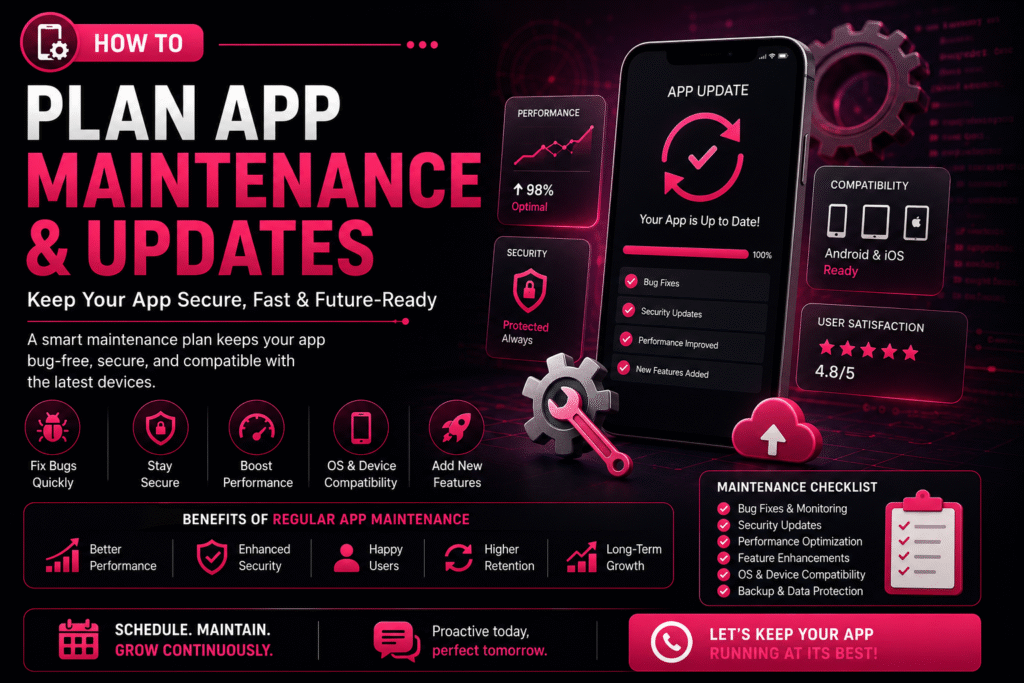
🔄 How to Plan App Maintenance & Updates

🚀 How to Automate Your Business with a Custom App How to Plan App Maintenance & Updates | Crawlers Technologies 🔄 How to Plan App Maintenance & Updates Launching a mobile app is only the beginning of its journey. To keep your app secure, fast, and compatible with the latest devices, regular maintenance and updates are essential. Without a proper maintenance plan, your app may experience bugs, security vulnerabilities, outdated features, and declining user engagement. Whether you own a startup, an e-commerce platform, or an enterprise application — a structured app maintenance strategy ensures long-term success. 🚀 Why App Maintenance Matters Mobile apps require continuous care to remain reliable and competitive. A well-maintained app delivers consistent performance and builds user trust. Regular maintenance helps you: 🐛 Fix bugs & technical issues ⚡ Improve performance 🔒 Strengthen security 📱 Stay OS compatible ✨ Add new features 😊 Enhance user experience 📈 Increase retention 📋 Create a Maintenance Plan A maintenance plan outlines what needs to be updated, when it should be done, and who is responsible. Having a roadmap helps prevent unexpected issues and keeps your app running smoothly. 🐛 Bug Fixing Schedule Structured cycles to resolve issues before they impact users 🔒 Security Updates Routine patches to keep your app safe from new threats 📊 Performance Monitoring Continuous tracking of speed, crashes, and load times ✨ Feature Improvements Planned enhancements driven by user feedback and goals 📱 OS Compatibility Testing and updates for every new Android & iOS release ☁️ Backup & Recovery Automated backups and disaster recovery protocols 1 Prioritize Bug Fixes Even after thorough testing, users may discover issues in real-world scenarios. Classify and resolve them efficiently. 🔍 Common Bugs App crashes Login failures Payment errors Slow loading UI glitches Notification issues ⚠️ Classify by Severity 🔴 Critical Fix immediately — app unusable 🟡 Major Resolve in next update 🟢 Minor Include in scheduled maintenance 2 Schedule Regular Security Updates Cyber threats evolve constantly, making security maintenance essential. Protecting customer data should always be a top priority. 🛡️ Security patches 🔗 API security improvements 🔐 Encryption updates 🔑 Authentication enhancements 🕵️ Vulnerability fixes 3 Keep Up with Android & iOS Updates Google and Apple frequently release operating system updates. Testing your app before major OS releases helps avoid compatibility issues. 📱 Each New OS May Require UI adjustments Permission updates Performance optimisation Compatibility testing SDK upgrades ✅ Best Practices ✔Test on beta OS versions early ✔Monitor Apple & Google release notes ✔Keep SDKs and libraries current ✔Run regression tests after every OS update 4 Monitor App Performance Performance should be monitored continuously. Performance optimisation improves the overall user experience significantly. 🚀 App Startup Time Users abandon apps that take more than 3 seconds to load 📺 Screen Loading Speed Each screen should render within 1–2 seconds 💥 Crash Rates Keep crash-free session rate above 99.5% 🔋 Battery Consumption Optimise background processes to save battery 💾 Memory Usage Prevent memory leaks that cause slowdowns ⚡ API Response Times Ensure server calls complete within acceptable thresholds 5 Plan Feature Updates Successful apps evolve based on customer needs. Prioritise features based on customer feedback and business goals. 💳 New payment methods 💬 Chat support 🏅 Loyalty programmes 🌙 Dark mode 🤖 AI-powered recommendations 🔍 Improved search 6 Use Analytics to Make Better Decisions Analytics help you understand how users interact with your app and reveal opportunities for improvement. 📊 Key Metrics to Monitor Active users (DAU / MAU) Session duration Feature usage rates Conversion rates User retention Drop-off points 💡 What Insights Tell You ✔Which features are loved (keep & improve) ✔Where users get stuck (fix friction) ✔What drives conversions (double down) ✔What causes churn (address urgently) 7 Collect User Feedback Customer reviews are one of the best sources of improvement ideas. Listening to users helps you prioritise meaningful updates. 📝 In-app surveys ⭐ App Store reviews 🤖 Google Play reviews 🎧 Customer support tickets 📱 Social media mentions 8 Backup Your Data Regularly Data protection is a critical part of app maintenance. Regular backups reduce downtime and protect against data loss. ☁️ Backup Essentials Automatic backups Disaster recovery plans Secure cloud storage Data restoration procedures ✅ Best Practices ✔Daily automated backups ✔Test restoration monthly ✔Store backups in multiple regions ✔Encrypt all backup data 9 Test Before Every Release Every update should undergo thorough testing. Testing minimises the risk of introducing new issues to your users. ✅ Functional testing ⚡ Performance testing 🔒 Security testing 📱 Device compatibility 🔁 Regression testing 👥 User acceptance testing (UAT) 10 Create an Update Schedule Instead of making random updates, establish a consistent release cycle. A predictable schedule keeps your users and development team aligned. Frequency Focus Area Activities Weekly Bug Fixes & Monitoring Crash reports, error logs, critical patches Monthly Performance Improvements Speed optimisation, memory fixes, UI tweaks Quarterly Feature Updates New features, UI enhancements, integrations Annually Major Upgrades Redesigns, technology upgrades, full audits 📈 Benefits vs Risks Understanding the impact of proactive maintenance versus neglect. ✅ Benefits of Regular Maintenance ✔Improved app performance ✔Enhanced security ✔Reduced downtime ✔Increased customer satisfaction ✔Compatibility with new devices ✔Valuable new features added ✔Extended app lifespan 🚨 Risks of Ignoring Maintenance ✖Frequent crashes ✖Security vulnerabilities ✖Poor user reviews ✖Lower app store ratings ✖Customer churn ✖Lost revenue ✖Compatibility issues with new devices 🤝 Partner with an Experienced Development Team Working with a professional development partner ensures your app stays competitive, secure, and future-ready without adding burden to your internal team. ⚡ Faster issue resolution 👁️ Proactive monitoring 🔒 Regular security updates 📈 Performance optimisation 🛟 Reliable technical support A skilled team can help your app adapt to changing technologies and business needs at every stage of growth. 💡 Final Thoughts Building a mobile app is a significant investment, but its long-term success depends on consistent maintenance and updates. By planning regular bug fixes, security improvements, performance optimisation, and feature enhancements — you can keep your app reliable, secure, and competitive. ✔Better user experience ✔Increased customer loyalty ✔Supports business