
Backend Development

DEVELOPMENT

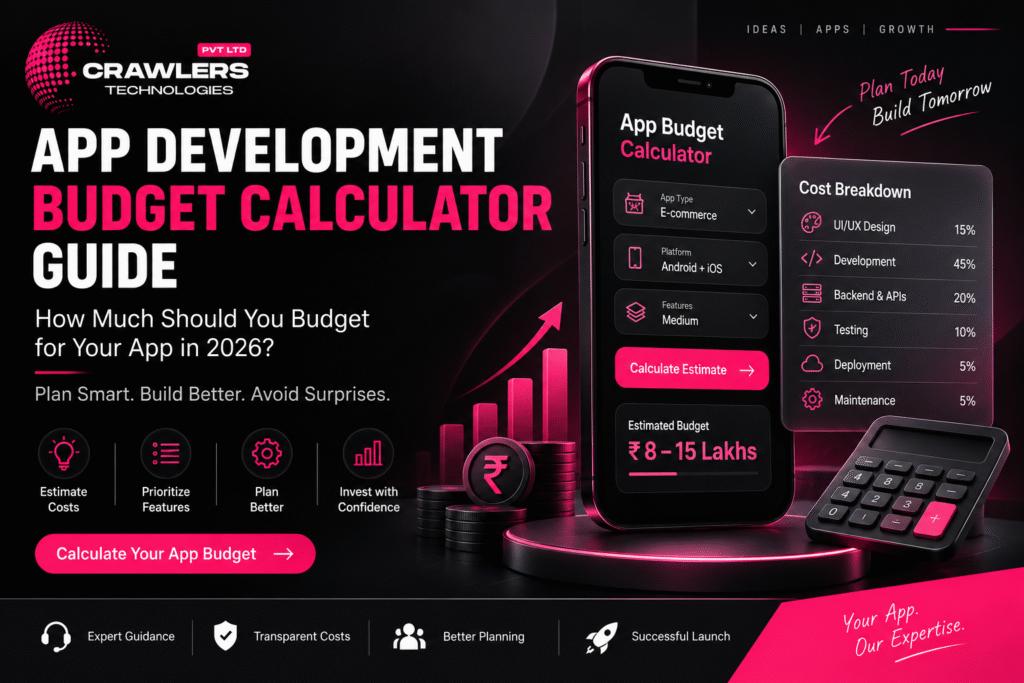
App Development Budget Calculator Guide: How Much Should You Budget for Your App in 2026?

🚀 How to Automate Your Business with a Custom App App Development Budget Calculator 2026 | Crawlers Technologies Intro Cost Factors App Complexity Live Calculator Example Breakdown Annual Costs MVP vs Full Checklist Final Thoughts Interactive Tool · India · 2026 App DevelopmentBudget Calculator How much should you budget for your app in 2026? Use this interactive calculator to estimate your total investment — from development to post-launch. 💰 Live Calculator 📊 Cost Factors 🚀 MVP vs Full 📅 Annual Budget 📋 Checklist 🚨 Common Mistakes Scroll to estimate your budget The Formula What Determines App Development Cost? Two businesses may build apps with similar purposes but have completely different budgets. There is no single price. Understanding what drives cost helps you plan realistically. The Budget Formula Total App Budget = UI/UX Design + Mobile Development + Backend + Admin Panel + Integrations + Testing + Deployment + Initial Infrastructure Annual Operating Budget = Maintenance + Cloud + APIs + Third-Party Services + Marketing Major Cost Factors Cost Factor Impact on Budget App complexity ● HIGH Number of features ● HIGH UI/UX design quality ◐ MEDIUM–HIGH Platform (Android / iOS / Both) ◐ MEDIUM–HIGH Backend development ● HIGH API & third-party integrations ◐ MEDIUM–HIGH Security requirements ◐ MEDIUM–HIGH Testing & QA ◐ MEDIUM Admin panel ◐ MEDIUM Maintenance (post-launch) ⟳ ONGOING Step 1 Choose Your App Complexity The first step in budget calculation. Click your complexity tier to pre-fill the calculator below with indicative ranges. 🌱 Basic App ₹2L – ₹5L+ Limited functionality, few screens, simple backend Info appBookingUtilityProfile ⚡ Medium App ₹5L – ₹15L+ User accounts, payments, APIs, notifications, admin panel E-commerceBookingEdTechRestaurant 🔥 Complex App ₹15L – ₹50L+ Multiple roles, real-time features, advanced integrations, large-scale infra MarketplaceFintechLogisticsEnterprise Step 2 — Interactive 💰 Live Budget Calculator Enter your estimated cost for each component. The total updates in real time. Values are pre-filled based on your complexity selection above — adjust as needed. 🎨 UI/UX Design User research, wireframes, visual design, prototypes, design system ₹ 📱 Mobile App Development Frontend, screens, navigation, device features, animations ₹ ⚙️ Backend Development APIs, database, authentication, business logic, notifications ₹ 🖥️ Admin Panel / Dashboard Web-based admin to manage users, orders, products, reports ₹ 🔗 API & Third-Party Integrations Payment gateway, maps, SMS, WhatsApp, CRM, social login ₹ 🧪 Testing & Quality Assurance Functional, UI, performance, security, device, regression testing ₹ 🚀 Deployment & Infrastructure App Store accounts, cloud setup, domain, SSL, initial config ₹ Estimated Build Budget ₹8,00,000 Indicative planning estimate — actual quotes depend on detailed requirements Budget Breakdown Real-World Example 📊 Example: Service Booking App A business wants to build a service booking application with user registration, OTP login, service listing, booking, payment, notifications, customer profile, booking history, and an admin panel. Illustrative Budget Breakdown Component Example Budget 🎨 UI/UX Design ₹75,000 📱 Mobile App Development ₹3,00,000 ⚙️ Backend & APIs ₹2,00,000 🖥️ Admin Panel ₹1,00,000 💳 Payment Integration ₹30,000 🧪 Testing & QA ₹50,000 🚀 Deployment ₹25,000 💰 Estimated Total ₹7,80,000 This is an illustrative calculation only. Actual pricing can be significantly different depending on requirements, technology choice, and development team. Don’t Forget This 📅 Annual Operating Budget Your app budget doesn’t end when it reaches the Play Store or App Store. Calculate your ongoing annual costs separately — many businesses forget this until it’s too late. 🔧 Maintenance & Bug Fixes OS updates, security patches, routine fixes ₹ ☁️ Cloud Hosting & Servers AWS / GCP / Azure monthly costs ₹ 🔗 API & Third-Party Subscriptions SMS, maps, payment fees, analytics tools ₹ ✨ New Features Quarterly feature enhancements based on user feedback ₹ 📣 Marketing Google Ads, Meta, ASO, influencers, referral campaigns ₹ Annual Operating Budget Cloud + Maintenance + APIs + Features + Marketing ₹3,60,000 Post-Launch Cost Categories 🔧 Maintenance Bug fixes, OS updates, security patches ☁️ Infrastructure Servers, databases, storage, backups 🔗 APIs SMS, maps, payment fees, analytics 📣 Marketing Ads, ASO, referrals, content Smart Strategy 🚀 MVP vs Full App: Which Budget to Choose? If budget is limited, you don’t need to build everything at once. An MVP focuses on the most important features needed to validate the business idea — then you expand based on real feedback. ✅ MVP — Launch First Login & registration Product / service catalogue Product / service detail Cart / booking Checkout & payment Order / booking tracking Basic notifications ◇ Full App — Add Later AI-powered recommendations Loyalty & referral programs Multiple payment options Advanced reviews & ratings Advanced analytics AI chatbot Subscription tier The MVP can launch earlier and help you understand what customers actually use. Then invest in additional features based on real data — not assumptions. Before You Quote 📋 Budget Readiness Checklist Answer these questions before requesting a development quotation. The clearer your brief, the more accurate the estimate you’ll receive. 💡 Business Problem the app solves is defined Target users clearly identified Business model decided Revenue strategy planned 📱 Features Must-have features listed Future features separated from MVP User roles identified Admin panel requirement decided ⚙️ Technology Android / iOS / Both decided Native vs cross-platform discussed Backend requirements identified Required APIs and integrations listed 💰 Budget UI/UX budget allocated Development budget set Backend and integrations budgeted Testing budget included Deployment costs considered Maintenance budget planned separately Cloud infrastructure costs included Marketing budget allocated 🚨 Common App Budget Mistakes ✗ Choosing the Cheapest Quote Poor architecture and weak testing create expensive problems later ✗ Building Too Many Features Unnecessary spending before validating the idea ✗ Ignoring Backend Costs The mobile interface is only one part of the system ✗ Forgetting Maintenance Apps require updates as OS, devices, and APIs change ✗ Not Clarifying Ownership Source code, designs, and IP must be in writing before payment Summary 💡 Final Thoughts Ask the Right Question ❌ Wrong Question “How much does an app cost?” ✅ Right Question “What exactly do I need, what should I build first, and what will it cost to operate long
DEVELOPMENT, Uncategorized

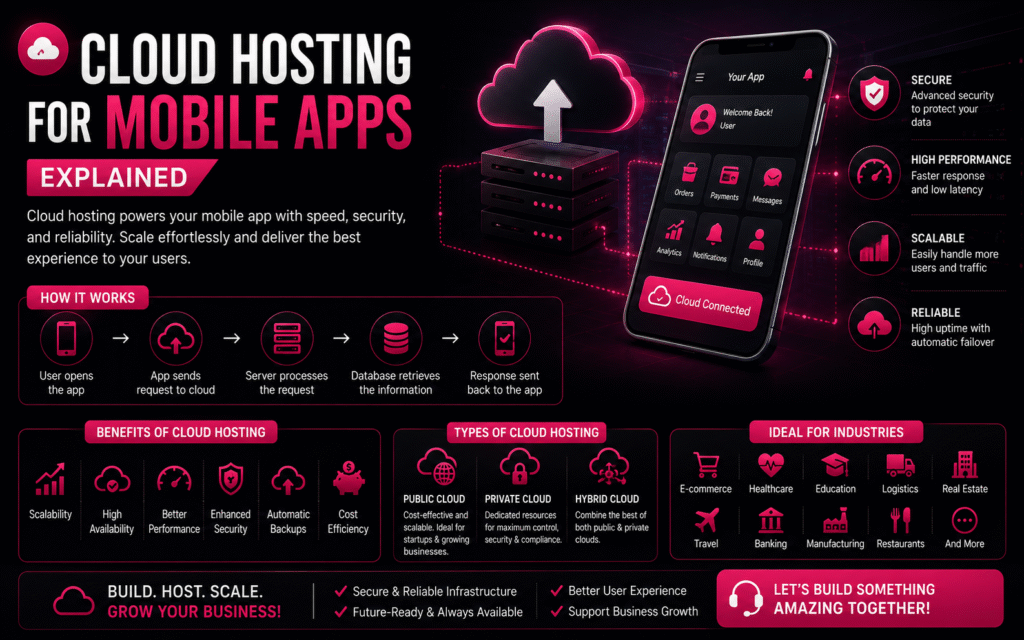
☁️ Cloud Hosting for Mobile Apps Explained

🚀 How to Automate Your Business with a Custom App Cloud Hosting for Mobile Apps Explained ☁ Premium Tech Blog Cloud Hosting for Mobile Apps Explained Learn how cloud hosting powers secure, scalable and high-performance mobile applications with a premium SaaS-style reading experience. Start Reading Why Cloud Hosting Matters ⚡ Faster Apps Cloud infrastructure reduces latency and improves user experience. 🔒 Better Security Automatic backups, encryption and disaster recovery keep your app protected. 📈 Infinite Scaling Handle traffic spikes without downtime. 💰 Lower Costs Pay only for the resources you actually use. How Cloud Hosting Works 1️⃣ User opens app 2️⃣ Request reaches cloud server 3️⃣ Backend processes request 4️⃣ Database returns data 5️⃣ Response sent back instantly Key Components 🖥 Server Runs backend logic. 🗄 Database Stores users, orders and business data. 📂 Storage Images, videos and documents. 🔗 APIs Integrate payments, maps and third-party services. Traditional vs Cloud Feature Traditional Cloud Scalability ❌ ✅ High Availability ❌ ✅ Automatic Backup ❌ ✅ Performance Medium Excellent Call to Action Need a Scalable Mobile App? Build Android, iOS and Web Applications with cloud-ready architecture. Contact Crawlers Technologies © Crawlers Technologies • Premium WordPress HTML Template Demo Submit your request Recent Post What Is Custom Software?

DEVELOPMENT

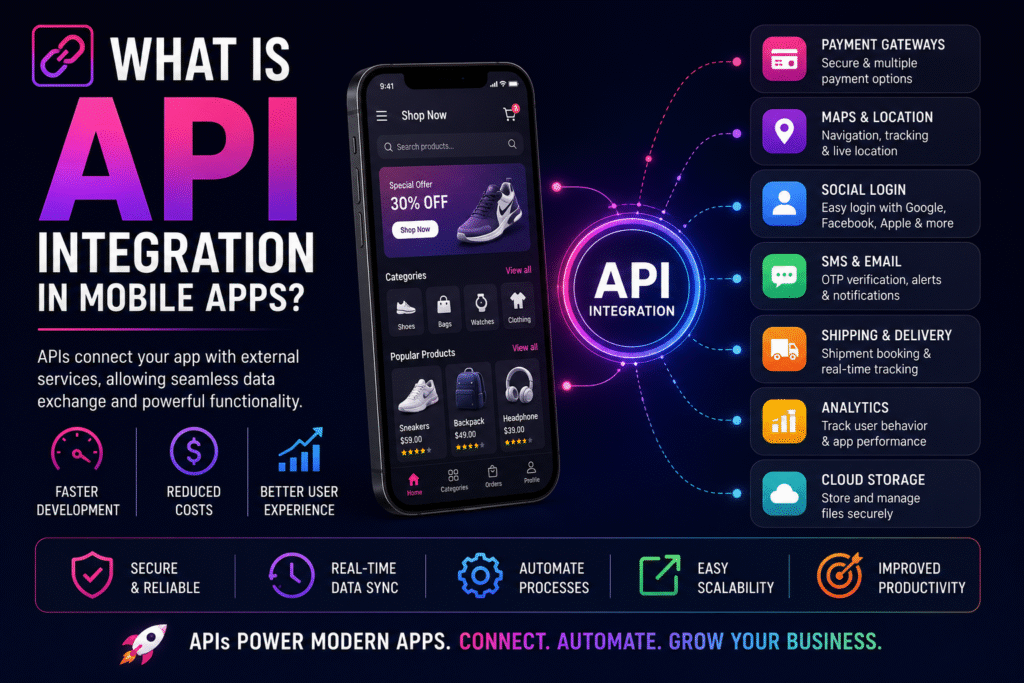
🔗 What Is API Integration in Mobile Apps?

🚀 How to Automate Your Business with a Custom App     🔗 Mobile App Development Guide   . 8+ API Types 24/7 Automation Fast Integration Scale Business Growth Contents Introduction What is an API? API Integration Why It Matters Payment APIs Part 1 of the premium blog. 📱 Introduction Mobile apps have become an essential part of modern businesses, offering online shopping, digital payments, booking systems and real-time tracking. Behind these features is API Integration—the technology that allows your application to communicate with external systems securely and efficiently. Business Insight: APIs help you launch faster by reusing trusted services instead of building everything from scratch.Mobile AppsBusiness Growth 🚀 What Is an API? An API (Application Programming Interface) acts as a messenger between two software systems. It receives requests, communicates with another service, and returns the required information within seconds. Think of an API as a waiter taking your order to the kitchen and bringing the finished meal back to your table. 🔗 What Is API Integration? API integration connects your app with payment gateways, maps, CRMs, cloud storage, social logins, SMS providers and many other services so data flows automatically without manual work. 💡 Why API Integration Matters Businesses use APIs to reduce development time, improve customer experience, automate operations, access third-party services and scale applications efficiently. 💳 Payment Gateway Integration Integrating payment APIs such as Razorpay, Stripe or PayPal enables secure online payments, multiple payment options and faster checkout experiences for customers. API Integration in Mobile Apps Premium Blog • Part 2 — Core API integrations and business use cases. 📍 Google Maps Integration Map APIs allow businesses to display live locations, route navigation, nearby places and real-time delivery tracking. Industries like food delivery, logistics, taxi booking and real estate depend on maps to improve customer experience. Business Insight: Live tracking builds trust and reduces customer support requests.MapsTrackingLocation🔐 Social Login Integration Users can sign in using Google, Apple ID, Facebook or LinkedIn instead of creating new accounts. This reduces friction during registration and improves user onboarding. Benefits: Faster sign-ups, better user experience and higher conversion rates.GoogleAppleOAuth📩 SMS & Email APIs Messaging APIs automate OTP verification, appointment reminders, order confirmations, invoices and marketing campaigns using providers like Twilio, MSG91 and SendGrid. Business Insight: Automated communication keeps customers informed and engaged.OTPEmailNotifications📦 Shipping & Delivery APIs E-commerce businesses integrate courier APIs to create shipments, track packages, update delivery status and manage logistics from one place. Benefits: Better transparency, smoother delivery workflows and happier customers.LogisticsCourierE-commerce  Analytics APIs Analytics platforms help monitor downloads, active users, screen views, purchases and retention. These insights support better marketing and product decisions. Business Insight: Data-driven decisions improve ROI and product growth.AnalyticsInsightsGrowth☁️ Cloud Storage APIs Cloud integrations allow apps to securely store images, videos, documents and customer data while ensuring high availability and scalability. Benefits: Reliable storage, faster access and effortless scaling.CloudStorageScalabilitytable>IntegrationPrimary PurposeBusiness ValueMaps APINavigation & TrackingReal-time customer updatesSocial LoginAuthenticationHigher registrationsSMS/EmailNotificationsBetter communicationShipping APIDelivery ManagementImproved logisticsAnalytics APIUser BehaviourSmarter business decisionsCloud APIData StorageReliable infrastructure API Integration in Mobile Apps — Part 3 🏢 Business Software Integration Custom mobile apps can connect with CRM, ERP, inventory, accounting and HR systems to eliminate duplicate work and automate operations. Information flows between systems in real time, improving productivity and reducing manual errors. Business Insight: Integrating existing software protects your investment while improving operational efficiency. 📈 Benefits of API Integration API integration enables faster development, lower costs, real-time synchronization, better automation, improved customer experience, higher productivity and effortless scalability. Businesses can launch new features quickly by using trusted third-party services instead of building everything from scratch. ⚠️ Challenges of API Integration Businesses should evaluate API security, rate limits, third-party downtime, version updates and documentation quality. Proper planning and experienced developers help minimize these risks. Tip: Always choose APIs with strong documentation, active support and long-term reliability. 🌟 Real-World Example An online grocery app uses multiple APIs simultaneously. Payment APIs process transactions, inventory APIs check stock, notification APIs send confirmations, delivery APIs assign drivers and Google Maps APIs provide live tracking. All of these services work together seamlessly to create an excellent customer experience.   🚀 How to Choose the Right APIs Choose APIs based on security, scalability, performance, documentation quality, pricing, uptime and customer support. Trusted providers reduce future maintenance and ensure stable application performance as your business grows. 💡 Final Thoughts API integration is the backbone of modern mobile applications. It enables apps to communicate with external services, automate business processes and deliver seamless digital experiences. Whether you’re building an e-commerce platform, healthcare app, booking solution or enterprise system, choosing the right APIs will improve performance, accelerate development and support long-term business growth. ❓Quick FAQs What is an API?A bridge that allows software systems to communicate. Why use APIs?To save development time and add trusted functionality. Are APIs secure?Yes, when implemented with authentication, encryption and best practices. Ready to Build a Powerful Mobile App? Leverage secure API integrations to create scalable, feature-rich applications that delight your users and streamline your business. Start Your Project Submit your request Recent Post What Is Custom Software?

DEVELOPMENT

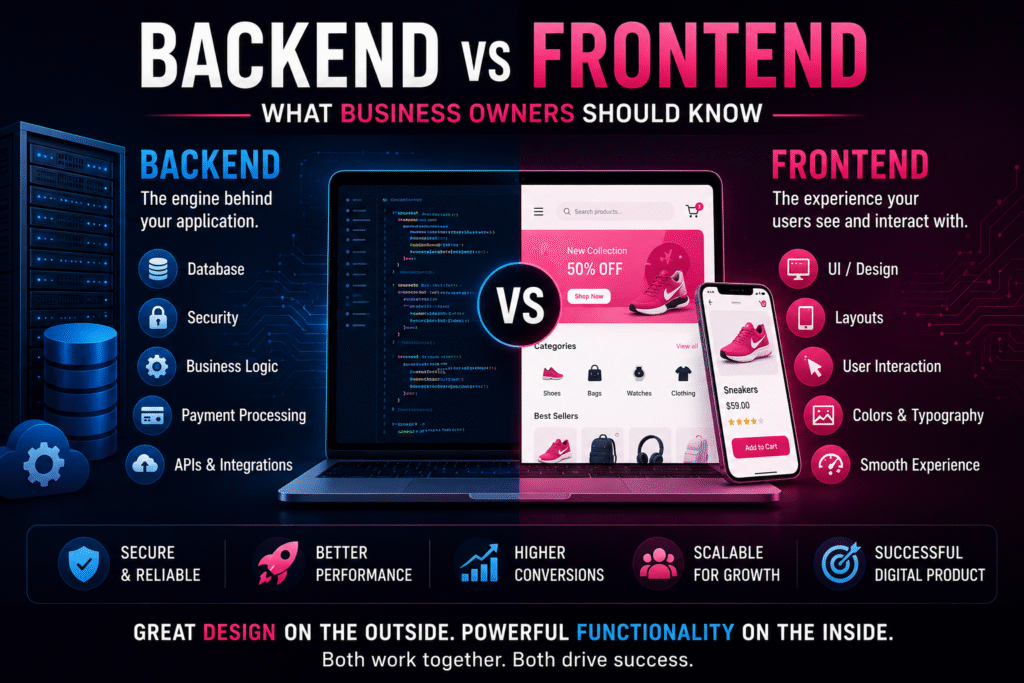
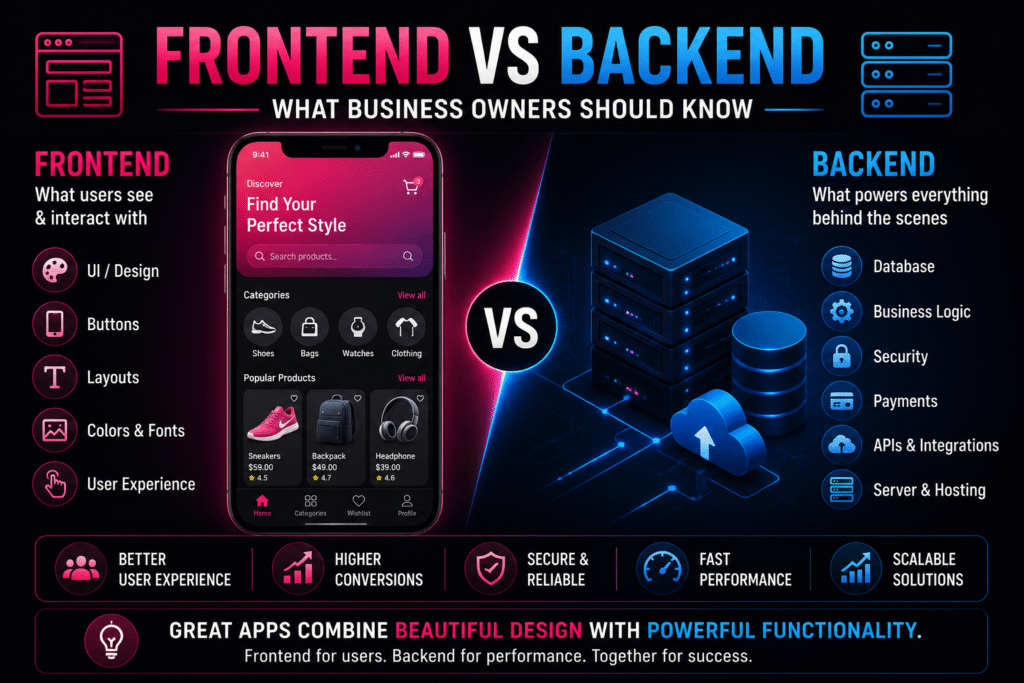
🖥️ Backend vs Frontend: What Business Owners Should Know

🚀 How to Automate Your Business with a Custom App Backend vs Frontend: What Business Owners Should Know Backend vs Frontend: What Business Owners Should Know Understanding both frontend and backend development helps business owners communicate better with developers, plan projects effectively, and build reliable digital products. 🌐 What Is Frontend Development? Frontend development is the part of your website or mobile app that customers directly see and interact with. It includes the home page, navigation, product pages, dashboards, forms, buttons, images, animations, and overall design. A well-crafted frontend creates a strong first impression and makes it easy for users to complete actions such as purchasing products or booking services. Business Value: Better user experience leads to higher engagement, trust, and conversions. UIUXCustomer Experience ⚙️ What Is Backend Development? The backend is the engine that powers your application behind the scenes. It manages databases, authentication, business logic, payment processing, APIs, notifications, and security. Without a backend, a website can display information but cannot process user actions or store data securely. Business Value: A strong backend ensures reliability, security, scalability, and smooth operations. APIDatabaseSecurity 📊 Backend vs Frontend Comparison Feature Frontend Backend Visible to Users Yes No Main Focus User Interface & Experience Business Logic & Data Handles Layouts, Forms, Navigation Server, Database, APIs Technologies React, Vue, Flutter Node.js, Laravel, Django 🔄 How They Work Together When a customer places an order, the frontend collects the information while the backend validates the payment, checks inventory, stores the order, and sends confirmation messages. Neither can function effectively without the other. A successful digital product balances a beautiful interface with a powerful technical foundation. 💡 Final Thoughts Frontend attracts users and delivers an engaging experience. Backend keeps your business running efficiently by processing data, securing information, and supporting growth. Investing in both ensures your website or app is visually appealing, reliable, and ready to scale. Submit your request Recent Post What Is Custom Software?

DEVELOPMENT

🖥️ Backend vs Frontend: What Business Owners Should Know

🚀 How to Automate Your Business with a Custom App Backend vs Frontend 🖥️ Business Guide Backend vs Frontend: What Business Owners Should Know Learn how both layers work together to build successful digital products. 2 Core Layers UX Frontend API Backend 100% Business Ready Comparison Feature Frontend Backend Visible Yes No Focus UI/UX Logic & Database Goal User Experience Business Operations 🖥️ What Is Frontend Development? Everything users see and interact with. Business Insight: Both frontend and backend are essential for delivering a secure, scalable and engaging application.FrontendBackendGrowth⚙️ What Is Backend Development? Server-side logic, databases, APIs and security. Business Insight: Both frontend and backend are essential for delivering a secure, scalable and engaging application.FrontendBackendGrowth🎯 Frontend vs Backend Frontend delivers experience; backend powers functionality. Business Insight: Both frontend and backend are essential for delivering a secure, scalable and engaging application.FrontendBackendGrowth📱 Why Frontend Matters Improves engagement and conversions. Business Insight: Both frontend and backend are essential for delivering a secure, scalable and engaging application.FrontendBackendGrowth🔐 Why Backend Matters Provides speed, security and scalability. Business Insight: Both frontend and backend are essential for delivering a secure, scalable and engaging application.FrontendBackendGrowth🔄 How They Work Together Frontend sends actions, backend processes data. Business Insight: Both frontend and backend are essential for delivering a secure, scalable and engaging application.FrontendBackendGrowth💳 Food Delivery Example Frontend for ordering, backend for processing. Business Insight: Both frontend and backend are essential for delivering a secure, scalable and engaging application.FrontendBackendGrowth🏗️ Which Is More Important? Both are equally important. Business Insight: Both frontend and backend are essential for delivering a secure, scalable and engaging application.FrontendBackendGrowth📊 Frontend Investment Best for customer-facing apps. Business Insight: Both frontend and backend are essential for delivering a secure, scalable and engaging application.FrontendBackendGrowth⚙️ Backend Investment Best for data-heavy systems. Business Insight: Both frontend and backend are essential for delivering a secure, scalable and engaging application.FrontendBackendGrowth🚨 Common Mistakes Ignoring scalability and security. Business Insight: Both frontend and backend are essential for delivering a secure, scalable and engaging application.FrontendBackendGrowth💼 Choosing the Right Partner Hire experts in both. Business Insight: Both frontend and backend are essential for delivering a secure, scalable and engaging application.FrontendBackendGrowth 💡 Final Thoughts A successful digital product combines beautiful design with powerful backend technology. Start Your Project Submit your request Recent Post What Is Custom Software?