

🚀 How to Automate Your Business with a Custom App
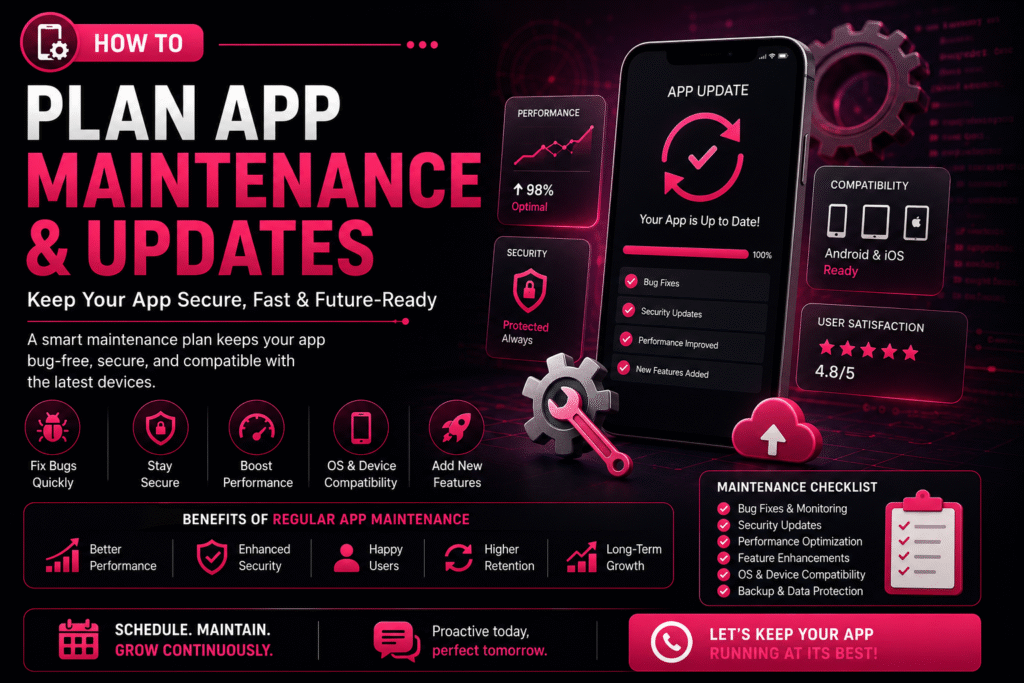
🔄 How to Plan App Maintenance & Updates
Launching a mobile app is only the beginning of its journey. To keep your app secure, fast, and compatible with the latest devices, regular maintenance and updates are essential.
Without a proper maintenance plan, your app may experience bugs, security vulnerabilities, outdated features, and declining user engagement.
Whether you own a startup, an e-commerce platform, or an enterprise application — a structured app maintenance strategy ensures long-term success.
🚀 Why App Maintenance Matters
Mobile apps require continuous care to remain reliable and competitive. A well-maintained app delivers consistent performance and builds user trust.
Regular maintenance helps you:
🐛 Fix bugs & technical issues
⚡ Improve performance
🔒 Strengthen security
📱 Stay OS compatible
✨ Add new features
😊 Enhance user experience
📈 Increase retention
📋 Create a Maintenance Plan
A maintenance plan outlines what needs to be updated, when it should be done, and who is responsible. Having a roadmap helps prevent unexpected issues and keeps your app running smoothly.
🐛
Bug Fixing Schedule
Structured cycles to resolve issues before they impact users
🔒
Security Updates
Routine patches to keep your app safe from new threats
📊
Performance Monitoring
Continuous tracking of speed, crashes, and load times
✨
Feature Improvements
Planned enhancements driven by user feedback and goals
📱
OS Compatibility
Testing and updates for every new Android & iOS release
☁️
Backup & Recovery
Automated backups and disaster recovery protocols
1
Prioritize Bug Fixes
Even after thorough testing, users may discover issues in real-world scenarios. Classify and resolve them efficiently.
🔍 Common Bugs
- App crashes
- Login failures
- Payment errors
- Slow loading
- UI glitches
- Notification issues
⚠️ Classify by Severity
🔴 Critical
Fix immediately — app unusable
🟡 Major
Resolve in next update
🟢 Minor
Include in scheduled maintenance
2
Schedule Regular Security Updates
Cyber threats evolve constantly, making security maintenance essential. Protecting customer data should always be a top priority.
🛡️ Security patches
🔗 API security improvements
🔐 Encryption updates
🔑 Authentication enhancements
🕵️ Vulnerability fixes
3
Keep Up with Android & iOS Updates
Google and Apple frequently release operating system updates. Testing your app before major OS releases helps avoid compatibility issues.
📱 Each New OS May Require
- UI adjustments
- Permission updates
- Performance optimisation
- Compatibility testing
- SDK upgrades
✅ Best Practices
✔Test on beta OS versions early
✔Monitor Apple & Google release notes
✔Keep SDKs and libraries current
✔Run regression tests after every OS update
4
Monitor App Performance
Performance should be monitored continuously. Performance optimisation improves the overall user experience significantly.
🚀
App Startup Time
Users abandon apps that take more than 3 seconds to load
📺
Screen Loading Speed
Each screen should render within 1–2 seconds
💥
Crash Rates
Keep crash-free session rate above 99.5%
🔋
Battery Consumption
Optimise background processes to save battery
💾
Memory Usage
Prevent memory leaks that cause slowdowns
⚡
API Response Times
Ensure server calls complete within acceptable thresholds
5
Plan Feature Updates
Successful apps evolve based on customer needs. Prioritise features based on customer feedback and business goals.
💳 New payment methods
💬 Chat support
🏅 Loyalty programmes
🌙 Dark mode
🤖 AI-powered recommendations
🔍 Improved search
6
Use Analytics to Make Better Decisions
Analytics help you understand how users interact with your app and reveal opportunities for improvement.
📊 Key Metrics to Monitor
- Active users (DAU / MAU)
- Session duration
- Feature usage rates
- Conversion rates
- User retention
- Drop-off points
💡 What Insights Tell You
✔Which features are loved (keep & improve)
✔Where users get stuck (fix friction)
✔What drives conversions (double down)
✔What causes churn (address urgently)
7
Collect User Feedback
Customer reviews are one of the best sources of improvement ideas. Listening to users helps you prioritise meaningful updates.
📝 In-app surveys
⭐ App Store reviews
🤖 Google Play reviews
🎧 Customer support tickets
📱 Social media mentions
8
Backup Your Data Regularly
Data protection is a critical part of app maintenance. Regular backups reduce downtime and protect against data loss.
☁️ Backup Essentials
- Automatic backups
- Disaster recovery plans
- Secure cloud storage
- Data restoration procedures
✅ Best Practices
✔Daily automated backups
✔Test restoration monthly
✔Store backups in multiple regions
✔Encrypt all backup data
9
Test Before Every Release
Every update should undergo thorough testing. Testing minimises the risk of introducing new issues to your users.
✅ Functional testing
⚡ Performance testing
🔒 Security testing
📱 Device compatibility
🔁 Regression testing
👥 User acceptance testing (UAT)
10
Create an Update Schedule
Instead of making random updates, establish a consistent release cycle. A predictable schedule keeps your users and development team aligned.
| Frequency | Focus Area | Activities |
|---|---|---|
| Weekly | Bug Fixes & Monitoring | Crash reports, error logs, critical patches |
| Monthly | Performance Improvements | Speed optimisation, memory fixes, UI tweaks |
| Quarterly | Feature Updates | New features, UI enhancements, integrations |
| Annually | Major Upgrades | Redesigns, technology upgrades, full audits |
📈 Benefits vs Risks
Understanding the impact of proactive maintenance versus neglect.
✅ Benefits of Regular Maintenance
✔Improved app performance
✔Enhanced security
✔Reduced downtime
✔Increased customer satisfaction
✔Compatibility with new devices
✔Valuable new features added
✔Extended app lifespan
🚨 Risks of Ignoring Maintenance
✖Frequent crashes
✖Security vulnerabilities
✖Poor user reviews
✖Lower app store ratings
✖Customer churn
✖Lost revenue
✖Compatibility issues with new devices
🤝 Partner with an Experienced Development Team
Working with a professional development partner ensures your app stays competitive, secure, and future-ready without adding burden to your internal team.
⚡ Faster issue resolution
👁️ Proactive monitoring
🔒 Regular security updates
📈 Performance optimisation
🛟 Reliable technical support
A skilled team can help your app adapt to changing technologies and business needs at every stage of growth.
💡 Final Thoughts
Building a mobile app is a significant investment, but its long-term success depends on consistent maintenance and updates.
By planning regular bug fixes, security improvements, performance optimisation, and feature enhancements — you can keep your app reliable, secure, and competitive.
✔Better user experience
✔Increased customer loyalty
✔Supports business growth
✔Maximises return on investment
A well-maintained app isn’t just a product — it’s a competitive advantage.
🚀 Get App Maintenance SupportSubmit your request
🔄 How to Plan App Maintenance & Updates
Recent Post

📱 Mobile App Development Services in Bangalore – Complete Guide
August 20, 2026
12:31 pm
Read More »